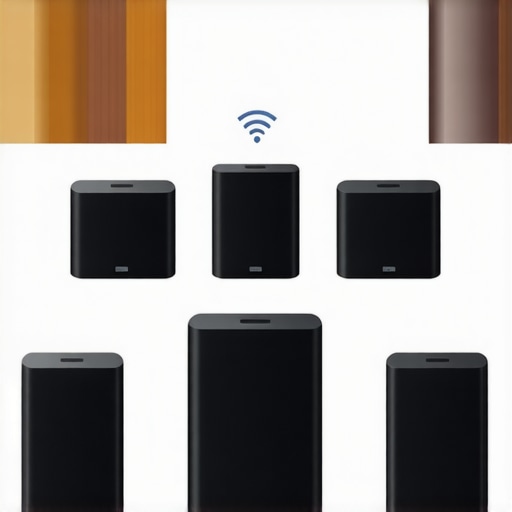
Have you ever experienced that frustrating moment when you’re relaxing at home, and suddenly, the music cuts out or doesn’t sync across your rooms? I remember the first time I tried to set up a whole home audio system. I thought it would be a straightforward plug-and-play experience. Instead, I was greeted with dead zones, laggy sound, and a tangled mess of wires. It was a real eye-opener that made me realize how much I underestimated the complexity of creating seamless multiroom audio.
Why Multiroom Wi-Fi Speakers Matter More Than Ever
In recent years, the way we enjoy music has shifted dramatically. The days of wired speakers and complicated setups are fading fast. Today, wireless multiroom systems offer incredible convenience and flexibility. But here’s the thing—if you don’t set them up correctly, you’ll end up frustrated, wasting time and money. That’s why I’m here to share what I’ve learned from my own mistakes and successes, so you can avoid the pitfalls and enjoy your favorite tunes everywhere in your home without a hitch.
Is Wireless Home Audio Really Reliable?
One of my biggest doubts early on was whether wireless streaming could truly replace traditional wired setups. I feared lag, dropouts, and inconsistent sound quality. My mistake was underestimating the importance of a robust Wi-Fi network and proper equipment. I’ve since discovered that with the right choices—like high-quality Wi-Fi speakers and a well-planned network—you can achieve seamless, multiroom audio that rivals wired systems. Want to learn how to do it right? Check out this guide to creating the perfect multiroom setup.
Are you tired of your home audio feeling disjointed or unreliable? Let’s dive into how you can transform your space into a connected sound haven—smooth, synchronized, and effortlessly enjoyable. The good news is, it’s easier than you think once you know what to look for and how to set it up properly. Ready to get started? Keep reading, and I’ll walk you through the essentials to make your home audio truly shine.
Start with a Strong Wi-Fi Foundation
Before you begin placing your speakers, ensure your Wi-Fi network is robust. Think of it like building a highway: a smooth journey depends on a wide, well-maintained road. Use a dual-band router that supports 5 GHz and 2.4 GHz bands, and position it centrally in your home to maximize coverage. Avoid placing it near thick walls or electronic interference sources. Test your network speed and stability in different parts of your home. If your Wi-Fi is unreliable, consider upgrading your router or adding mesh Wi-Fi extenders. A stable network is the backbone of all your multiroom audio efforts.
Choose the Right Speakers for Your Space
Pick high-quality Wi-Fi speakers that fit your room size and aesthetic. I once bought a set of compact speakers for my living room, only to realize later I needed more bass power. When selecting speakers, look for models with good range, easy app control, and compatibility with your preferred ecosystem (like Apple AirPlay or Google Cast). Think of your speakers as the musical messengers: they need to be reliable and clear to deliver your favorite tunes without hiccups.
Plan Your Speaker Layout for Optimal Sound
Placement is crucial. Imagine your home as a concert hall—sound needs to bounce and fill every corner. Place speakers at ear level, ideally in open spaces away from obstructions. For larger rooms, positioning speakers in opposite corners can create a balanced soundstage. Avoid placing speakers too close to walls or corners, as this can cause bass booms or muddiness. I once experimented by moving a speaker from the corner to the center of the room, and the difference was night and day in sound clarity.
Connect Your Speakers Correctly
Follow the manufacturer’s instructions to connect each speaker to your Wi-Fi network. Most apps guide you through this process step-by-step. When I set up my system, I used the app to scan for available devices, then assigned each speaker to a specific room. Consistency is key—name your speakers clearly, like “Living Room Left” and “Kitchen Right,” to avoid confusion later. Once connected, test each speaker individually to ensure clear audio and stable connection.
Configure Multiroom Synchronization
Synchronization ensures music plays simultaneously in every room. Use the app’s multiroom feature to group your speakers. I recommend doing this one room at a time, playing a familiar song and adjusting for sync issues. Some systems automatically sync, but others might need manual fine-tuning. If you encounter lag, check your Wi-Fi signal strength and reduce network congestion. Remember, a well-placed router and minimal device interference go a long way in maintaining perfect sync.
Optimize Your Network for Streaming
Quality streaming demands a dedicated network environment. Prioritize your audio devices through Quality of Service (QoS) settings on your router. Limit bandwidth-heavy activities like gaming or large downloads during your listening sessions. Also, update your router firmware regularly to patch security flaws and improve performance. I once had streaming hiccups until I enabled QoS and moved my router to a more open space, dramatically improving stability.
Test and Fine-Tune Your System
After initial setup, spend time testing your system. Play different genres, adjust speaker positions, and tweak sync settings in the app. Use a consistent playlist to compare sound quality across rooms. If something feels off, revisit your placement or network setup. Remember, patience and small adjustments can significantly enhance your home audio experience. For detailed tips, consider exploring this comprehensive guide.
Many enthusiasts jump into creating a multiroom audio system with enthusiasm but often overlook the nuanced pitfalls that can sabotage their efforts. As an expert who has navigated these waters, I want to shed light on some misconceptions and advanced mistakes that even seasoned DIYers can make. Let’s dig deeper into the hidden nuances of wireless home audio to ensure your setup is truly seamless and reliable.
Why Most People Misjudge Wi-Fi Network Requirements
One prevalent myth is that a standard home Wi-Fi network will suffice for multiroom audio. While basic streaming might work, high-quality, synchronized playback across multiple rooms demands a robust, low-latency network. Many underestimate the importance of a dedicated or optimized network environment, leading to lag, dropouts, or desynchronization. According to a study by Cisco, network congestion directly impacts streaming quality, emphasizing the need for prioritizing your audio devices through QoS settings. If you’re serious about multiroom sound, consider upgrading to a mesh Wi-Fi system or implementing VLANs to isolate traffic for your speakers.
Pro tip: Always test your network’s capacity in every room, especially if you have thick walls or numerous connected devices. A common mistake is assuming that your existing Wi-Fi is enough; instead, invest in hardware that can handle the bandwidth and latency requirements of high-fidelity multiroom streaming.
Advanced Setup Errors That Trip People Up
Another frequent oversight is neglecting proper speaker placement and calibration. Many assume that placing speakers at arbitrary locations will result in good sound, but the truth is, spatial acoustics and sync accuracy depend heavily on precise positioning. Even minor deviations can cause phase issues and noticeable delays. Use a calibrated approach—place speakers at ear level and in open areas. For larger rooms, symmetry and avoiding obstacles are key. Additionally, failing to update firmware on your speakers can lead to compatibility issues and bugs that impair synchronization. Regularly check for updates and consult manufacturer guidance to keep your system running smoothly.
Oops alert: Don’t rely solely on automatic sync features. Manual fine-tuning is often necessary, especially in complex layouts. Experiment with adjusting the sync delay in your app, and consider consulting advanced guides like this detailed resource for troubleshooting.
Optimizing for Future-Proofing
Many overlook the importance of scalability. Building a system that can grow with your needs means choosing speakers and components that support future standards like Wi-Fi 6 or Bluetooth 5.2. Also, be aware that different ecosystems (Apple AirPlay, Google Cast, Alexa) have varying levels of compatibility and performance. Mixing brands without proper planning can lead to issues with synchronization and control. For a truly cohesive experience, stick to one ecosystem or verify cross-compatibility thoroughly before investing.
Have you ever fallen into this trap? Let me know in the comments. For a comprehensive approach to future-proofing your setup, explore this ultimate guide.
How do I keep my multiroom Wi-Fi audio system running smoothly over time?
Once you’ve set up your seamless home audio network, the real challenge begins—keeping it working flawlessly day after day. Regular maintenance might not be glamorous, but it’s essential for ensuring your music stays synchronized, high-quality, and reliable. Personally, I’ve found that a combination of strategic tools, routine checks, and firmware updates can make a world of difference in maintaining a robust multiroom setup.
First, invest in a quality network monitoring tool like NetSpot or PingPlotter. These tools help me identify weak spots or interference issues before they become major problems. I regularly scan my home Wi-Fi to ensure all speakers are connected with a stable signal and no unexpected latency. This proactive approach saves me hours of troubleshooting later on.
Second, firmware updates are your friends. Manufacturers release updates that fix bugs, improve compatibility, and enhance performance. I make it a habit to check for updates every few months—most speakers and streaming devices notify you through their app, but manual checks are wise. Keeping your devices current ensures that new features or fixes are integrated, reducing ongoing issues.
Third, consider network segmentation. If your system is growing, use a dedicated VLAN or a separate SSID for your audio devices. This minimizes congestion and interference from other household gadgets or streaming services. For example, I configured a separate Wi-Fi network for my speakers, which improved sync accuracy and reduced dropouts. This is particularly beneficial in larger homes with multiple connected devices.
In terms of physical maintenance, periodically clean your speakers and check cabling or connections. Dust or loose wires can degrade sound quality or cause disconnects. Also, avoid placing speakers near sources of interference like microwaves or cordless phones. Proper placement and maintenance extend the life of your equipment and keep your listening experience uninterrupted.
Looking ahead, I predict that intelligent network management features will become standard in multiroom audio systems, automatically adjusting settings for optimal performance. Until then, manual checks and routine updates remain our best tools. I highly recommend trying out advanced network monitoring and segmentation—these steps have significantly improved my long-term reliability. Want more detailed guidance? Visit this resource to refine your setup and keep your music flowing seamlessly for years to come.
The Hidden Lessons That Changed My Home Sound Experience
- Don’t underestimate your Wi-Fi network. I learned the hard way that a weak Wi-Fi can ruin your entire multiroom setup. Investing in a mesh system and optimizing your router settings transformed my listening experience overnight.
- Placement is everything. I once placed a speaker behind a couch and wondered why the sound was off. Moving it to ear level and avoiding walls made a massive difference in clarity and sync.
- Firmware updates are your best friends. Regularly updating your speakers avoided bugs and improved stability. It’s a simple step that prevents many headaches down the line.
- Manual sync adjustments matter. Automatic settings are helpful, but fine-tuning delay in the app made my system truly seamless. Don’t settle for less than perfect sync.
Tools and Resources That Elevate My System
- Creating the perfect multiroom system guide: A comprehensive resource that covers everything from network setup to speaker placement.
- Ultimate guide to wireless streaming: Helps me understand the latest standards like Wi-Fi 6 and how to future-proof my setup.
- Wireless streaming devices: Ensures I have the right hardware to support high-quality audio without lag.
- Wireless streaming revolution article: Keeps me inspired about the potential of my system and new innovations.
Take Action and Transform Your Home Sound Today
Building a seamless multiroom Wi-Fi speaker system isn’t just about technology—it’s about creating a space where music truly unites every corner of your home. With the right knowledge, tools, and patience, you can enjoy synchronized, high-quality sound everywhere. The future of home audio is wireless and smarter than ever, so don’t wait to make your home a sound sanctuary. Are you ready to elevate your listening experience? Share your biggest challenge below, and let’s troubleshoot together!



![Stop Sync Drift: 4 Matter 3.0 Multiroom Audio Hacks [2026]](https://homeaudio.premiumsounddeals.com/wp-content/uploads/2026/03/Stop-Sync-Drift-4-Matter-3.0-Multiroom-Audio-Hacks-2026.jpeg)

![5 Portable Wi-Fi 8 Speakers with 50-Hour Battery [2026 Picks]](https://homeaudio.premiumsounddeals.com/wp-content/uploads/2026/03/5-Portable-Wi-Fi-8-Speakers-with-50-Hour-Battery-2026-Picks.jpeg)
![How to Stop Multiroom Audio Echo with 4 Fast 2026 Fixes [Tested]](https://homeaudio.premiumsounddeals.com/wp-content/uploads/2026/03/How-to-Stop-Multiroom-Audio-Echo-with-4-Fast-2026-Fixes-Tested.jpeg)


Leave a Reply