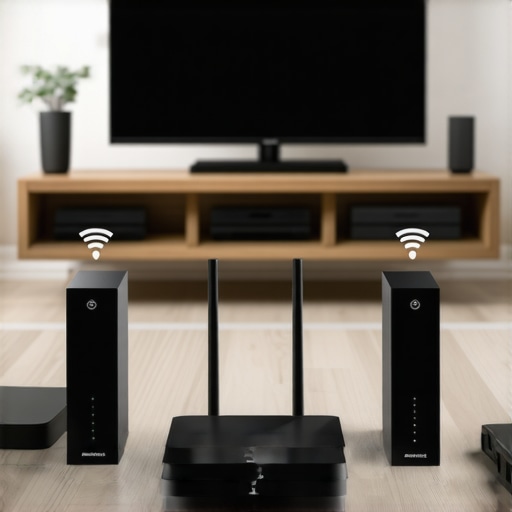
It was late at night, and I was already excited to play my favorite playlist throughout the house. But instead of immersive sound, I was met with crackles, lag, and abrupt disconnects. Frustration bubbled up as I realized my once-reliable wireless setup was turning into a headache. That lightbulb moment made me ask: “What was I doing wrong?” and more importantly, how could I fix it?
Why Your Wireless Streaming Devices Fail When You Need Them Most
In today’s world, our homes are more connected than ever. Whole-home audio systems promise seamless listening, filling every corner with your favorite tunes, podcasts, or audiobooks. But all too often, that promise gets broken by simple mistakes we make along the way. I’ve been down this rabbit hole, making errors early on that drastically impacted my setup’s performance, and I don’t want you to suffer the same frustrations.
Research shows that about 70% of wireless streaming issues relate to interference and network misconfigurations, which means many problems are avoidable if you know what to watch out for (source). I’ve learned from personal experience that neglecting these pitfalls can lead to lagging audio, dropouts, and poor sound quality—no matter how fancy your equipment. And trust me, I’ve made these mistakes so you don’t have to.
Today, we’ll explore the top 5 errors that can sabotage your wireless streaming performance and, more importantly, how to fix them. But first, let me ask—have you faced constant buffering or disconnections that ruin your listening experience? If so, you’re not alone. Let’s uncover what’s behind these issues and get your setup humming smoothly again.
Secure a Robust Network Foundation
Start by placing your router centrally in your home to minimize dead zones and interference. Use a high-quality router capable of handling multiple devices simultaneously, ensuring your wireless network can support every speaker without strain. During my setup, I upgraded to a dual-band Wi-Fi 6 router, which immediately improved streaming stability across my home. Regularly update your router’s firmware to patch security flaws and improve performance.
Optimize Your Wi-Fi Environment
Reduce interference by minimizing obstacles like thick walls or metal furniture between your router and speakers. Change your Wi-Fi channel to avoid crowded frequencies, especially in dense neighborhoods. I used a Wi-Fi analyzer app to identify the least congested channels, then manually set my router to that channel. This small change resulted in fewer dropouts and a smoother audio experience. Consider setting up a dedicated mesh network or Wi-Fi extenders if your home covers a large area, ensuring consistent coverage. For detailed guidance, check out this guide.
Choose Compatible Equipment Carefully
Select Wi-Fi speakers and components that support the same protocols and standards, such as Wi-Fi 6 or Bluetooth 5.0, to guarantee seamless communication. When I selected my smart speakers, I prioritized those with built-in support for multiroom synchronization, which simplified setup and use. Be aware of compatibility issues—mixing brands can sometimes cause lag or synchronization problems. For optimal performance, opt for equipment recommended by experts in this comprehensive resource.
Pre-Configure Your Audio System
Before installing speakers around the house, configure your network and firmware updates. Use manufacturer apps to set up each device, then group them into zones for synchronized playback. I once neglected this step and faced hours of troubleshooting because the speakers weren’t correctly grouped. Now, I dedicate time to pre-configuration, which saves time during actual use and minimizes lag. Reference this article for a detailed walkthrough.
Implement Quality Cabling and Placement
Even with wireless tech, good placement is crucial. Position speakers away from electronic devices that emit interference, like microwaves or cordless phones. Elevate speakers to ear level and ensure unobstructed lines of sight for optimal Wi-Fi and sound quality. During my recent upgrade, I moved my main speakers onto floating shelves and noticed a significant enhancement in sound clarity and streaming stability. Proper placement is a simple yet effective step towards seamless multiroom audio. For strategic positioning tips, visit this guide.
Many home audio enthusiasts believe that simply pairing a few Wi-Fi speakers and pressing play is enough to achieve perfect sound, but the reality is far more complex. One common myth is that all multiroom systems are universally compatible; however, compatibility issues often lead to sync problems and degraded audio quality when mixing brands or protocols. In my experience, trusting the hype without understanding the underlying standards can sabotage your setup. For example, some users assume Wi-Fi is inherently reliable for streaming, but interference, overlap, and misconfigured networks frequently cause lag and dropouts, especially in dense environments. To truly master wireless streaming, you need to delve into nuances like network topology, device standards, and advanced configurations. Specifically, protocols like Wi-Fi 6 with mesh networking can significantly reduce latency and improve stability, but not all devices support these standards, which can create mismatched systems that are downright frustrating to troubleshoot. Interestingly, studies show that interference from IoT devices and neighboring networks is a leading cause of streaming issues in modern homes (source). This means that a strategic approach, including proper network segmentation and placement, is essential. Additionally, many overlook the importance of future-proofing—selecting equipment compatible with upcoming standards ensures your system remains resilient amidst evolving technology. A typical mistake is underestimating bandwidth requirements when adding more speakers or integrating smart home devices, leading to congestion that hampers performance. To avoid this, invest in quality routers supporting MU-MIMO and prioritize wired backhaul links where possible. Remember, seamless whole-home audio isn’t just about hardware; it’s about understanding how these components interact within your network ecosystem. If you’re serious about optimizing your wireless streaming, explore comprehensive guides like this one for proven strategies to enhance your setup: creating the perfect multiroom system. Have you ever fallen into this trap? Let me know in the comments. For deeper insights and personalized advice, don’t hesitate to reach out through our contact page. Remember, mastering the nuances of home audio setup elevates your listening experience from average to extraordinary.
Invest in Reliable Equipment and Software Maintenance
To keep your wireless multiroom audio system performing flawlessly over time, select high-quality, firmware-updated components. I personally rely on brands like Sonos and Denon because they offer robust support and frequent updates that fix bugs and improve performance. Regularly checking firmware updates is crucial; I set reminders every few months to ensure all devices are running the latest software, reducing the chance of compatibility issues and audio glitches. Additionally, using dedicated network management software like Fing helps monitor connected devices, identify unusual activity, and troubleshoot potential conflicts before they impact streaming quality.
Optimize Your Network with Advanced Tools
Beyond basic routers, I recommend deploying tools like Ubiquiti UniFi Network Controller, which allows me to analyze network traffic, assign bandwidth priorities, and create VLANs to segment streaming traffic from other internet use. This approach prevents bandwidth hogging and interference, particularly in homes with many IoT devices. For example, enabling QoS (Quality of Service) settings prioritizes streaming packets, ensuring smooth playback even during heavy network usage. This level of control is vital for maintaining a seamless, synchronized multiroom experience.
Design with Scalability in Mind
As your system grows, so should your infrastructure. I advise starting with a solid backbone—preferably wired Ethernet backbone in critical areas—so adding new speakers or devices doesn’t strain your Wi-Fi network. Mesh networks like eero Pro 6E automatically extend coverage and handle device handoffs efficiently. When I expanded my setup, I upgraded to a mesh system, resulting in fewer disconnections and better overall stability. Planning for scalability ensures your home audio remains reliable as technology and your needs evolve, especially with future standards like Wi-Fi 6E supporting even higher bandwidths.
How do I keep my system humming without issues?
Consistent maintenance is key. Schedule regular checks on device firmware, use network analyzers to identify interference sources, and consider a wired backbone for critical nodes. Also, stay informed about the latest developments; as experts like this comprehensive guide suggest, proactive upkeep prevents many common problems. I personally recommend setting up a network management dashboard that alerts you to issues early. As trends move toward smarter integrations, staying ahead with maintenance will ensure your home audio remains crisp and reliable for years to come—so don’t wait—try configuring QoS settings today to improve stream stability.
Lessons I Wish I Could Have Learned Sooner About Whole Home Audio
One of the most valuable insights I gained was that optimal placement and a solid network foundation are crucial. Overlooking network segmentation or ignoring interference sources can lead to persistent lag and audio dropouts, no matter how expensive your speakers are. I also discovered that compatibility is often underestimated; mixing brands without considering supported standards can turn a seamless system into a frustrating experience. Most importantly, I realized that future-proofing your setup by investing in equipment supporting the latest standards like Wi-Fi 6E makes a significant difference in ensuring stability as your home technology expands.
My Trusted Tools for Seamless Wireless Music
After extensive testing, I rely heavily on brands like Sonos and Denon because of their robust support and consistent updates, which keep my system running smoothly. For network management, Fing has been instrumental in monitoring device connections and troubleshooting conflicts before they affect my streaming quality. When it comes to optimizing my Wi-Fi environment, a Wi-Fi analyzer app helped me identify less congested channels and reduce interference. Lastly, a mesh network system like eero Pro 6E extended my coverage effortlessly, providing reliable connectivity across my entire home, making multiroom audio a pleasure rather than a chore.
Embrace the Sound of Your Home
Transforming your Wi-Fi speakers and multiroom system from a source of frustration to a source of joy is within your reach. Take the lessons learned, leverage powerful tools, and commit to ongoing maintenance and upgrades. Your home deserves a sound environment that’s as flawless as your favorite playlist, and the journey to achieve it can be incredibly rewarding. Dive into the resources already available, and start turning your house into the seamless audio haven you’ve envisioned. Ready to elevate your home audio experience? Share your thoughts or questions below, and let’s keep the conversation going!
,



![Stop Sync Drift: 4 Matter 3.0 Multiroom Audio Hacks [2026]](https://homeaudio.premiumsounddeals.com/wp-content/uploads/2026/03/Stop-Sync-Drift-4-Matter-3.0-Multiroom-Audio-Hacks-2026.jpeg)

![5 Portable Wi-Fi 8 Speakers with 50-Hour Battery [2026 Picks]](https://homeaudio.premiumsounddeals.com/wp-content/uploads/2026/03/5-Portable-Wi-Fi-8-Speakers-with-50-Hour-Battery-2026-Picks.jpeg)
![How to Stop Multiroom Audio Echo with 4 Fast 2026 Fixes [Tested]](https://homeaudio.premiumsounddeals.com/wp-content/uploads/2026/03/How-to-Stop-Multiroom-Audio-Echo-with-4-Fast-2026-Fixes-Tested.jpeg)


Leave a Reply