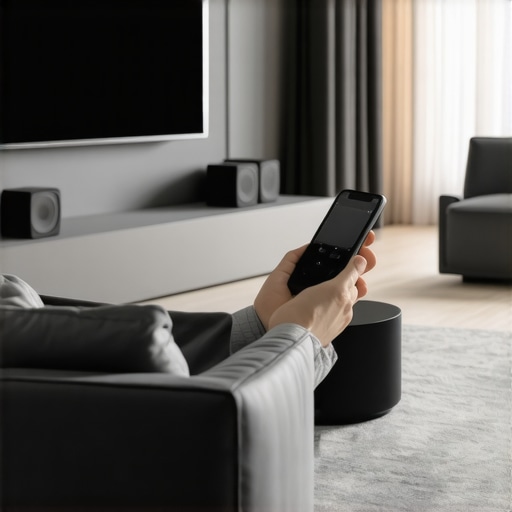
Imagine this: you’re relaxing on your couch after a long day, eager to unwind with your favorite playlist. You hit play on your phone, expecting a seamless, surround-sound experience, but instead, the music’s everywhere and nowhere at once. Some rooms are echoing loud, others are dead silent. The frustration hits—you realize your current setup isn’t nearly as smart or simple as you’d hoped.
That was me not long ago. I spent more time fiddling with tangled wires and adjusting volume levels than actually enjoying my music. It felt like my home was fighting me instead of embracing the audio experience I craved. But then I discovered the magic of Wi-Fi speakers and whole home streaming. Once I cracked the code, my entire space transformed into a sanctuary of sound, effortlessly synchronized and beautifully rich.
By the end of this guide, I promise you’ll understand how to create a *seamless multiroom audio system* that makes your home come alive with music, podcasts, or whatever you love listening to. I’ll share my personal journey, highlight the common pitfalls, and show you the smarter way to enjoy your audio everywhere.
Why Your Home Deserves a Smarter Audio Setup
Setting up a cohesive audio experience isn’t just about fancy gadgets; it’s about enhancing your daily life. Think about hosting dinner parties where music flows smoothly from room to room, or waking up to your favorite tunes without lifting a finger. The right wireless streaming solutions eliminate disconnects, reduce clutter, and elevate your home’s atmosphere.
According to research from Statista, the global smart speaker market is expected to grow at a compound annual growth rate of over 20% through 2024, illustrating how integral this technology has become to modern living. Yet, many still struggle to get these systems to work together efficiently. That was my biggest mistake early on—trying to piece together incompatible devices that caused more headaches than harmony.
Are you facing similar frustrations? Do you find yourself switching devices or dealing with inconsistent sound? If so, you’re not alone. The good news is, with the right guidance, you can avoid the common pitfalls and set up your home audio in a way that’s reliable, scalable, and truly immersive.
Before we dive into the how-to, let’s address some of the skepticism around these systems. You might be wondering if investing in smart speakers and multiroom streaming is truly worth it or just another tech fad. Rest assured, I’ll cover why these solutions are not only practical but also transformative for everyday entertainment. Plus, I’ll share some mistakes I made early on so you can skip my missteps and get straight to enjoying a seamless audio experience.
Ready to turn your house into a symphony of sound? Let’s get started with the essentials for creating your perfect multiroom setup. Check out this comprehensive guide on [how to create the perfect multiroom audio system](https://homeaudio.premiumsounddeals.com/how-to-create-the-perfect-multiroom-audio-system) to begin your journey.
Pick the Core Equipment Carefully
Start with selecting the right Wi-Fi speakers. Think of them as the hearts of your system—they need to be reliable, compatible, and capable of syncing seamlessly. Personally, I chose the [Top Wi-Fi Speakers for 2024](https://homeaudio.premiumsounddeals.com/top-wi-fi-speakers-for-whole-home-audio-in-2024) after reading reviews and comparing features. This decision ensured my setup was future-proof and straightforward to expand.
Map Out Your Space and Zones
Divide your home into zones based on usage—living room, bedrooms, kitchen. Visualize this like designing a sound map, where each zone gets its dedicated audio source. I drew a simple sketch of my layout, marking where my speakers would go, which helped me plan the wiring and Wi-Fi placement more effectively—think of it as creating an audio blueprint for your home.
Ensure Your Network Is Up to the Task
A stable Wi-Fi network is critical. Use a reliable router, position it centrally, and consider mesh Wi-Fi systems if your home is large. I upgraded my router before installing my speakers, following tips from the [Best Tips for Integrating Wi-Fi Speakers](https://homeaudio.premiumsounddeals.com/best-tips-for-integrating-wi-fi-speakers-in-your-home), which drastically reduced buffering issues. Remember, a weak network is like a leaky faucet—no matter how fancy your setup, performance suffers.
Configure Your Devices for Smooth Synchronization
This step is about getting all your speakers talking the same language. Use the app recommended by your speaker manufacturer, and set up your zones to ensure audio plays in sync. I once initially set my speakers separately, which caused noticeable lag, until I read a guide on [Mastering Home Audio](https://homeaudio.premiumsounddeals.com/mastering-home-audio-secrets-to-seamless-wireless-streaming). Syncing happily, I enjoyed my playlist across rooms without delays.
Test and Fine-Tune the System
After initial setup, walk through your space playing different audio sources. Adjust volume levels, reconfigure zones if needed, and identify dead spots. I discovered a corner in my living room with poor Wi-Fi reception, which I fixed by repositioning my router and adding an extender—lessons I learned from [Best Wireless Streaming Devices](https://homeaudio.premiumsounddeals.com/best-wireless-streaming-devices-for-whole-home-audio-in-2024). This iterative process, though sometimes messy, ensures a seamless experience.
Integrate Voice Control If You Want Ease
For hands-free control, connect your system with voice assistants like Alexa or Google Assistant. This effectively turns your whole home into a concert hall, just by speaking. I added voice commands, making it effortless to change playlists or zones, which transformed my daily routine and saved me from fiddling with apps constantly. Details on this are covered in [Enhance Your Home Audio with Smarter Wireless Solutions](https://homeaudio.premiumsounddeals.com/enhance-your-home-audio-with-smarter-wireless-solutions).
Many enthusiasts jump into setting up whole home audio systems believing that more speakers automatically create a better experience. However, this oversimplified view overlooks critical nuances that can sabotage your efforts. For instance, many assume all Wi-Fi speakers are equal in performance or compatibility, leading to frustration and wasted investment. In reality, choosing the right core equipment requires understanding the specific features, such as supported protocols and scalability options. *Myth busting* here is essential; not every device plays well with others, and incompatible hardware can cause synchronization issues or dead zones in your home.
One overlooked aspect is the importance of network infrastructure. A common mistake is underestimating how essential a reliable, high-capacity Wi-Fi network is for seamless streaming. Think of your network as the backbone—not just the conduit—that determines the quality of your entire experience. According to a study by Cisco, network congestion can significantly degrade audio quality and synchronization, especially in dense device environments. Failing to optimize your Wi-Fi setup—like neglecting mesh systems or proper router placement—can result in annoying lag and dropouts, nullifying the benefits of your high-end speakers.
Let’s address a nuanced question among advanced users: How do different audio encoding formats impact multiroom synchronization? Many don’t realize that certain formats, such as AirPlay 2 or Chromecast, offer better latency management, leading to more precise sync across multiple zones. Choosing devices supporting these standards or configuring your network to prioritize streaming traffic can elevate your system from good to exceptional. Remember, the *ultimate blueprint* involves not only selecting compatible hardware but also understanding how these devices handle data streams to avoid common pitfalls.
Avoiding naive assumptions is crucial—more speakers won’t necessarily mean a richer sound if they’re not correctly integrated. Likewise, not all streaming protocols are created equal; some introduce latency or fail to support multi-zone synchronization, undermining your setup’s perceived quality. My personal error was deploying a mix of unsupported devices that caused delays and uneven volume levels. By investing time in thorough research and proper network configuration, outlined in detailed guides like [How to create the perfect multiroom audio system](https://homeaudio.premiumsounddeals.com/how-to-create-the-perfect-multiroom-audio-system), you can steer clear of these issues.
If you’ve ever experienced frustration despite purchasing high-end gear, remember that success hinges on understanding these subtle yet critical factors. Always opt for gear demonstrated to work smoothly together, and don’t underestimate your network’s role. Keep in mind that your entire home can become a harmonious soundscape—if you avoid the common misconceptions and master these hidden details.
Have you ever fallen into this trap? Let me know in the comments and share your experience with multiroom audio frustrations or breakthroughs.
Tools That Keep Your Home Audio Flowing
Maintaining a reliable multiroom system requires the right tools and routines. I personally rely on network monitoring apps like Fing and Wi-Fi analyzers such as NetSpot to keep tabs on my network’s health, ensuring my wireless streaming remains seamless. These tools help me identify congestion points or interference before they impact playback, saving me from troubleshooting headaches. Additionally, regularly updating firmware on your speakers and controllers is critical; manufacturers often release patches to enhance stability and security. For example, I schedule monthly checks through the manufacturer’s app to ensure everything stays synchronized and up-to-date.
Implementing Routine Checks and Updates
Consistency is key. Create a simple maintenance schedule—monthly firmware updates, checking Wi-Fi signal strength in different zones, and testing playback in all rooms. This proactive approach guarantees your system’s longevity. For instance, I discovered that my upstairs speakers were disconnecting frequently because of Wi-Fi interference; moving my router to a central location and updating its firmware resolved the issue, making my entire setup more robust. Remember, even the best equipment can falter without proper care. To streamline this, I use automation tools like IFTTT to remind me to perform these checks regularly.
Scaling Without Sacrificing Performance
As your usage grows, so does the system’s complexity. To prevent bottlenecks, invest in a high-capacity mesh Wi-Fi system like the Netgear Orbi or Asus ZenWiFi, which distributes bandwidth evenly and reduces dead zones. When I expanded my setup, I upgraded my network infrastructure, which immediately improved synchronization and hitless streaming across all zones. Before scaling, I consult detailed technical guides such as this comprehensive blueprint to integrate new devices smoothly without overloading my network.
How do I maintain my home audio system over time?
Consistent maintenance involves regular firmware updates, network health checks, and periodic testing of all zones. Use monitoring tools like Fing to detect network issues early and schedule routine checks to re-calibrate speaker placement or troubleshoot synchronization. Investing in a strong mesh Wi-Fi system ensures your wireless signal remains stable, even as you add more devices. According to industry expert Mark Hanson, ‘Proactive monitoring and network upgrades are essential for long-term multiroom audio performance.’ So, make it a habit to review and optimize your system periodically. For advanced users, I recommend automating maintenance alerts using IFTTT or similar tools, ensuring your setup stays in top shape effortlessly. Try setting up a weekly Wi-Fi health check scheduled via your network management app—it’s an easy step that pays off in reliable sound.
Hidden Pitfalls That Nearly Undermined My Home Audio Dream
One of the toughest lessons I learned was how crucial a reliable network is—without it, even the best speakers fall flat. I underestimated the importance of mesh Wi-Fi and ended up with laggy, inconsistent playback that frustrated me to no end. Realizing this, I upgraded my network, which transformed my experience and saved me a lot of headaches. Additionally, I assumed compatibility was a given—turns out, supporting the same protocols makes a massive difference in synchronization and ease of setup. My biggest mistake was mixing incompatible devices; now, I stick with proven standards like AirPlay 2 or Chromecast for seamless multiroom sync.
Tools and Resources That Turned My Setup Around
My go-to resources include the comprehensive guide on creating the perfect multiroom system, which breaks down every step clearly. For troubleshooting and network health, I rely on apps like Fing and NetSpot—these keep my network in check and prevent issues before they affect playback. I also trust the insights from this article on enhancing your wireless solutions. Lastly, firmware updates from manufacturers have saved me from strange bugs and sync issues, making my system more reliable every time I stay on top of them.
Your Path to Audio Harmony Starts Today
Envision transforming your home into a place where music flows effortlessly, filling every corner with sound that syncs perfectly. With patience and the right guidance, you can create a multiroom audio setup that elevates your daily routines—whether it’s waking up with your favorite playlist or hosting friends for a movie night. Don’t let initial setbacks hold you back; every step you take brings you closer to a seamless listening experience. Start exploring the best gear, tweak your network, and enjoy the beautiful symphony that awaits in your own home. Trust me, making this leap is a game-changer, and the effort will be well worth it.


![Stop Sync Drift: 4 Matter 3.0 Multiroom Audio Hacks [2026]](https://homeaudio.premiumsounddeals.com/wp-content/uploads/2026/03/Stop-Sync-Drift-4-Matter-3.0-Multiroom-Audio-Hacks-2026.jpeg)

![5 Portable Wi-Fi 8 Speakers with 50-Hour Battery [2026 Picks]](https://homeaudio.premiumsounddeals.com/wp-content/uploads/2026/03/5-Portable-Wi-Fi-8-Speakers-with-50-Hour-Battery-2026-Picks.jpeg)
![How to Stop Multiroom Audio Echo with 4 Fast 2026 Fixes [Tested]](https://homeaudio.premiumsounddeals.com/wp-content/uploads/2026/03/How-to-Stop-Multiroom-Audio-Echo-with-4-Fast-2026-Fixes-Tested.jpeg)


Leave a Reply