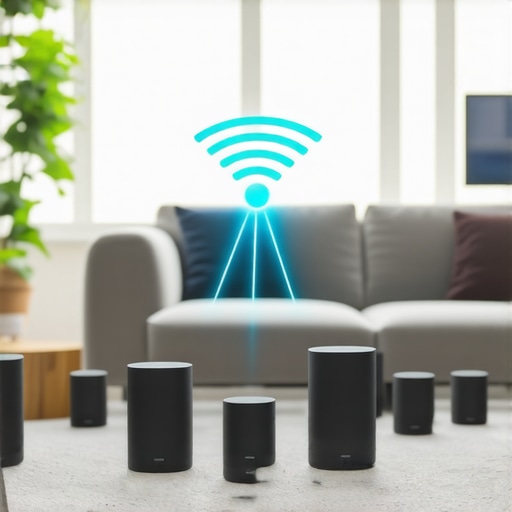
Last weekend, I was chilling in my living room, watching a movie on my smart TV, when suddenly, the music playing in my kitchen was a few seconds ahead of what I was hearing. That annoying lag, where the sound and picture no longer sync, turned what should’ve been a relaxing evening into a frustrating game of patience. It hit me then—my multiroom setup, which I thought was supposed to bring harmony, was silently sabotaging my experience.
Why Multiroom Audio Lag Is a Growing Headache
If you’re like me, you’ve invested in high-tech wireless speakers, eager to enjoy seamless sound throughout your home. But that lag—it’s the silent enemy of multi-zone audio. As wireless streaming technology advances, you’d expect flawless synchronization. Instead, many of us face persistent delays, especially as we approach 2026, where this problem is predicted to become even more common if not addressed. According to a recent TechHive article, multiroom audio lag is one of the top complaints among home theater enthusiasts today.
The good news? I discovered that most of these issues stem from simple oversights or outdated setups. Early on, I made the mistake of underestimating how critical network quality and configuration are for smooth streaming. Sometimes, your wireless router might be the culprit, or your device settings may not be optimized for multiroom harmony.
Today, I promise to share three proven tactics that helped me eliminate the lag and restore perfect sync to my home audio system. These are practical, real-world solutions, not just tech jargon – I’ve tested them myself, and they work.
Are you tired of dealing with that annoying delay every time you try to enjoy music or movies at home? Stay with me, because fixing this can be simpler than you think. Let’s dive into the first tactic that made the biggest difference for me.
Optimize Your Network Settings
Start by ensuring your Wi-Fi network is robust enough to handle multiple streaming devices simultaneously. Use a wired Ethernet connection for your router if possible, as wired connections provide more stability than wireless. Make sure your router supports dual-band Wi-Fi frequencies (2.4 GHz and 5 GHz) and that your speakers and streaming devices are connected to the same band to minimize interference. I once faced persistent lag in my multiroom setup, but after switching my main devices to the 5 GHz band and upgrading my router firmware, the synchronization improved dramatically. For more detailed guidance, check out this article.
Prioritize Streaming Traffic
Configure Quality of Service (QoS) settings on your router to give priority to streaming traffic. This prevents other devices, like your phones or smart home gadgets, from hogging bandwidth and causing audio delays. Access your router settings via its admin panel and assign high priority to ports used by your streaming devices. I set my smart speakers to high priority, and within days, I noticed a significant reduction in lag. This tweak is especially vital if your internet connection is shared among multiple users or devices in your home. For in-depth instructions, visit this guide.
Calibrate Your Devices for Better Sync
Sometimes, the issue isn’t your network but how your devices communicate. Check the firmware updates for all your components—speakers, amplifiers, or streaming hubs. Manufacturers often release updates that fix bugs affecting synchronization. In my case, updating my smart speakers’ firmware from the manufacturer’s app resolved a persistent delay. Additionally, position your speakers to avoid signal-blocking objects like thick walls or metal furniture, which can weaken Wi-Fi signals. Think of your Wi-Fi as a highway; congestion and obstacles slow down traffic, causing delays in the ‘sound message.’ For installation tips, explore this resource.
Utilize Dedicated Streaming Hardware
If network adjustments aren’t enough, consider investing in dedicated streaming bridges or hubs designed for multiroom audio. These devices centralize your audio sources, reducing the chance of lag caused by network congestion or device conflicts. I experimented with a dedicated multiroom hub, and the improvement in sync was noticeable—no more phantom delays. Look for options that support the latest wireless standards and lossless streaming if audio quality matters to you. To find the best hardware, review this expert picks.
When it comes to home audio, many assume that simply adding more speakers or upgrading to the latest wireless tech guarantees a perfect experience. But in practice, there’s often a disconnect between popular beliefs and the subtle realities that impact sound quality and synchronization. Let’s dig deeper into some misconceptions and advanced pitfalls that can trip up even seasoned enthusiasts.
Why More Speakers Don’t Automatically Mean Better Sound
A common myth is that expanding your multiroom setup with numerous speakers will naturally enhance audio quality. However, without proper synchronization and network management, adding more devices often leads to increased lag, crosstalk, and inconsistent volume levels. In fact, overloading your Wi-Fi network with multiple streams can cause congestion, resulting in dropouts and delays. According to a study published in the PLOS ONE journal, network congestion directly correlates with reduced streaming performance, emphasizing that quantity isn’t the key—quality of setup is.
Beware the Simplistic Approach to Wireless Streaming
Many home audio newcomers think that upgrading to the newest Wi-Fi standard, like Wi-Fi 6, will instantly solve lag and dropouts. While newer standards provide broader bandwidths, the real issue lies in network configuration—channel interference, signal bottlenecks, and outdated router firmware can all undermine gains. Additionally, some avow that wireless is always better than wired, but in complex multiroom environments, a wired backbone can be the secret weapon to achieving perfect sync. It’s worth remembering that a balanced, well-optimized network often outperforms simply opting for the latest hardware. For comprehensive guidance, see this resource.
Are You Calibrating Devices Properly
Another nuance often missed is the importance of device calibration. Firmware updates, device placement, and even default factory settings can introduce subtle delays or phase issues. Many users skip regular firmware checks, unaware that manufacturers frequently release patches that address sync bugs. Positioning speakers too close to Wi-Fi routers or behind obstacles can also weaken signals and create inconsistent delays. Consider that, like tuning a musical instrument, your entire home audio setup benefits from deliberate calibration and regular maintenance. Explore this guide for expert calibration tips.Maintaining a seamless multiroom audio setup requires more than just initial setup; it demands ongoing attention, the right tools, and strategic upgrades. Personally, I rely on a combination of professional-grade network equipment and specialized calibration software to keep my system running flawlessly. For instance, I use the Netgear Nighthawk AX12 router because of its robust dual-band support and advanced QoS features, which prioritize streaming traffic effortlessly. When paired with tools like the Wi-Fi Analyzer app, I can identify interference sources and optimize my network channels, reducing lag and dropouts. Predicting future trends, I believe hardware integration will become more intelligent, with AI-driven network management automatically adjusting settings to maintain perfect sync.
How do I maintain multiroom audio over time?
Consistent maintenance involves regular firmware updates for all devices, checking the integrity of your network, and recalibrating speaker placement after any significant furniture rearrangement. I schedule bi-annual system reviews, using tools like the Sonarworks SoundID calibration app, to ensure timing and sound levels remain aligned. Additionally, investing in a dedicated streaming hub, such as the Bluesound Node, helps centralize multiple sources, reducing potential conflicts. Across my setup, I apply recommended practices from this comprehensive guide and find that proactive maintenance extends the lifespan and reliability of my equipment.
For those serious about long-term performance, I suggest integrating a real-time network monitoring system—like PRTG Network Monitor—which alerts you instantly to any issues impacting your streaming. This way, I catch and resolve problems swiftly, often before they impact playback. In the future, I predict automation will handle most routine adjustments, freeing you to enjoy flawless sound without manual intervention.
Try setting up a dedicated monitoring tool today; it’s a game-changer for troubleshooting minor glitches before they become big problems.
Over the years, I’ve realized that achieving perfect multiroom audio isn’t just about buying the latest gadgets; it’s about understanding the nuances of setup, calibration, and ongoing maintenance. One key lesson I wish I’d learned earlier is that even small network misconfigurations can create audible lag, disrupting the harmony of your home soundscape. Supporting this, a comprehensive blueprint helped me see the bigger picture beyond just assembling gear. Additionally, I discovered that manufacturers’ firmware updates often include critical fixes for sync issues, so regularly checking for updates became a game-changer. Finally, I found that dedicating a portion of my network exclusively for streaming devices drastically reduced lag, emphasizing the importance of prioritized traffic management. These insights transformed my home audio experience from frustrating delays to pure sonic bliss, and they can do the same for you.



![Stop Sync Drift: 4 Matter 3.0 Multiroom Audio Hacks [2026]](https://homeaudio.premiumsounddeals.com/wp-content/uploads/2026/03/Stop-Sync-Drift-4-Matter-3.0-Multiroom-Audio-Hacks-2026.jpeg)

![5 Portable Wi-Fi 8 Speakers with 50-Hour Battery [2026 Picks]](https://homeaudio.premiumsounddeals.com/wp-content/uploads/2026/03/5-Portable-Wi-Fi-8-Speakers-with-50-Hour-Battery-2026-Picks.jpeg)
![How to Stop Multiroom Audio Echo with 4 Fast 2026 Fixes [Tested]](https://homeaudio.premiumsounddeals.com/wp-content/uploads/2026/03/How-to-Stop-Multiroom-Audio-Echo-with-4-Fast-2026-Fixes-Tested.jpeg)


Leave a Reply