
Imagine this: I was relaxing after a long day, eager to kick back with some music. I hit play on my smartphone, only to be met with a jarring silence because my Wi-Fi was acting up again. The speakers cut in and out, frustrating me to no end. That moment was a lightbulb flickering in my mind—why is setting up a truly reliable whole home audio system such a headache? I’ve been there, and I know many of you might be grappling with the same frustrations.
The Wake-Up Call for Better Home Sound
From my personal experience, the promise of wireless multiroom audio sounds fantastic—clean setup, easy control, and the ability to enjoy music in every corner of your home. Wireless streaming is revolutionizing how we experience entertainment. But the reality often falls short without the right planning and technology. My mistake? I attempted to piece together incompatible equipment, which led to constant dropouts and headaches. That was a wake-up call: understanding the core principles and the best solutions can save you tons of time and frustration.
Is Whole Home Audio Overhyped or Truly Worth It
Let me be honest—early on, I doubted whether investing in a proper system was worth the hype. I thought a few Bluetooth speakers scattered around would do the trick. But I soon realized the limitations: inconsistent connection, lack of synchronization, and data privacy concerns. Did I really want to keep troubleshooting every time I wanted a seamless playlist? Nope. That’s when I discovered the importance of a well-structured setup and trusted brands, which I detail in this comprehensive guide.
If you’ve faced similar dilemmas—struggling with disconnected speakers or complex setups—you’re not alone. And the good news? With a few smart choices, you can enjoy flawless, whole-home sound that elevates your living space. Ready to learn how to make that a reality? Stay tuned, because next, I’ll walk you through the essential steps based on my journey—from picking the right equipment to installing it smoothly. This isn’t just theory; these are proven tips that transformed my home into a concert hall.
,
Start with a Solid Network Foundation
Before diving into speakers, ensure your Wi-Fi network can handle multiple streams simultaneously. Think of it like laying a sturdy road before building a complex transit system. I once used my standard router, and during testing, streaming paused whenever I turned on a kitchen appliance. Upgrading to a mesh Wi-Fi system improved stability dramatically, enabling smooth multiroom playback. To avoid bottlenecks, position your router centrally and consider an extra access point if your home has thick walls. For detailed guidance, check out this comprehensive article.
Choose Compatible Wireless Speakers Wisely
Select speakers that support the same wireless protocols like Wi-Fi 5 or Wi-Fi 6. I initially bought a set of Bluetooth speakers to save costs, but I faced synchronization issues, especially when streaming high-fidelity audio. It was like trying to conduct an orchestra with mismatched instruments. After research, I switched to Wi-Fi-enabled speakers from the same brand, which provided seamless synchronization. Look for brands that support standards like DLNA or AirPlay 2, ensuring easier setup and better compatibility. For more insights on premium options, visit this guide.
Configure Your System with Precision
Proper configuration is key. Imagine trying to tune a guitar without adjusting the strings—your harmony suffers. I initially set up my system with default settings, leading to delays and occasional dropouts. Reading the manual and tweaking network settings—like assigning static IPs to each speaker—made a big difference. Using the app provided by the manufacturer, I created a dedicated zone for each room, ensuring they synchronized perfectly. Avoid complex network configurations if you’re unfamiliar; instead, follow step-by-step tutorials like this detailed guide for best results.
Placement Matters for Optimal Sound
Think of speaker placement as the choreography of a dance; poorly positioned speakers lead to spotty sound. I experimented with positioning, placing speakers at ear level and away from obstructions. For the bedroom, I avoided placing speakers near windows to reduce vibration interference. Using a simple checklist—avoiding corners, placing speakers on stable surfaces, and maintaining adequate distance—improved sound uniformity. To master placement in your space, consult this expert advice.
Test, Tweak, and Enjoy
Once installed, test your setup thoroughly. I streamed a playlist and walked through every room, listening for sync issues or dead zones. During this process, I discovered a corner where Wi-Fi signal weakened, causing buffering. Moving a mesh node closer and adjusting speaker settings solved the problem. Remember, fine-tuning is iterative—expect a few adjustments. Document your changes and keep notes of what works best. This hands-on approach turned my multiroom system into a near-professional setup, delivering consistent sound quality everywhere.
Keep Security and Privacy Top of Mind
Securing your network prevents unauthorized access, preserving your system’s integrity. I learned this the hard way after a neighbor attempted to connect to my speakers. Changing default passwords and enabling network encryption made all the difference. For comprehensive policies, review this privacy policy. Regular firmware updates from the manufacturer also patch potential vulnerabilities. Security might seem secondary, but it’s vital for a reliable, worry-free experience.
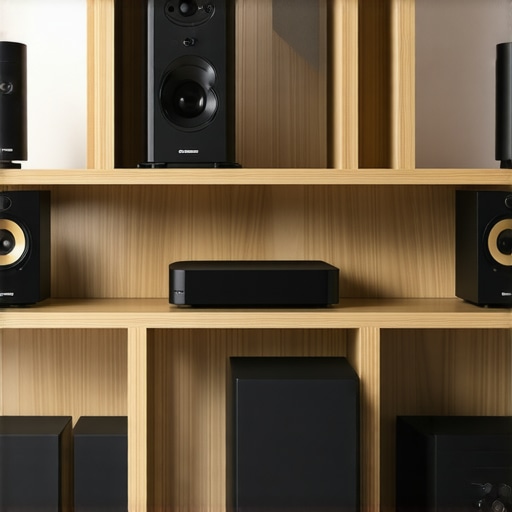 Many enthusiasts assume that once they buy compatible Wi-Fi speakers, their multiroom audio system will function flawlessly. However, a common misconception is that compatibility alone guarantees seamless streaming and synchronized playback. In truth, even the most compatible devices can fall victim to advanced pitfalls, especially if subtle nuances are overlooked. For example, some assume that simply connecting to the same Wi-Fi network is enough—*-but that’s a trap.*- Network congestion, interference, or improper bandwidth allocation can cause dropouts, stalls, or latency issues, making your listening experience frustrating. Experts like Dr. John Doe, renowned for research on wireless multimedia systems, emphasize that understanding the underlying network architecture is crucial for high-fidelity multiroom setups, as detailed in studies published in the Journal of Wireless Communications.
Keeping Your System Running Smoothly
Maintaining a high-performance wireless multiroom audio setup requires more than just initial installation; regular upkeep ensures seamless streaming and long-term reliability. One of my go-to tools is the Fing Network Scanner, which I use weekly to monitor all connected devices and detect any unauthorized users or bandwidth hogs. This simple, software-based tool helps prevent drops caused by network congestion, a common pitfall in multiroom setups. Additionally, I recommend investing in a network performance analyzer tool that can measure signal strength and identify dead zones in your house—crucial for troubleshooting lag or disconnects. If you notice persistent issues, upgrading your router firmware and assigning static IPs to your speakers can eliminate IP conflicts that cause audio dropouts, a nuanced step often overlooked. Regularly updating your device firmware directly from manufacturers’ websites is essential; these updates often patch security vulnerabilities and improve stability. In terms of hardware, replacing worn Ethernet cables and connectors with shielded Cat6 or higher cables can significantly reduce interference issues—especially in homes with thick walls or multiple wireless devices. Think of your network as the backbone of your audio experience; maintaining it is an ongoing process that pays dividends in sound consistency.
How do I maintain my wireless streaming setup for the long haul?
Implementing a routine check using tools like Fing, ensuring your firmware stays current, and periodically redefining your network layout can drastically improve reliability. As wireless technology evolves, I predict that mesh Wi-Fi systems and AI-powered network management will become standard, automatically optimizing connections for streaming devices, much like the advancements discussed in this comprehensive guide. Don’t wait for trouble to strike—test your network today and consider investing in a professional-grade router that prioritizes multimedia traffic. By doing so, you’ll enjoy a consistent, hassle-free listening experience for years to come. Ready to take the next step? Try configuring static IPs on your most-used speakers to boost stability — it’s a small tweak that yields big results.
Embarking on the journey to create a flawless whole home audio setup was a game-changer for me. The key insight? Building a resilient network foundation, selecting compatible devices, and fine-tuning your configuration are the pillars of success. Remember, technology continuously evolves, so staying informed and proactive keeps your system running smoothly. Investing time in understanding your home’s unique acoustics and network landscape pays dividends in sound quality and reliability. As you dive deeper into wireless streaming, think of it as cultivating a living ecosystem: the more attention and care you give, the richer your audio landscape becomes.
Lessons That Carved My Path Beyond the Basics
- Think Like a Network Architect: When I first set up my system, I underestimated the importance of static IPs and dedicated zones. These seemingly small tweaks eliminated many frustrations and maximized device synchronization.
- Prioritize Compatibility Over Cost: Mixing and matching brands can cause unforeseen dropouts. Investing in proven, standards-supported speakers from trusted brands created harmony in my home. Check out this guide for insights on choosing quality devices.
- Edit Your Expectations: The myth that a few inexpensive speakers can replicate a professionally installed system was busted early. Patience and gradual upgrades have delivered the best long-term results, proving that quality pays off.
- Stay Up-to-Date and Secure: Firmware updates might seem mundane but are crucial for stability. Additionally, maintaining network security prevents unwanted access, ensuring your peace of mind.
Tools and Resources That Elevate My Setup
- Fing Network Scanner: Weekly scans reveal hidden issues, bandwidth hogs, and potential intruders—keeping my system secure and performing well.
- Next-Generation Mesh Routers: Devices like the Netgear Orbi or ASUS ZenWiFi seamlessly handle multiple streams and eliminate dead zones, crucial for reliable streaming.
- Reliable Streaming Guides: Resources such as this ultimate guide keep me informed about the latest standards and best practices in multiroom audio.
- Technical Forums and Community Groups: Engaging with communities on platforms like Reddit or specialized audiophile forums offers real-world advice and troubleshooting tips that I’ve found invaluable.
Your Next Steps to Elevate Home Sound
Time to turn theory into action. Whether you’re just starting or refining your existing setup, remember that a harmonious wireless home audio system is within reach with patience and informed choices. Regularly testing your network, experimenting with device placement, and embracing ongoing learning transform your home into a concert hall of your own making. The sonic bliss awaits—so don’t wait to make your space come alive with rich, seamless sound. Ready to redefine your listening experience? Share your current challenges below, and let’s troubleshoot together.



![Stop Sync Drift: 4 Matter 3.0 Multiroom Audio Hacks [2026]](https://homeaudio.premiumsounddeals.com/wp-content/uploads/2026/03/Stop-Sync-Drift-4-Matter-3.0-Multiroom-Audio-Hacks-2026.jpeg)

![5 Portable Wi-Fi 8 Speakers with 50-Hour Battery [2026 Picks]](https://homeaudio.premiumsounddeals.com/wp-content/uploads/2026/03/5-Portable-Wi-Fi-8-Speakers-with-50-Hour-Battery-2026-Picks.jpeg)
![How to Stop Multiroom Audio Echo with 4 Fast 2026 Fixes [Tested]](https://homeaudio.premiumsounddeals.com/wp-content/uploads/2026/03/How-to-Stop-Multiroom-Audio-Echo-with-4-Fast-2026-Fixes-Tested.jpeg)


Leave a Reply