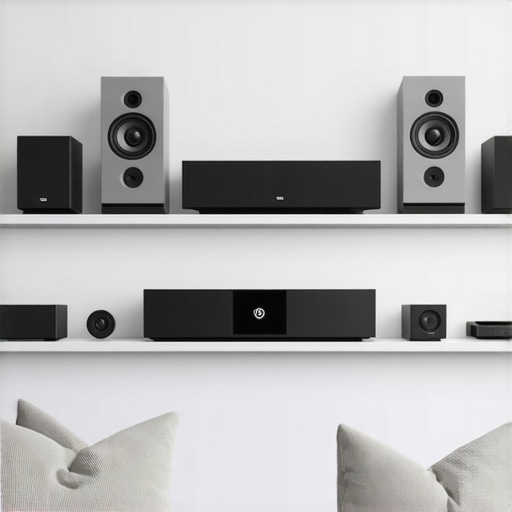
I remember the exact moment I realized my home was a chaotic symphony of disconnected devices, each playing a different tune. I had invested in what I thought were top-tier speakers, but the sound was inconsistent, and the setup was a nightmare. Every time I wanted to enjoy my favorite playlist across the house, I faced tangled wires, app confusion, and dead zones that killed the vibe. It was frustrating enough to make me question if I’d ever get it right. But then, I had a lightbulb moment: the secret to a harmonious home audio experience lies in the right wireless technology and smart integration.
Why Whole Home Audio Matters More Than Ever in 2024
Today, more than ever, we crave seamless, high-quality sound that follows us from room to room. Whether it’s relaxing in the living room, cooking in the kitchen, or unwinding in the bedroom, music and audio should be effortless and immersive. The good news? Advances in Wi-Fi speakers have made this possible without the clutter of wires or complicated setups. But with so many options flooding the market, it’s easy to get overwhelmed or make costly mistakes. That’s why I’m here—to help you navigate this landscape with confidence and avoid the pitfalls I stumbled into early on.
Is Wireless Home Audio Actually Worth the Hype?
One of my biggest doubts initially was whether investing in wireless speakers was truly worth it. I was worried about lag, connectivity issues, and whether the sound quality could match traditional wired systems. I made the mistake of rushing into a setup without enough research, only to find myself troubleshooting for hours. The truth is, when you choose the right products and understand the technology, wireless streaming can elevate your home entertainment experience dramatically. For a comprehensive look at how to set up your ideal system, check out these expert tips.
In this guide, I’ll share insights from my personal journey, along with proven strategies to help you create a cohesive, multi-room setup. We’ll explore the latest gear, smart home integrations, and how to optimize your Wi-Fi network for flawless streaming. Ready to turn your house into a sound sanctuary? Let’s get started—your perfect home audio system awaits.
Map Out Your Space and Set Priorities
Start by measuring your home’s layout and identifying the rooms where you want sound. Think of this like planning a playlist—know your zones before connecting anything. I once tried to cover my entire house with a single speaker, but it resulted in weak spots. Instead, I drew a simple floor plan and marked the areas needing the most sound, which made the setup much clearer.
Choose the Right Wireless Speakers
Select speakers that support the latest Wi-Fi standards, like Wi-Fi 6 or Wi-Fi 6E. These provide faster, more reliable connections. When I picked my first set, I went for popular brands with multi-room capabilities and checked reviews for real-world performance. For a curated list, visit best Wi-Fi speakers for seamless multi-room audio. Keep in mind, compatibility with your existing smart home ecosystem is key.
Optimize Your Network for Streaming
Wireless audio depends heavily on a strong Wi-Fi network. Use a mesh Wi-Fi system to eliminate dead zones and ensure consistent streaming. I learned this the hard way when my network kept dropping during a party. Upgrading to a mesh system improved stability dramatically. Place your router centrally, away from interference, and consider wired backhaul for critical nodes. For detailed network tips, check ultimate guide to wireless streaming in 2024.
Configure Multi-Room Audio Settings Correctly
Set up your speakers through their app or smart home platform, such as Apple HomeKit, Google Home, or Amazon Alexa. I once spent hours trying to sync speakers manually, which was frustrating. Instead, I followed a step-by-step process from how to set up multi-room Wi-Fi speakers. Ensure all devices are on the same Wi-Fi network, and assign each zone a name for easy control. Use the app’s grouping feature to synchronize playback across rooms.
Test and Tweak for Perfect Sound
After initial setup, walk through your home and test each zone. Adjust speaker placement, volume levels, and equalizer settings for optimal sound quality. I once found a corner where the sound was muffled; repositioning the speaker and tweaking the settings made a noticeable difference. Remember, small adjustments make big improvements. For expert tips, see mastering home audio secrets.
Maintain and Troubleshoot Regularly
Keep your firmware updated and periodically check your network performance. If issues arise, restarting your router or resetting the Wi-Fi connection can resolve most problems. I keep a checklist handy for troubleshooting, which saves me hours of frustration. For comprehensive troubleshooting tips, visit wireless Wi-Fi speakers in 2024. Creating a reliable, high-quality whole home audio system is a process—patience and adjustments are part of the journey.
Many enthusiasts jump into building a whole home audio system armed with misconceptions that can lead to costly mistakes. Let’s uncover some of the most prevalent myths and explore the nuanced truths that often get overlooked by beginners and even seasoned users. Understanding these complexities can significantly improve your setup and listening experience.
Why Thinking That All Wireless Speakers Are Created Equal Is a Trap
It’s a common belief that any Wi-Fi speaker will seamlessly mesh into your home system. However, this isn’t the case. The technology behind wireless speakers varies widely, affecting latency, stability, and sound quality. For instance, cheap, non-standardized models may suffer from lag or dropout issues, especially in larger homes. Experts emphasize selecting devices supporting the latest Wi-Fi standards like Wi-Fi 6 or Wi-Fi 6E, which offer improved reliability and reduced interference. Failing to do so can result in frustrating audio dropouts or sync issues across rooms. For detailed advice on choosing compatible gear, explore best Wi-Fi speakers for seamless multi-room audio.
Don’t Overlook Network Optimization When Setting Up
Many assume that simply plugging in a few good speakers will do the trick, but neglecting your Wi-Fi network can sabotage your entire system. A weak or congested network leads to buffering, lag, and dropouts. One of the biggest pitfalls is not utilizing a mesh Wi-Fi system or wired backhaul for critical nodes—this step is crucial for maintaining a stable connection across multiple rooms. I’ve seen setups where poor network performance ruined the listening experience, despite premium speakers. Remember, your wireless network is the backbone of your whole home audio system. For expert network optimization tips, check out ultimate guide to wireless streaming in 2024.
Advanced Setup Requires More Than Just App Pairing
Many users believe that setting up multi-room audio is as simple as connecting speakers via an app. While this is true for basic configurations, achieving a truly synchronized and high-quality setup demands a deeper understanding of zone grouping, latency management, and device compatibility. For example, mismatched speakers from different brands or unsupported firmware can cause lip-sync issues or uneven sound distribution. Ideally, you should configure your system through a unified smart home platform or dedicated audio control system, ensuring that all devices communicate effectively. For a comprehensive walkthrough, visit how to create the perfect multi-room audio system.
Have you ever fallen into this trap? Let me know in the comments. Mastering these nuances will help you unlock the full potential of wireless home audio and truly enjoy your favorite soundtracks in every corner of your house.
Maintaining your wireless home audio setup is crucial to ensure consistent performance and longevity. Over time, dust accumulation, firmware glitches, and network congestion can cause issues that disrupt your listening experience. I personally recommend scheduling regular checks every few months to keep everything in top shape. Start by updating your speakers’ firmware through their dedicated app—most brands release updates that fix bugs and improve stability. For example, I use the Sonos app to update my speakers, which has saved me hours of troubleshooting. Additionally, periodically reboot your Wi-Fi router and mesh nodes to clear any temporary glitches that might cause lag or dropouts. This simple step can drastically improve streaming quality and reduce latency, especially in larger homes with multiple zones. To further enhance reliability, consider investing in a dedicated network switch if you have many devices, ensuring your audio streams don’t compete for bandwidth with other smart home gadgets. Long-term, I predict that AI-driven network management tools will become standard, automatically optimizing your setup for peak performance. But for now, manual maintenance combined with smart hardware choices is your best bet. How do I maintain my wireless home audio system over time? I stay vigilant with firmware updates, keep my network optimized using a mesh system, and periodically test each zone with a playlist to catch issues early. If you want a detailed approach, check out best tips for integrating Wi-Fi speakers in your home. Don’t forget—consistent maintenance is the secret to a seamless, immersive sound experience that lasts for years. Try setting a quarterly reminder to review your setup, update firmware, and reboot your network. This proactive approach will save you frustration and ensure your music never skips a beat.
The Hardest Lesson I Learned About Wireless Home Audio
One of the biggest surprises I faced was realizing that not all Wi-Fi speakers are created equal. Investing in cheap, non-standard devices seemed like a good idea at first, but I quickly learned that lag, dropouts, and inconsistent sound quality plagued my setup. The lesson? Prioritize devices supporting Wi-Fi 6 or Wi-Fi 6E, as they offer much-needed stability and reduced interference, which are critical for seamless multi-room audio.
3 Myths About Wireless Multi-Room Audio That Held Me Back
I used to believe that a simple app connection was enough to create a perfect multi-room setup. Turns out, that’s only part of the story. Compatibility issues, latency mismatches, and improper network configuration can turn your dream setup into a nightmare. Learning to optimize my Wi-Fi network with a mesh system and understanding zone grouping through smart home platforms made a world of difference.
What Experts Won’t Tell You About Mastering Home Audio Setup
Many overlook the importance of regular maintenance—firmware updates, rebooting routers, testing zones—to ensure long-term performance. I found that scheduling quarterly checks and keeping my network optimized with a wired backhaul for key nodes drastically improved streaming reliability. This proactive approach kept my multi-room system running smoothly and made my listening experience truly immersive.
Curated Resources to Elevate Your Wireless Audio Journey
For choosing the best gear, I rely on top-rated Wi-Fi speakers that support the latest standards and have proven performance reviews. To optimize your network, I recommend the ultimate guide to wireless streaming in 2024, which helped me eliminate dead zones. And for a comprehensive setup walkthrough, this step-by-step guide was invaluable.
Your Turn to Try
Building a reliable, high-quality whole home Wi-Fi audio system is a rewarding challenge. With the right gear, network setup, and maintenance routine, you can enjoy effortless, immersive sound everywhere in your house. Are you ready to transform your home into a sound sanctuary? Start today, and don’t forget—patience and continuous tweaking are part of the journey.



![Stop Sync Drift: 4 Matter 3.0 Multiroom Audio Hacks [2026]](https://homeaudio.premiumsounddeals.com/wp-content/uploads/2026/03/Stop-Sync-Drift-4-Matter-3.0-Multiroom-Audio-Hacks-2026.jpeg)

![5 Portable Wi-Fi 8 Speakers with 50-Hour Battery [2026 Picks]](https://homeaudio.premiumsounddeals.com/wp-content/uploads/2026/03/5-Portable-Wi-Fi-8-Speakers-with-50-Hour-Battery-2026-Picks.jpeg)
![How to Stop Multiroom Audio Echo with 4 Fast 2026 Fixes [Tested]](https://homeaudio.premiumsounddeals.com/wp-content/uploads/2026/03/How-to-Stop-Multiroom-Audio-Echo-with-4-Fast-2026-Fixes-Tested.jpeg)


Leave a Reply