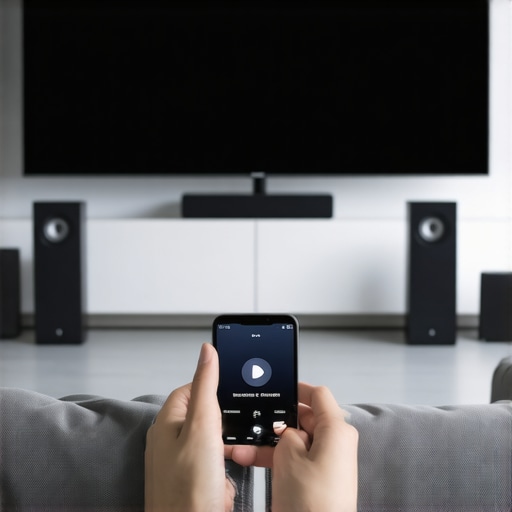
Ever set up your home audio system, only to find the sound uneven, frustratingly disconnected, or just plain confusing to manage? I remember the lightbulb moment when I realized my old, standalone speakers couldn’t keep up with my desire for seamless music all over the house. It was a headache trying to get everything synchronized, and honestly, I felt like I was battling my gear instead of enjoying it.
Why Multiroom Wi-Fi Speakers Are a Game Changer
What I discovered is that the right wireless setup can transform your listening experience. Instead of juggling multiple apps or dealing with tangled wires, you get a unified, effortless soundscape. But here’s the thing: not all systems are created equal. I made the mistake early on of choosing a setup based only on popularity, without considering compatibility or ease of use. That led to frustration and more troubleshooting than music enjoyment.
The good news is, I’ve learned a lot along the way. I want to share that knowledge so you don’t have to stumble through the same pitfalls. Whether you’re a tech newbie or a seasoned audiophile, understanding how to create a reliable, high-quality multiroom system will elevate your home environment. Curious to know how? We’ll cover everything from choosing the right speakers to optimizing your Wi-Fi network for seamless streaming.
Is Multiroom Audio Worth the Effort and Cost?
Many skeptics worry about the complexity or expense. I get it. I was there, too. Early on, I spent hours troubleshooting connectivity issues, and I almost gave up. But the truth is, investing in the right setup pays off. A well-designed multiroom system not only improves sound quality but also makes it easier to control your music from anywhere in your home. It’s a small tweak that delivers big results.
And here’s a little secret: the technology behind wireless streaming has advanced significantly. As noted by industry experts, wireless streaming is now more reliable and versatile than ever, making it a great option for most households. Plus, avoiding the mess of wires means cleaner, more flexible layouts.
So, have you faced this problem? Struggling to get your speakers to work together smoothly? If so, don’t worry—I’ve been there. The good news is, with a few simple steps, you can fix this and enjoy a seamless, immersive sound experience across your entire home. Ready to dive into the practical tips? Let’s get started!
Set Up Your Network for Success
Before you start placing speakers around your home, ensure your Wi-Fi network is robust enough to handle multiple streams. Think of your Wi-Fi as the highway system; a congested or poorly maintained road causes traffic jams. Upgrade your router or add a mesh Wi-Fi system to eliminate dead zones and ensure stable coverage throughout your space. Place your router centrally and away from obstructions for optimal performance. For larger homes, consider a mesh system like Netgear Orbi or Google Nest Wifi to blanket your entire space with reliable coverage.
Choose Compatible Speakers Wisely
Not all speakers are created equal, especially when it comes to multiroom setups. Focus on selecting Wi-Fi enabled speakers that support the same protocol, such as Google Cast, Apple AirPlay 2, or proprietary solutions like Sonos. I once bought a variety of Bluetooth speakers thinking I could mix and match; it led to constant disconnects and frustration. Stick with a trusted ecosystem for seamless control and synchronized playback. Check out the best Wi-Fi speakers for whole-home sound in 2024 for options that integrate easily.
Implement a Clear Speaker Placement Strategy
Placing speakers thoughtfully maximizes sound quality and connectivity. Avoid placing them too close to Wi-Fi routers or thick walls that can block signals. Use the same principles as setting up a home theater: elevate speakers to ear level and avoid clutter that can muffle sound. I once struggled with uneven sound until I moved a speaker from a cluttered shelf to a dedicated stand near the ceiling. This improved both the sound and the Wi-Fi connection. For detailed placement tips, see best tips for integrating Wi-Fi speakers in your home.
Configure Your Multiroom System Correctly
Use the manufacturer’s app or a compatible third-party app to connect all speakers. Follow the setup wizard step-by-step, ensuring each speaker is connected to the same Wi-Fi network. I recommend creating a dedicated network or SSID for your audio devices to prevent interference. Once connected, test the synchronization by playing a track across all speakers simultaneously. Adjust volume levels individually to prevent one speaker from overpowering the others. For comprehensive guidance, visit how to set up multiroom Wi-Fi speakers for seamless home audio experience.
Optimize Streaming Quality and Reliability
High-quality streaming depends on stable Wi-Fi and minimal network congestion. Limit the number of devices connected to your network during critical playback times. Use Quality of Service (QoS) settings on your router to prioritize audio streaming traffic. Also, keep your firmware and app software up to date to benefit from performance improvements and bug fixes. I once experienced dropouts during a party, but after enabling QoS and updating my router’s firmware, the streaming became flawless. For technical insights, check out mastering home audio secrets to seamless wireless streaming.
Maintain and Troubleshoot Your Setup
Regularly reboot your router and speakers to refresh connections. Keep an eye on firmware updates and apply them promptly. If you encounter issues, test the Wi-Fi signal strength with a mobile device near each speaker location. Weak signals often cause dropouts; relocating a speaker or adding a Wi-Fi range extender can resolve this. Remember, patience is key—sometimes a simple power cycle restores harmony. For more troubleshooting tips, visit effective wireless streaming devices for seamless multiroom audio.
While many enthusiasts jump into building a multiroom Wi-Fi speaker system, a surprisingly common misconception is that simply choosing the most popular or expensive speakers guarantees seamless performance. In reality, there are nuanced pitfalls that can sabotage your setup from the start.
One of the biggest myths is that all Wi-Fi speakers are compatible out of the box. Many assume that any speaker supporting a protocol like AirPlay 2 or Google Cast will work smoothly together. However, compatibility isn’t just about protocols; firmware versions, network configurations, and ecosystem lock-ins play crucial roles. For example, mixing different brands without checking their interoperability can lead to synchronization issues or dropouts. I learned this the hard way when I bought a couple of speakers from different manufacturers, expecting them to work flawlessly. The result was constant disconnections and frustration. For a more reliable experience, stick to systems with proven compatibility, or consult a detailed guide like best Wi-Fi speakers for whole-home sound in 2024.
Another misconception is that a stronger Wi-Fi signal alone will fix all streaming issues. While good signal strength is essential, it’s not the whole story. Network congestion, interference, and router settings often cause more trouble than distance. Many users overlook QoS (Quality of Service) settings that prioritize streaming traffic—something I discovered after countless buffering interruptions during parties. Properly configuring your router to prioritize your audio streams can make a significant difference, as detailed in mastering home audio secrets to seamless wireless streaming. Simply upgrading your Wi-Fi isn’t enough; you need a holistic approach involving network management, hardware placement, and firmware updates.
Is There a Better Way to Sync Multiple Speakers Than Relying on Apps?
Many believe that the manufacturer’s app is the ultimate solution for synchronization. While apps are essential, they often lack advanced timing controls, especially when multiple brands are involved. Instead, some advanced setups use wired connections or dedicated mesh networks to achieve ultra-low latency. This is especially relevant for audiophiles aiming for perfect sync across large spaces. Industry experts suggest that understanding your network topology and using wired backhauls where possible can minimize latency issues, as discussed in ultimate guide to multiroom audio wireless streaming in 2024.
Finally, don’t assume that just because a speaker supports a protocol, it will automatically integrate into your system without hiccups. Firmware updates, app versions, and even regional restrictions can cause unexpected problems. Always double-check manufacturer specifications and community forums before making a purchase.
Have you ever fallen into this trap? Let me know in the comments!
How do I maintain my multiroom Wi-Fi speaker system over time?
Ensuring your multiroom Wi-Fi speakers continue to perform seamlessly requires a combination of regular maintenance routines and the right set of tools. Personally, I rely on a few key strategies and software solutions that have proven effective in keeping my setup reliable and high-quality. One of my go-to tools is Fing, a network scanning app that helps me monitor device connections, identify potential intrusions, and troubleshoot network issues quickly. It’s invaluable for spotting any unauthorized devices that might be causing interference or congestion. I use it weekly to ensure my network remains uncluttered and optimized for streaming.
Another essential element is firmware management. I make it a point to check for updates from my speaker manufacturers every month. Firmware updates often include not only security patches but also performance enhancements that can improve stability and sync accuracy. For instance, Sonos regularly releases updates that fix bugs and add features, so staying current is crucial. I set reminders on my calendar to visit their support pages or enable automatic updates where possible.
When it comes to hardware, physical maintenance is just as important. I recommend periodically cleaning your speakers and checking cables if applicable. Even wireless systems can benefit from ensuring your speakers are placed in optimal locations—avoiding interference from microwaves, routers, or thick walls. For larger homes, a mesh Wi-Fi system like Netgear Orbi has been a game changer, providing a stable backbone for your audio streams and minimizing dropouts. Keep in mind, consistent placement and a strong Wi-Fi signal are key to long-term success.
In the future, I predict that integrating AI-driven network management tools will become standard, automatically optimizing your Wi-Fi for streaming devices and reducing manual troubleshooting. Companies are already developing smart routers capable of prioritizing streaming traffic intelligently, which will make maintaining multiroom systems even easier. To stay ahead, I recommend exploring advanced QoS settings on your router—most modern devices support this feature, and it can dramatically improve your experience by prioritizing audio traffic during playback.
For a comprehensive setup, I also suggest reviewing this beginner’s guide to ensure all aspects of your system are covered, from network to speaker placement. Don’t forget to keep a log of your firmware versions and network changes; this simple habit can save hours of troubleshooting down the line.
Finally, I challenge you to try enabling QoS on your router today. It’s a straightforward step that can significantly improve streaming stability. With these tools and routines in place, your multiroom Wi-Fi speaker system will stay in top shape, delivering the immersive sound experience you desire for years to come.
The Hardest Lesson I Learned About Multiroom Audio Setup
One of my biggest mistakes was rushing into a multiroom Wi-Fi speaker system without fully understanding the importance of network setup. I assumed that buying popular speakers would automatically give me seamless synchronization, but I soon faced constant dropouts and frustration. The lightbulb moment was realizing that my Wi-Fi wasn’t robust enough, and ignoring this crucial step sabotaged my entire experience.
3 Myths About Wireless Streaming That Held Me Back
- All Wi-Fi speakers are compatible out of the box: I believed this until I faced compatibility issues that required firmware updates and careful ecosystem choices.
- Stronger Wi-Fi signals fix all problems: Turns out, network congestion and interference often cause more trouble than distance. Prioritizing traffic with QoS made a huge difference.
- Apps always sync perfectly: Relying solely on manufacturer apps sometimes led to latency issues; wired or mesh solutions offered better synchronization for critical listening.
What Industry Experts Won’t Tell You About Multiroom Wi-Fi Speakers
Many overlook the value of creating a dedicated network for audio devices or using wired backhauls where possible. These steps minimize latency and ensure reliable playback. Additionally, staying updated with firmware and software releases can prevent many common glitches, saving hours of troubleshooting later. The future of multiroom audio is leaning towards AI-optimized networks, making maintenance even easier for homeowners who want high-quality, hassle-free sound throughout their space.
My Essential Toolkit for Mastering Whole-Home Audio
- Fing App: For monitoring device connections and troubleshooting network issues, I rely on Fing’s intuitive interface.
- Mesh Wi-Fi Systems (like Netgear Orbi): These provide the coverage and stability needed for multiple streams and are worth the investment.
- Regular Firmware Checks: I set monthly reminders to update my speakers and router firmware, which keeps everything running smoothly.
- Quality of Service (QoS) Settings: Prioritizing audio traffic on my router has reduced buffering and dropouts during critical moments.
Your Turn to Try
Building a seamless multiroom Wi-Fi speaker system is a journey, but with the right knowledge and tools, it’s entirely achievable. Don’t let misconceptions hold you back—start with a solid network foundation and choose compatible speakers designed for multiroom setups. Imagine walking through your home, enjoying perfectly synchronized music everywhere—that’s the power of a well-optimized wireless system. Ready to elevate your home audio experience? Share your challenges or successes below, and let’s learn together!


![Stop Sync Drift: 4 Matter 3.0 Multiroom Audio Hacks [2026]](https://homeaudio.premiumsounddeals.com/wp-content/uploads/2026/03/Stop-Sync-Drift-4-Matter-3.0-Multiroom-Audio-Hacks-2026.jpeg)

![5 Portable Wi-Fi 8 Speakers with 50-Hour Battery [2026 Picks]](https://homeaudio.premiumsounddeals.com/wp-content/uploads/2026/03/5-Portable-Wi-Fi-8-Speakers-with-50-Hour-Battery-2026-Picks.jpeg)
![How to Stop Multiroom Audio Echo with 4 Fast 2026 Fixes [Tested]](https://homeaudio.premiumsounddeals.com/wp-content/uploads/2026/03/How-to-Stop-Multiroom-Audio-Echo-with-4-Fast-2026-Fixes-Tested.jpeg)


Leave a Reply