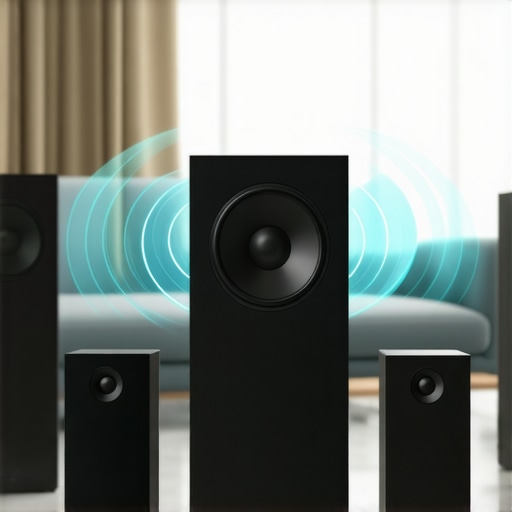
I remember the exact moment I realized my home audio system was a mess. It was late at night, I was trying to relax with some music, but the sound was bouncing around erratically, jumping from one speaker to another, with frustrating silence in between. I felt like I was back in the days of tangled wires and clunky stereo systems—only now, the wires were replaced by a tangle of apps and Bluetooth connections that just wouldn’t cooperate. It hit me: I was missing out on the magic of seamless sound across my entire home.
Why Whole Home Audio Should Be a Priority for Every Homeowner
In today’s world, where smart homes are becoming the norm, having a reliable, easy-to-use multiroom audio setup isn’t just a luxury—it’s a game-changer. Whether you want to listen to music while cooking, entertain guests with synchronized sound, or quietly enjoy a podcast in the bedroom, the right system makes all the difference. But here’s the thing: the technology behind these setups can seem overwhelming. I’ve been there, and I know how tempting it is to settle for a subpar solution that leaves you more frustrated than fulfilled.
That’s exactly why I want to walk you through this journey. I’ll share the lessons I’ve learned, the mistakes I made early on, and most importantly, how to set up a home audio system that truly works for YOU. By the end of this post, you’ll see how effortless and gratifying whole home sound can be—if you choose the right tools and approach.
Is All the Hype About Multiroom Wi-Fi Speakers Actually Worth It?
When I first started exploring wireless options, I was skeptical. I thought, “Will this really work without constant hiccups?” My early mistake was assuming that all Wi-Fi speakers are created equal. I bought a few cheap models, and they quickly proved unreliable. It wasn’t until I invested in quality equipment and learned about proper setup that I truly started to enjoy the experience. According to a report by Statista, the global smart speaker market is expected to reach over 300 million units by 2024, which proves how much consumers are craving this kind of seamless audio experience.
So if you’ve faced the frustration of inconsistent sound or complex setups, you’re not alone. But I promise, with the right knowledge and tools, you can transform your home into a harmonious sound oasis. Ready to get started? Let’s dive into how to make this happen.
Start with a Clear Plan
Before you buy any equipment, sketch out your home’s layout and decide where you want sound zones. Think of your home like a symphony orchestra; each room is an instrument that needs tuning and placement. I once began setting up my system by randomly placing speakers, which resulted in uneven sound and frustration. This taught me the importance of a strategic plan. Use a floor plan to map out where speakers will go and what sources you’ll use. This foundation makes the entire process smoother and ensures you get balanced, immersive sound across your home.
Choose Compatible Wireless Speakers
Picking the right speakers is crucial. Look for Wi-Fi enabled models that support multiroom functionality and are compatible with your existing devices. I made the mistake of mixing incompatible brands early on, which led to connectivity issues. I recommend focusing on high-quality options like those reviewed in the ultimate guide to Wi-Fi speakers. These often come with app support and easy setup, making your life much easier. Think of these speakers as the musical instruments—choose reliable, well-made ones to ensure your symphony plays smoothly.
Establish a Robust Wi-Fi Network
Your entire system relies on a strong, stable Wi-Fi connection. Use a mesh Wi-Fi system if your house is large or has dead zones. A weak connection is like a bad radio signal—interruptions and dropouts ruin the experience. I upgraded my network with a mesh setup, which eliminated buffering and lag. Once your network is solid, connecting multiple speakers becomes straightforward, allowing for seamless streaming and synchronized playback. For detailed guidance, check the ultimate guide to Wi-Fi speakers.
Configure Your System for Synchronization
Proper setup ensures all speakers play in harmony. Use the manufacturer’s app or the multiroom platform to group speakers and test the synchronization. I once tried to play music in the living room and kitchen separately, but the latency caused a noticeable echo. Learning to group speakers and adjust settings resolved this. Think of it as tuning the orchestra, making sure each instrument plays at the right time. For advanced tips on this process, visit the ultimate blueprint for multiroom connectivity.
Optimize Your Sources and Inputs
Decide whether to stream directly from apps, use a central hub, or connect via wired connections. Streaming services like Spotify or Apple Music are easy to integrate, but ensure your network can handle multiple streams at once. I initially relied solely on Bluetooth, which limited range and quality. Transitioning to Wi-Fi streaming improved the clarity and range. Consider a dedicated streaming device or smart hub for a more reliable, high-fidelity experience. Check the wireless streaming tech guide for detailed options.
Test and Fine-Tune Your System
Once everything is connected, walk through your home and listen critically. Adjust speaker placement and equalizer settings for optimal sound. I remember repositioning a speaker in my bedroom multiple times, which made a noticeable difference in audio quality. Use tools like room calibration features in some apps or manual adjustments to perfect the sound. Remember, a little patience goes a long way—your home will sound better for it.
Building a seamless whole home audio system takes effort, but the reward is worth it. With a clear plan, quality equipment, a strong network, and proper configuration, you can enjoy consistent, high-quality sound throughout your home. For a comprehensive resource, visit this ultimate guide and take your setup to the next level.
Many enthusiasts and even seasoned homeowners fall into misconceptions when setting up or upgrading their home audio systems. Let’s dig deeper into what most people get wrong about multiroom audio and the nuances that can make or break your experience.
Why More Speakers Don’t Always Mean Better Sound
One widespread myth is that simply adding more speakers will create a richer, more immersive soundscape. In reality, this can backfire if the speakers aren’t properly matched in quality, placement, and network integration. Overloading your system with incompatible or poorly positioned devices can cause latency issues, uneven sound distribution, and synchronization problems. Remember, quality and strategic placement matter more than quantity. Check out this guide for selecting the right speakers that truly harmonize.
Beware of Overestimating Wireless Connectivity
Many assume that their Wi-Fi network is robust enough for seamless streaming everywhere. This is where most pitfalls happen. A common mistake is underestimating the importance of a dedicated, high-quality mesh Wi-Fi system. Without it, your multiroom setup may experience dropouts, lag, or audio desynchronization, especially in larger homes. This is not just a minor annoyance; it can significantly diminish your listening pleasure. For the best results, consider the recommendations in this article about optimizing your Wi-Fi for multiroom audio.
Advanced Question: How Can You Achieve Perfect Synchronization Across Different Brands?
One advanced challenge is maintaining perfect audio sync when mixing different brands or platforms. Many believe that using multiple apps or platforms will cause delays or mismatches. However, with the proper configuration—such as using a centralized multiroom platform that supports multi-brand compatibility—you can achieve near-perfect sync. Features like network time synchronization and latency compensation are vital. For a deeper dive into this, explore this blueprint. It’s a nuanced process but well worth the effort for a seamless experience.
In conclusion, avoiding these common misconceptions and understanding the subtle technical details can dramatically improve your home audio setup. It’s not just about hardware; it’s about proper integration, placement, and network management. Have you ever fallen into this trap? Let me know in the comments, and happy listening!
Once you’ve invested time and money into creating a seamless home audio experience, the next crucial step is ensuring it continues to perform at its best over time. Proper maintenance not only prolongs the lifespan of your equipment but also preserves sound quality and system reliability. Here are some expert strategies and tools I personally rely on to keep my multiroom audio setup running smoothly.
Regular Software and Firmware Updates
Most modern Wi-Fi speakers and multiroom systems come with firmware that can be updated via their dedicated apps. I make it a habit to check for updates every couple of months. These updates often fix bugs, improve connectivity, and add new features. Ignoring these can lead to degraded performance or security vulnerabilities. For instance, the latest firmware from brands like Sonos or Bose enhances multi-device synchronization and stability, which is critical for whole-home audio. Set your devices to auto-update if available, or schedule a monthly check-ins.
Consistent Network Optimization
Your Wi-Fi network is the backbone of your entire system. I recommend investing in a high-quality mesh Wi-Fi system, such as the Eero or Netgear Orbi, which I personally use. These systems intelligently manage traffic and eliminate dead zones, ensuring every speaker gets a strong, stable signal. Regularly reboot your router and check for firmware updates to keep your network optimized. Additionally, placing your router centrally and away from interference sources helps maintain a consistent connection for all devices. For detailed tips on this, see this article.
Effective Cable Management and Physical Checks
If your system includes wired components or power supplies, periodic cable inspections prevent issues caused by wear or accidental disconnections. I use cable organizers and label everything for easy troubleshooting. Dust and debris can also affect hardware, so I gently clean my speakers and connectors with a soft brush or compressed air every few months. This simple step prevents dust buildup that can compromise connections or cause overheating.
Using Monitoring and Diagnostic Tools
For advanced monitoring, I use network analysis tools like Fing or Wi-Fi Analyzer apps. These help me identify any network congestion or interference that might affect streaming quality. Some systems, like Denon or Yamaha, offer built-in diagnostics accessible via their apps, providing real-time status updates and troubleshooting guidance. Regularly reviewing system logs and diagnostics helps catch issues early, avoiding major disruptions.
Implementing Redundancy and Backup Plans
If you rely heavily on your home audio for entertainment or work, consider setting up a backup power supply or uninterruptible power supply (UPS). During outages, this keeps your Wi-Fi and critical components operational, preventing corruption or misconfigurations. I personally use a UPS for my router and primary speakers, which has saved me during power fluctuations.
Looking ahead, I predict the future of home audio maintenance will involve smarter, AI-driven diagnostics and automatic updates that adapt to your environment. These innovations will make upkeep even easier, allowing you to enjoy your soundscape without interruption.
If you’re ready to take your system maintenance to the next level, I highly recommend trying some of these tools and routines. Regular check-ins, updates, and cleaning are simple habits that ensure your whole home audio remains crisp, reliable, and enjoyable for years to come. For a comprehensive guide on system optimization, explore this resource.
The Hardest Lesson I Learned About Whole Home Audio Systems
One of my biggest mistakes was underestimating the importance of network stability. I thought simply buying good speakers was enough, but I soon realized that a weak Wi-Fi network causes frustrating dropouts and synchronization issues. Investing in a mesh Wi-Fi system was a game-changer, and it taught me that hardware alone isn’t enough—your network needs to be robust to truly enjoy seamless sound throughout your home.
The Myth of Adding More Speakers for Better Sound
I used to believe that more speakers automatically meant better sound. I learned the hard way that placing incompatible or poorly positioned speakers can create echo, latency, and imbalance. Quality and strategic placement are more crucial than quantity. Carefully selecting and positioning each speaker ensures harmony, transforming your home into a true sound oasis.
The Hidden Power of Proper System Calibration
One lightbulb moment was realizing that even the best equipment needs fine-tuning. Using calibration tools or manual adjustments to optimize speaker placement and equalizer settings dramatically improved my listening experience. Think of it as tuning a musical instrument—done right, it makes all the difference.
Curated Recommendations for a Home Audio Makeover
My essential toolkit includes the Ultimate Guide to Wi-Fi Speakers for selecting reliable, compatible devices. I trust this resource to understand how wireless streaming tech elevates your setup. For network optimization, I rely on the best Wi-Fi practices. And when fine-tuning, I consult the Mastering Home Audio guide to achieve perfect synchronization.
Your Next Step to Superior Home Sound
Don’t let technical pitfalls hold you back from enjoying immersive, whole home audio. With the right knowledge, tools, and a bit of patience, you can create a sound environment that’s as effortless as it is exceptional. Now is the time to elevate your home entertainment—your perfect soundscape awaits. Ready to transform your space? Start by exploring this comprehensive resource and take the first step towards seamless sound today.



![Stop Sync Drift: 4 Matter 3.0 Multiroom Audio Hacks [2026]](https://homeaudio.premiumsounddeals.com/wp-content/uploads/2026/03/Stop-Sync-Drift-4-Matter-3.0-Multiroom-Audio-Hacks-2026.jpeg)

![5 Portable Wi-Fi 8 Speakers with 50-Hour Battery [2026 Picks]](https://homeaudio.premiumsounddeals.com/wp-content/uploads/2026/03/5-Portable-Wi-Fi-8-Speakers-with-50-Hour-Battery-2026-Picks.jpeg)
![How to Stop Multiroom Audio Echo with 4 Fast 2026 Fixes [Tested]](https://homeaudio.premiumsounddeals.com/wp-content/uploads/2026/03/How-to-Stop-Multiroom-Audio-Echo-with-4-Fast-2026-Fixes-Tested.jpeg)


Leave a Reply