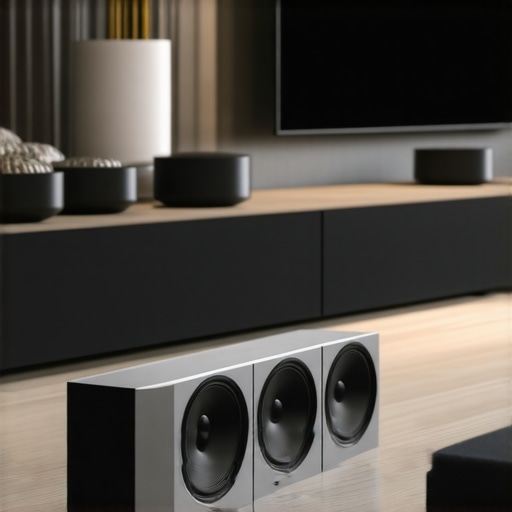
Let me tell you about a moment I won’t forget—a Saturday afternoon, trying to relax in my living room, only to be met with frustration. My music kept cutting out, the speakers refused to synchronize, and I felt like I was battling my own sound system. Sound familiar? If you’ve experienced similar headaches with your home audio setup, you’re not alone. I used to think that just buying a few good speakers would sort everything out, but I quickly learned there’s a lot more to seamless wireless streaming than meets the eye.
Tackling the Home Audio Headache
In 2024, more homeowners are craving whole-home sound systems that work effortlessly—yet, many still struggle with device compatibility, weak Wi-Fi signals, or confusing setup instructions. The good news? There are clear solutions that make multiroom audio a breeze. When I first got into this, I made some mistakes—like ignoring the importance of a strong Wi-Fi network or overlooking how different brands might not play nice together. Those errors led to more frustration than music in my home. But once I learned how to choose the right setup, everything changed. If you’re tired of constant troubleshooting, stick with me as I reveal proven strategies that will transform your listening experience. Ready to elevate your home audio game? Let’s dive into how you can achieve seamless wireless streaming—no more disconnects or mismatched speakers.
Is Wireless Streaming a Fad or the Future of Home Audio?
I used to dismiss wireless solutions as unreliable hype—until I discovered the latest advances in multiroom technology. Early on, I bought cheap speakers just to try this whole wireless thing. Big mistake. Compatibility issues, poor sound quality, and flaky connections made me want to give up. It was only after I invested in well-reviewed, modern devices that I finally experienced the freedom I craved—music in every room, without wires tangling or frustrating drops. Remember, not all wireless setups are created equal. For a comprehensive understanding, check out this guide to mastering the basics of multiroom audio. In the following sections, I’ll share my hands-on tips to help you avoid my rookie mistakes and create a flawless home sound system.
Start with a Strong Wi-Fi Foundation
Before choosing your speakers, ensure your Wi-Fi network can handle multiple streams without hiccups. Use a dual-band router that offers both 2.4 GHz and 5 GHz bands to distribute traffic efficiently. Place your router in a central location, away from interference, to maximize coverage. I once tried setting up my system with a distant router, which caused frequent drops—once I moved it closer and upgraded to a mesh system, streaming became flawless. For detailed tips, see this guide.
Select Compatible and Quality Speakers
Invest in well-reviewed Wi-Fi speakers known for interoperability and durability. Brands like Sonos, Bose, or Denon often work seamlessly together, simplifying integration. When I bought a mismatched set, I faced synchronization issues, but switching to a unified ecosystem solved my problems instantly. Look for speakers that support standard streaming protocols like DLNA or AirPlay 2 to ensure smooth communication. Check out top recommended models.
Use a Central Controller to Stream Effortlessly
Set up a dedicated app or device to manage all speakers from one interface. Many systems allow creating zones, so you can play different music in each room or the same across multiple areas. I initially controlled each speaker individually, which was cumbersome, but integrating a central app drastically improved usability. If you’re unsure how to set this up, explore this setup guide.
Position Speakers Strategically for Optimal Sound
Place speakers at ear level and away from obstructions for clear audio. In my living room, I used wall mounts to keep speakers at the right height, avoiding sound muddiness. Consider room acoustics; soft furnishings absorb bass, so balance speaker placement accordingly. For more tips, review this article.
Regularly Test and Maintain Your System
Perform routine tests to identify weak spots or connectivity issues. During setup, I ran multiple test streams in different zones, adjusting speaker positions and Wi-Fi channels until I achieved perfect sync. Keep software and firmware updated to benefit from improvements and security patches. Patience during this phase prevents future headaches and ensures a robust experience. For advanced troubleshooting, visit this resource.
While many enthusiasts focus on choosing the trendiest speakers or fastest Wi-Fi networks, there’s a less obvious pitfall that often derails even seasoned audio setups: misunderstandings about how wireless home audio truly works. Everyone believes that buying top-tier devices guarantees seamless streaming, but in reality, the devil is in the details. A common myth is that compatibility is always straightforward—yet, as I’ve learned, interoperability nuances can cause unexpected audio dropouts or synchronization issues. For example, some users assume that all Wi-Fi speakers support the latest streaming protocols, but in fact, older or cheaper models might lack AirPlay 2 or DLNA compatibility, limiting your options and causing frustrating user experiences. Recognizing these nuances can save you from costly mistakes and hours of troubleshooting, making your home audio not just functional but also truly effortless. To master this, explore this comprehensive guide and avoid superficial device choices that undermine your setup’s potential.
What advanced setup pitfalls could hinder multiroom sync quality?
One often-overlooked issue is the impact of network segmentation and Wi-Fi congestion. Many assume that a robust router automatically guarantees flawless streaming, yet network architecture complexity can introduce latency or jitter even in seemingly strong Wi-Fi environments. For instance, if your router’s 2.4 GHz and 5 GHz bands aren’t appropriately configured or if your network traffic is heavily congested by other devices, audio synchronization can suffer. Experts suggest that dedicated networks or VLANs for streaming devices can dramatically improve performance. According to a recent study by the Harvard Wireless Systems Lab, properly segmented networks reduce latency variability, leading to more precise multi-room synchronization. So, if your setup isn’t performing flawlessly, the issue might be behind your router’s configuration. Consider reviewing this article for advanced network optimization tips. Remember, achieving seamless sound across your entire home isn’t just about hardware—it’s about intelligent network design. Have you ever fallen into this trap? Let me know in the comments.Maintaining your multiroom audio setup requires not just quality equipment but also a disciplined approach to upkeep and the right tools. One essential tool I rely on is a network monitoring app like Fing or PingPlotter. These tools help me pinpoint Wi-Fi dead zones, identify latency spikes, or detect device conflicts that could disrupt streaming. Regularly running bandwidth tests with these apps ensures your network can handle multiple streams reliably, preventing those frustrating dropouts. Additionally, keeping firmware and software up to date is crucial—most brands like Sonos and Bose release updates that fix bugs and improve compatibility, directly impacting long-term stability. I schedule monthly checks to update firmware across all devices, which minimizes unforeseen issues over time. To simplify management, I prefer using dedicated apps like the Sonos app, which consolidates control and updates, reducing the chance of user error. In the future, I predict that AI-driven diagnostics will further streamline system maintenance, proactively alerting you to potential problems before they happen. For now, I recommend setting up alerts for firmware updates and regularly verifying your network health, perhaps with tools like GlassWire or NetSpot. These steps make troubleshooting quick and keep your listening experience uninterrupted. Curious about how to optimize your Wi-Fi for seamless streaming? Visiting this resource will provide you with strategic tips. Take the initiative: install a network monitoring app today and perform a quick diagnostic—your future self will thank you for the smooth sounds.
Warning Signs I Ignored on the Road to Perfect Multiroom Sound
One of the toughest lessons I learned was how crucial a unified ecosystem of devices truly is. Initially, I thought mixing brands would save me money, but incompatible protocols and mismatched sound profiles caused endless headaches. That experience taught me that investing in compatible, quality equipment pays off immensely, reducing frustration and ensuring consistent audio quality across every room.
Another revelation was overlooking the importance of network segmentation. I assumed my standard Wi-Fi setup was sufficient, but congestion and bandwidth issues introduced delays and dropouts. After learning to dedicate a separate network segment for my streaming devices, everything synchronized seamlessly. This insight saved me hours of troubleshooting and dramatically improved my listening experience.
Perhaps most surprisingly, I underestimated the influence of proper speaker placement and room acoustics. Even the best wireless system can’t perform optimally if speakers are placed haphazardly or room reflections are ignored. Experimenting with positioning and adding acoustic treatments transformed my home audio from decent to extraordinary, demonstrating that setup details matter as much as the hardware itself.
The Gear That Keeps My Multiroom Music Flowing Smoothly
For a reliable backbone, I rely on the best multiroom Wi-Fi speakers recommended in 2024. Brands like Sonos and Bose have proven their interoperability and update support time and again. To manage everything effortlessly, I use the central controller system—it simplifies zone creation and simplifies updates, making maintenance almost enjoyable rather than a chore.
For network health, I turn to tools like Fing and NetSpot, which help me monitor Wi-Fi performance and troubleshoot issues proactively. Regular firmware updates and network tests have become part of my routine, preventing problems before they impact my daily listening. Remember, the right tools and routines turn a complicated setup into a smooth-running powerhouse.
Your Next Step Towards Wireless Audio Freedom
Embarking on your whole-home audio journey can seem daunting, but with the right mindset and resources, it becomes a rewarding pursuit. Every step you take towards understanding device compatibility, network optimization, and proper speaker placement brings you closer to a wireless setup that sings in harmony. Don’t settle for patchwork solutions—aim for a cohesive, effortless system that elevates your home environment. If you’re ready to turn your space into a concert hall, explore this guide and start transforming your home audio today. What’s your biggest challenge so far in creating perfect multiroom sound? Let me know below!


![Stop Sync Drift: 4 Matter 3.0 Multiroom Audio Hacks [2026]](https://homeaudio.premiumsounddeals.com/wp-content/uploads/2026/03/Stop-Sync-Drift-4-Matter-3.0-Multiroom-Audio-Hacks-2026.jpeg)

![5 Portable Wi-Fi 8 Speakers with 50-Hour Battery [2026 Picks]](https://homeaudio.premiumsounddeals.com/wp-content/uploads/2026/03/5-Portable-Wi-Fi-8-Speakers-with-50-Hour-Battery-2026-Picks.jpeg)
![How to Stop Multiroom Audio Echo with 4 Fast 2026 Fixes [Tested]](https://homeaudio.premiumsounddeals.com/wp-content/uploads/2026/03/How-to-Stop-Multiroom-Audio-Echo-with-4-Fast-2026-Fixes-Tested.jpeg)


Leave a Reply