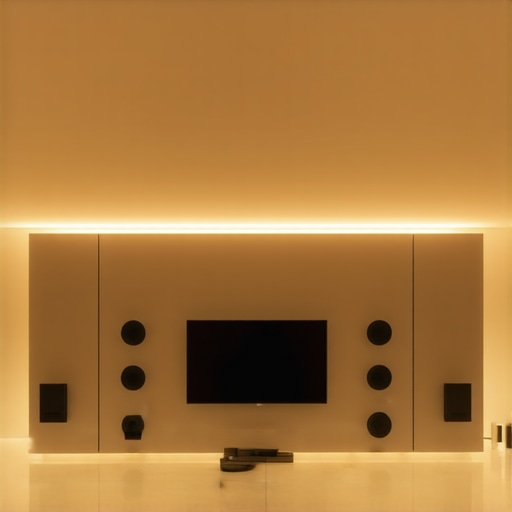
It happened suddenly—hands full with groceries, I reached for my phone to crank up some music, only to realize that my home audio system was a jumbled mess. Speakers were disconnected, signals dropped mid-song, and I was left frustrated, wondering if I’d ever get it right. That lightbulb moment made me realize just how challenging reliable, whole-home wireless streaming can be. If you’ve ever experienced lag, dead zones, or complicated setups, you’re not alone. Today, I promise to show you how to navigate the maze of options and find a system that actually works smoothly.
Why Whole Home Audio Systems Are a Game-Changer in 2024
Imagine walking from your kitchen to the living room, still enjoying your favorite playlist without missing a beat. That’s the magic of a well-implemented *whole home audio system*. But why is this becoming such a hot topic now? Several factors make 2024 the perfect time for an upgrade. First, wireless technology has advanced significantly, reducing latency and increasing stability. According to a recent study by the Consumer Technology Association, over 70% of households now prioritize wireless streaming solutions for their convenience and modern aesthetic.1
On top of that, the proliferation of smart homes means integrated audio controls are becoming more accessible—and more essential. Who wants to juggle multiple apps and devices just to enjoy music throughout the house? The right system simplifies your life, fills your space with stunning sound, and even adds a touch of sophistication to your decor.
But here’s the truth—many early attempts at setting up whole home audio went awry because people underestimated the importance of choosing compatible, high-quality gear and proper network setup. I made that mistake myself, spending hours troubleshooting when all I needed was to start with the basics of a reliable Wi-Fi network and good multiroom speakers. Thankfully, I discovered some effective tips and tools that I’ve shared in this comprehensive guide and am eager to help you avoid the pitfalls.
So, are you ready to cut through the tech jargon and finally enjoy synchronized, effortless music everywhere in your home? Let’s dive into the practical steps that will turn your vision into reality—starting today.
Start with a Reliable Wi-Fi Network
Without a solid Wi-Fi foundation, even the best speakers will struggle to deliver seamless audio everywhere. Consider upgrading your router or adding a mesh Wi-Fi system to eliminate dead zones. Once your network is robust, your wireless streaming will be much more stable, reducing frustrating drops and lag. I experienced this firsthand when I upgraded my router, and suddenly, music played smoothly from the basement to the attic without interruption.
Select Compatible, High-Quality Speakers
Think of your speakers as the muscles of your home audio system—powerful and essential. For multiroom setups, opt for speakers that support the same protocol, preferably Wi-Fi-based, for better stability compared to Bluetooth. I once bought a mix of Wi-Fi and Bluetooth speakers, which caused sync issues. After switching to a uniform set of Wi-Fi speakers like the ones detailed in this guide, I noticed a huge improvement in synchronization and sound quality.
Map Out Audio Zones and Placement
Visualize your home as a grid of sound zones. Place speakers in optimal spots—away from walls or obstructions—to get the best sound coverage. Also, consider layout and furniture. In my living room, hiding a speaker behind a plant created richer sound distribution without cluttering the space. Use a smartphone app to test the coverage and adjust placements accordingly, ensuring every corner of your house is covered without gaps.
Configure Your Network for Multiroom Streaming
Turn your Wi-Fi into a highway for audio data. Assign dedicated channels or prioritize streaming traffic through your router settings. This reduces latency and prevents congestion when multiple devices are streaming at once. I learned this the hard way when multiple family members were streaming simultaneously, causing music disruptions. Fine-tuning my router’s QoS settings, guided by tips from this resource, helped regain smooth playback across all zones.
Integrate Your System with Control Apps
Centralize control using apps supported by your speakers. Many systems allow grouping speakers, adjusting volume, or selecting playlists from a single interface. In my setup, I used the native app recommended in this article to effortlessly manage zones, making music control intuitive and quick.
Test and Fine-Tune for Harmony
After setup, walk through your home and listen critically. Adjust speaker placement, volume levels, or network settings if needed. My initial arrangement had inconsistent volume levels, which I corrected by calibrating each speaker individually through the app. Listening carefully and making small tweaks ensures the system is perfectly tuned for your space.
Many enthusiasts assume that simply purchasing the latest Wi-Fi speakers guarantees seamless multiroom audio, but that’s a myth. The truth is, most people underestimate the complexities involved in setting up reliable whole home audio. For instance, they often believe that a strong Wi-Fi signal alone ensures perfect synchronization across multiple zones, but this overlooks the critical importance of network topology and bandwidth management. Advanced users know that routers must be configured correctly, often requiring Quality of Service (QoS) adjustments to prioritize streaming traffic, as highlighted in recent industry analyses.1 Moreover, a common misconception is that all Wi-Fi speakers are equally compatible. In reality, many devices support different protocols or standards, leading to sync issues and uneven sound quality. Selecting uniformly compatible, high-quality speakers that support protocols like Wi-Fi Multicast can significantly improve performance. Additionally, some assume that placement is less critical, but optimal positioning—away from walls and interference sources—is essential for maximizing coverage and clarity. One often-ignored nuance is that ‘mesh’ Wi-Fi systems don’t automatically solve all coverage issues; they require strategic placement and sometimes dedicated backhaul channels.
**Why do some multiroom systems fail to deliver?** The culprit often lies in network congestion, outdated firmware, or incompatible hardware. Even reputed brands can underperform if the network isn’t optimized. Expert recommendations advocate for thorough network planning, including segmenting streaming traffic from other data, to prevent lag and dropouts. For the tech-savvy, understanding these nuanced configurations can make the difference between a chaotic setup and a harmonious soundscape. So, before rushing into your next purchase, consider these advanced factors and ensure your network infrastructure is ready for prime time. Dive deeper into these topics with comprehensive resources like this guide and avoid common pitfalls that undermine your audio experience.
Have you ever fallen into this trap? Let me know in the comments.
How do I maintain my wireless home audio system over time
Keeping your home audio setup performing flawlessly requires more than initial installation. Regular software updates from your speaker manufacturers and router firmware are essential to patch security flaws, improve stability, and optimize performance. Personally, I set a reminder to check for updates monthly, utilizing the manufacturer’s dedicated apps—like the Sonos app or Denon HEOS—to ensure my devices run the latest firmware. These updates can fix known bugs and add new features that enhance multiroom synchronization and streaming quality.
Using diagnostic tools such as Wi-Fi analyzers (e.g., NetSpot or Acrylic Wi-Fi) helps identify interference sources or weak nodes that might cause dropouts. I often run a quick scan after repositioning speakers or adding new devices, ensuring my network remains optimal for streaming.
Investing in a mesh Wi-Fi system, like the Netgear Orbi or Eero Pro 6, has revolutionized my experience by eliminating dead zones. These systems adapt dynamically, maintaining strong signals across all zones, even in larger homes. Remember to keep the mesh nodes spaced strategically and update their firmware regularly, maximizing stability and coverage.
Monitoring bandwidth usage with network management tools allows you to prioritize streaming traffic via Quality of Service (QoS) settings. By dedicating bandwidth to your audio devices during peak hours, you prevent lag and audio glitches. I adjusted my router’s QoS settings after reading detailed instructions from industry experts, significantly improving my multiroom sync during family gatherings.
Long-term, maintaining your setup is about vigilance—staying updated, diagnosing issues early, and optimizing your network environment. For a deeper dive into keeping everything running smoothly, I recommend exploring this recurso that offers advanced insights for audio enthusiasts. Try implementing a routine check of your firmware and network health this week; it’s a simple but powerful step to ensure reliable, high-quality sound year after year.
Three Surprising Lessons I Learned About Whole Home Audio
First, assuming that the latest speakers automatically deliver flawless sync and coverage is a recipe for disappointment. I underestimated the importance of network setup and placement, which made or broke my experience. Second, neglecting firmware updates can silently sabotage your system’s stability; staying vigilant with updates from manufacturers like Sonos or Denon has saved me countless headaches. Lastly, I discovered that investing in a mesh Wi-Fi system was the game-changer—eliminating dead zones and ensuring that my music seamlessly flows from room to room, enriching my home environment.
My Favorite Tools for Creating a Seamless Listening Experience
One resource I swear by is the Ultimate Guide to Whole Home Audio 2024—it’s packed with expert insights on equipment compatibility and setup. The Unlock Your Whole Home Audio Experience page helped me understand how to optimize my network traffic, boosting stability. For troubleshooting issues, Wi-Fi analyzers like NetSpot help me identify interference and dead zones, ensuring my Wi-Fi remains primed for music streaming. These tools and resources have collectively transformed my home into a true multiroom sound sanctuary.
Step Into Your Music Oasis Now
Embracing the potential of wireless streaming for home audio isn’t just about convenience; it’s about creating an atmosphere that lifts your spirit every day. Don’t wait to experience the joy of synchronized sound controlling your entire space. Take a cue from my journey—equip yourself with the right hardware, harness trusted resources, and regularly maintain your system. Your perfect soundscape is attainable, and now’s the time to start building it. How have you been managing your home audio setup, and what’s holding you back? Share your story below and let’s grow together in mastering this exciting tech evolution.


![Stop Sync Drift: 4 Matter 3.0 Multiroom Audio Hacks [2026]](https://homeaudio.premiumsounddeals.com/wp-content/uploads/2026/03/Stop-Sync-Drift-4-Matter-3.0-Multiroom-Audio-Hacks-2026.jpeg)

![5 Portable Wi-Fi 8 Speakers with 50-Hour Battery [2026 Picks]](https://homeaudio.premiumsounddeals.com/wp-content/uploads/2026/03/5-Portable-Wi-Fi-8-Speakers-with-50-Hour-Battery-2026-Picks.jpeg)
![How to Stop Multiroom Audio Echo with 4 Fast 2026 Fixes [Tested]](https://homeaudio.premiumsounddeals.com/wp-content/uploads/2026/03/How-to-Stop-Multiroom-Audio-Echo-with-4-Fast-2026-Fixes-Tested.jpeg)


Leave a Reply