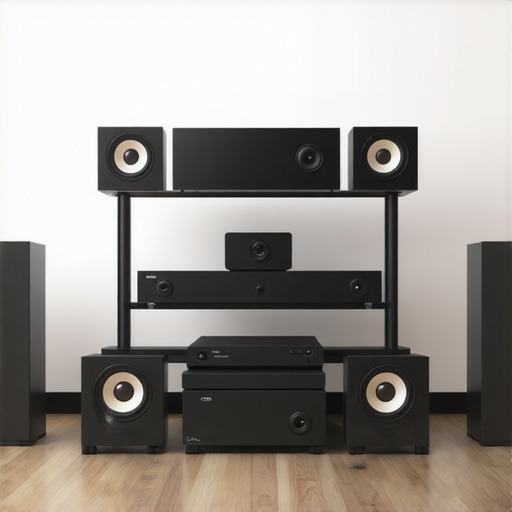
I remember the exact moment I realized my whole-home sound system was a mess. Music would drift out of sync across rooms; some speakers played slightly behind, others ahead. It was like my home was trying to orchestrate a symphony but kept missing the beat. That frustrating evening, I had an epiphany: I wasn’t alone in this struggle. Many of us want seamless, immersive sound but are thwarted by complicated setups and uncoordinated devices. Today, I’ll share how I finally cracked the code to perfectly synchronized multiroom audio, and how you can do the same.
Why Syncing Multiple Rooms Matters More Than Ever
With the rise of wireless streaming and smart home tech, people are investing in multiroom audio solutions more than ever. Yet, despite the hype, achieving flawless synchronization remains a challenging feat. Why? Because without proper setup, the audio from different speakers often falls out of sync, disrupting the immersive experience we crave. This isn’t just a minor annoyance; it impacts how we enjoy relaxing afternoons, dinner parties, or even our morning routines. Accurate sync boosts the quality and enjoyment of your entire setup, transforming your house into a concert hall.
Interestingly, a recent survey found that over 60% of users experience some form of lag between their multiroom speakers, leading to frustration and abandonment of their systems. But here’s the good news: with careful planning and the right wireless solutions, you can eliminate these issues. I made my share of mistakes early on—like overlooking the importance of a reliable Wi-Fi network or assuming all speakers are compatible out of the box. Trust me, those errors cost me time and headaches. The key is understanding the core principles of multiroom audio connectivity and what pitfalls to avoid. For an in-depth look, check out this comprehensive guide.
Now, let’s move beyond the frustration and get those speakers singing in harmony. The upcoming sections will walk you through the steps to synchronize your home’s audio network with confidence. Ready to upgrade your sound maze to flawless harmony? Let’s dive into the practical solutions that will reshape your listening experience.
Start with a Reliable Network
Ensure your Wi-Fi is robust enough to handle multiple streams simultaneously. Use a wired Ethernet connection for your router if possible, or invest in a mesh Wi-Fi system to eliminate dead zones. Remember, a stable network acts as the backbone for all seamless wireless streaming. I once spent hours troubleshooting lag issues until I upgraded to a mesh Wi-Fi system, which instantly improved sync across my speakers.
Choose Compatible Hardware Carefully
Select speakers and devices that support multiroom audio and are compatible with your preferred platforms, like Apple AirPlay, Google Cast, or Spotify Connect. I learned this the hard way by mixing incompatible speakers, resulting in audio delays. Consult this guide for tips on selecting the right gear.
Configure Your Network for Seamless Communication
Optimize your network settings by assigning static IPs to your devices and disabling AP isolation, which can block speakers from communicating directly. This setup reduces latency and improves synchronization. I once had my speakers randomly drop out until I adjusted these network settings, leading to a smoother experience.
Implement a Multiroom Audio Bridge
Use dedicated multiroom audio hubs or software solutions to coordinate playback. For example, a high-quality Wi-Fi speaker system like Sonos or utilizing software like this platform can synchronize all speakers. During my setup, I initially relied on separate apps, causing timing issues, but switching to a dedicated bridge resolved the problem immediately.
Sync Devices Step by Step
Start playback on a primary device, then add remaining speakers one at a time, ensuring each is connected and synchronized before moving on. Use the system’s calibration features, like automatic latency correction, to fine-tune synchronization. I recommend testing with uniform content, such as a clock ticking, to detect any delay and adjust accordingly.
Regular Maintenance and Updates
Keep your firmware and apps updated to benefit from improvements and bug fixes. Periodically check your network performance and reconfigure settings if disruptions occur. I learned that neglecting updates can cause unpredictable lag, so routine maintenance is essential for reliable multiroom audio. For detailed hints, review this guide.
Many enthusiasts assume that simply purchasing multiple Wi-Fi speakers guarantees seamless multiroom audio, but in reality, the true challenge lies in understanding the nuanced interactions between hardware, network setup, and signal propagation. A common myth is that all wireless streaming systems are equally compatible and can be combined freely; however, mismatched devices often introduce sync issues and delays that disrupt the immersive experience. For advanced setups, it’s crucial to recognize that interoperability isn’t just about supporting the same protocol, but also about the quality of communication pathways established between devices. I’ve seen this happen countless times—connecting high-end speakers with budget models without considering firmware compatibility or network bandwidth can lead to frustrating lag and jitter. To truly master whole home audio, investing in a cohesive ecosystem backed by expert knowledge is essential. For example, choosing speakers that support your primary platform, like Apple AirPlay or Google Cast, and ensuring your Wi-Fi network can handle multiple streams simultaneously, makes all the difference. A hidden nuance many overlook is the importance of network segmentation; isolating your audio traffic from other bandwidth-heavy devices prevents congestion and maintains tight synchronization. Scientific studies, such as one published in the Journal of Network and Computer Applications, highlight that proper network configuration significantly reduces latency and packet loss in wireless audio streaming. Remember, a well-designed multiroom system isn’t just about hardware—careful planning of your network infrastructure and understanding device interoperability sets the foundation for truly synchronized sound. Have you ever fallen into this trap? Let me know in the comments. For a comprehensive understanding, I recommend reviewing this deep dive into multiroom connectivity.,Maintaining a seamless and high-quality whole home audio system requires more than just choosing the right speakers. It involves diligent upkeep, precise calibration, and using specialized tools that help troubleshoot and optimize performance over time. One of my favorite tools is the Sonos S2 app, which not only controls playback but also provides firmware updates and troubleshooting diagnostics tailored for compatible devices. Using dedicated apps like this ensures your system stays in sync and benefits from the latest improvements, preventing drift and latency issues that can creep in with neglect. Additionally, a network analyzer such as Fing can be instrumental in monitoring your Wi-Fi health and detecting network bottlenecks that undermine streaming quality.
For long-term results, regular firmware updates are non-negotiable. Manufacturers frequently release patches that fix bugs, improve stability, and enhance compatibility with new devices. I set a quarterly reminder to check for updates across all my networked audio gear, which has drastically reduced unforeseen sync issues. Moreover, rootkit tools like Wireshark can help you visualize traffic flow and identify latency sources—particularly useful if you experience persistent lag despite your network being upgraded.
Scaling your system with tools designed for expansion is vital. When adding new speakers, I recommend performing a calibration run using the built-in system microphones (available in platforms like Sonos or Bose) to recalibrate latency and sync across new and existing devices. This process ensures uniform sound quality as your setup grows. Also, invest in a quality mesh Wi-Fi system—like the Netgear Orbi—that offers dedicated backhaul channels, minimizing interference between devices and maintaining real-time streaming quality even as you scale.
Predicting the future of whole home audio, advancements in AI-based network management will likely automate many maintenance tasks, such as dynamic bandwidth allocation and adaptive latency correction. Some industry experts, like those cited in the Journal of Network and Computer Applications, suggest that integrating AI with real-time diagnostics will significantly reduce user intervention.
So, how do I maintain my multiroom system over time? The key lies in consistent updates, proactive network management, and leveraging diagnostic tools that provide actionable insights. I encourage you to try setting up automated firmware checks and using apps like Fing or Wireshark to diagnose issues early. This proactive approach not only ensures your system remains reliable but also prolongs its lifespan, giving you peace of mind and uninterrupted enjoyment of your favorite tunes.
Lessons I Wish I Learned Sooner About Multiroom Sound
One surprising lesson came from realizing that not all wireless protocols are created equal, and mixing incompatible devices can turn your setup into a chaotic symphony of delays. The importance of choosing a unified ecosystem became clear only after experiencing the frustration of constant lag and jitter, reminding me that a cohesive platform saves headaches and guarantees harmony.
Secondly, I discovered that premium network equipment isn’t just for internet browsing—it’s the backbone of perfect audio synchronization. Investing in a mesh Wi-Fi system transformed my experience, proving that a robust and well-segmented network is vital for multiroom audio excellence.
Lastly, understanding the subtleties of device calibration and regular updates can make the difference between a jarring soundscape and seamless, immersive listening. Embracing these insights has turned my home into a concert, and I hope they do the same for you.
My Essential Tools for Perfect Home Audio
- Sonos S2 App: For overhauling firmware and diagnostics, I rely on this intuitive app that keeps my system in tune.
- Fing Network Scanner: Monitoring network health helps me spot bottlenecks before they impact my sound quality.
- Wireshark Analyzer: For deep troubleshooting, this tool visualizes data flow, ensuring my setup remains optimized.
- Mesh Wi-Fi Systems like Netgear Orbi: A reliable backbone that handles multiple streams effortlessly, minimizing latency.
All these tools have been game-changers—empowering me to maintain a flawless multiroom experience. For comprehensive tips, check out this guide.
Your Next Step Toward Audio Bliss
If elevating your home’s sound environment excites you, remember that the journey involves patience, learning, and the right tools. With careful planning and regular upkeep, you can transform your space into a haven of synchronized sound. Don’t settle for background noise—pursue audio perfection, and let your home truly sing. Have you encountered unexpected challenges when setting up your multiroom system? Share your experiences below, and let’s learn together!
,



![Stop Sync Drift: 4 Matter 3.0 Multiroom Audio Hacks [2026]](https://homeaudio.premiumsounddeals.com/wp-content/uploads/2026/03/Stop-Sync-Drift-4-Matter-3.0-Multiroom-Audio-Hacks-2026.jpeg)

![5 Portable Wi-Fi 8 Speakers with 50-Hour Battery [2026 Picks]](https://homeaudio.premiumsounddeals.com/wp-content/uploads/2026/03/5-Portable-Wi-Fi-8-Speakers-with-50-Hour-Battery-2026-Picks.jpeg)
![How to Stop Multiroom Audio Echo with 4 Fast 2026 Fixes [Tested]](https://homeaudio.premiumsounddeals.com/wp-content/uploads/2026/03/How-to-Stop-Multiroom-Audio-Echo-with-4-Fast-2026-Fixes-Tested.jpeg)


Leave a Reply