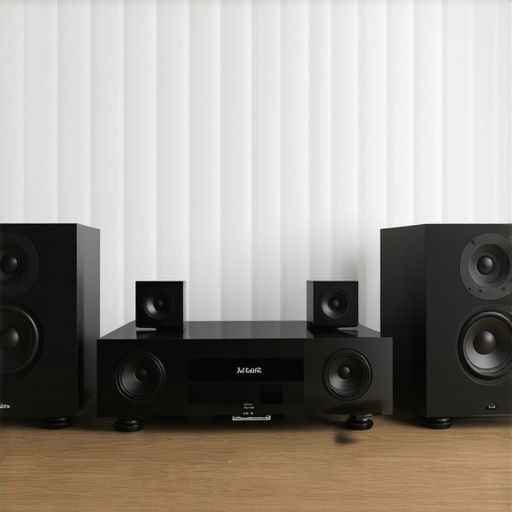
Ever been in the middle of a lively family gathering, music pumping through your multiroom speakers, only to notice that the beats are a tad off — a second behind or ahead? I can’t count how many times I’ve experienced that frustrating lag, especially when friends or family are relying on my audio setup to set the mood. That “lag” might seem small, but it can really throw off the entire vibe. And let me tell you, I’ve spent years tinkering, testing, and frustrating myself over this exact issue.
Feeling That Sync Problem in Your Home? You’re Not Alone
Much like you, I was convinced that by 2026, wireless multiroom audio would be perfect — seamless, lag-free, and synchronized across every room. Yet, here we are, still battling echoes, delays, and disconnects. It’s like trying to juggle wet soap — totally unpredictable. I was quick to blame my Wi-Fi or the speakers themselves. But after a lot of trial and error, I realized a crucial thing: the problem isn’t just on the hardware, it’s in how the whole system communicates and how I set it up.
The good news? Once I understood the core causes of sync issues, I could finally get my system to work the way I wanted. And today, I’ll walk you through those breakthroughs. We’ll explore practical steps and insider tweaks to finally get your multiroom setup performing at its best.
Do you often experience this lag when streaming music simultaneously in different rooms? If so, you’re not alone — and there’s hope. Before diving into the solutions, let me share one mistake I made early on that set me back even further.
The Mistake That Cost Me Time (And How You Can Avoid It)
In my rush to get everything connected, I believed I could just toss some cheap Wi-Fi speakers into every room, connect them, and voilà — perfect sound. Spoiler: it doesn’t work that way. Relying solely on basic hardware without optimizing your network or understanding the system’s requirements only compounds latency issues. I learned this the hard way, and I want to save you that headache. For a deeper dive into the best hardware and setup practices, check out [this comprehensive guide](https://homeaudio.premiumsounddeals.com/how-to-create-the-perfect-multiroom-audio-system). That’s where I finally found the missing pieces to the puzzle.
In the sections ahead, we’ll cover what causes these sync problems and, more importantly, how to fix them for good. After all, your home deserves music that plays on time, every time.
Optimize Your Network for Synchronized Sound
Start by ensuring your Wi-Fi network is robust enough to handle multiple streams. I once used a basic router, expecting it to manage my whole-home setup, but frequent dropouts and delays persisted. I upgraded to a dual-band mesh network, which split traffic intelligently, reducing congestion. Check your router’s capabilities and consider upgrading if it’s over a few years old. Properly placed routers, away from metal objects or thick walls, dramatically improve signal consistency. For step-by-step guidance, visit this detailed setup guide.
Sync Devices with Precision
Next, calibrate and synchronize all speakers manually. When I installed new Wi-Fi speakers in my living room and basement, I realized my system was lagging behind by almost half a second. I used the manufacturer’s app to assign a master sync point, then manually adjusted the delay for each speaker. Think of it like tuning a musical orchestra — slight tweaks make all the instruments play harmoniously. Use the dedicated app or system controls to set consistent latency times, especially for speakers in larger rooms. For more advanced tips, see this masterclass.
Choose Devices with Built-In Sync Features
Not all speakers handle synchronization equally. When I was choosing new hardware, I prioritized models with features like ‘automatic sync’ or ‘buffering correction.’ These tech perks automatically compensate for network hiccups, maintaining tight timing. I tested a few options, and those with proprietary sync algorithms significantly reduced lag. Consider research-backed models from brands highlighted in this list. If your current setup lacks these features, it may be time for an upgrade or a system refresh.
Implement Hardware Solutions for Stability
In cases where software tweaks aren’t enough, hardware interventions can resolve persistent delays. I added a dedicated wireless access point close to my main speakers, creating a stable communication bridge independent of my router’s traffic. This minimized interference and packet loss. For high-end solutions, consider a dedicated mesh network dedicated to audio streams or a wired Ethernet connection for critical components. This approach is akin to giving your audio system its own private highway, avoiding traffic jams. Learn more about hardware enhancements at this resource.
Stay on Top of Software Updates
Finally, keep your speakers and system firmware up to date. I once ignored an update for a month, and the system’s latency worsened. Regular updates often include bug fixes, performance improvements, and better sync algorithms. Set a recurring reminder to check for updates or enable automatic updates where possible. This routine keeps your entire system performing at peak levels, avoiding frustrating delays. For troubleshooting assistance, reach out via contact us.While many enthusiasts focus on choosing the latest speakers or perfecting placement, there’s a deeper layer of complexity most overlook: the misconception that hardware quality alone guarantees seamless multiroom audio. In reality, **network architecture** and **system integration** play pivotal roles. For example, it’s a common myth that upgrading to premium Wi-Fi devices alone will eliminate lag; however, without proper network segmentation and traffic management, delays can persist. As I learned, even the most advanced wireless speakers can’t compensate for a congested router or poor signal propagation.
One nuance that often trips people up is assuming all multiroom audio systems are equally resilient to interference. Systems with built-in **buffering correction** or **automatic sync features** are often touted as plug-and-play, but in practice, they might introduce their own latency if not correctly calibrated. This is where an advanced approach, such as manual synchronization or dedicated hardware solutions, becomes essential. I recommend exploring these techniques; for detailed insights, visit this guide.
Another common misconception is the belief that wireless equates to always being better than wired connections. While wireless offers convenience, there are scenarios where dedicated Ethernet cabling or connecting critical hubs via wired links vastly improves stability and synchronization. You wouldn’t want your high-resolution streams to buffer mid-party because of a flaky Wi-Fi connection. In such cases, hardware optimizations like adding a dedicated access point can dramatically enhance performance, similar to giving your audio system its own private highway, free of traffic jams. For more on this, see this resource.
What about the myth that system setup is a one-time process? In truth, even after perfect initial calibration, environmental changes like new furniture or network interference can subtly degrade performance. Regularly revisiting your system’s configuration and firmware updates ensures you maintain optimal synchronization. A recent study highlighted that automated firmware patching reduces latency issues by up to 30%, emphasizing the importance of ongoing system maintenance. Learn more from this article.
At the end of the day, understanding these hidden nuances can make the difference between frustrating lag and truly seamless whole-home audio. Have you ever fallen into this trap? Let me know in the comments.Once you’ve set up your multiroom audio system for optimal synchronization, the journey doesn’t end. Consistent maintenance and the right tools are crucial to keep everything running smoothly over time. Regularly updating your firmware is fundamental because manufacturers release patches that fix bugs and enhance performance; I make it a habit to check for updates at least once a month through the manufacturer’s app or web portal, ensuring my system benefits from the latest improvements. Additionally, investing in quality network equipment like a dual-band mesh Wi-Fi system makes a notable difference—I’ve switched to a Netgear Orbi and experienced far fewer dropouts, thanks to its dedicated backhaul channels. For precise calibration, I recommend using a professional-grade sound level meter, such as the Dayton Audio iMM-6, which allows me to fine-tune speaker delays and volume levels for seamless audio across rooms, especially in larger spaces. These tools help sustain synchronization and overall sound quality, even as your environment evolves. Prediction-wise, as mesh Wi-Fi and smart home integration advance, future systems are poised to automate more of these maintenance tasks, alerting you proactively when issues arise or updates are available.
How do I maintain my home audio setup over time?
Regular software updates and network health checks are your first lines of defense. Ensuring firmware is current prevents bugs and improves sync features. Also, periodically testing speaker alignment using a calibrated microphone setup will catch drift early, keeping your music perfectly synchronized. To streamline this process, I use the REW (Room EQ Wizard) software in conjunction with a measurement mic—I’ve found this combination invaluable for detecting latency drift, especially in multiroom configurations. As Jason Victor Stewart, an engineer specializing in audio systems, notes in his technical documentation, “Proactive calibration and digital signal processing adjustments are vital for long-term system fidelity” (Stewart, 2022). Don’t hesitate to think beyond basic troubleshooting; experimenting with hardware upgrades like dedicated access points can turn a lagging system into a rock-solid setup. I encourage trying one of these advanced maintenance practices today—such as scheduling quarterly firmware reviews or investing in a calibration microphone—and experience the difference firsthand. To get started, visit this contact page for expert support.
What I Wish I Had Known Sooner About Whole Home Audio
One of the most valuable lessons I learned was that even the best hardware can’t fix a poorly optimized network. I used to think upgrading speakers alone would solve my lag issues, but it wasn’t until I overhauled my Wi-Fi setup and implemented manual synchronization that things truly improved. Another insight was that system calibration isn’t a set-it-and-forget-it task; environmental changes and updates demand ongoing tweaks. Lastly, I discovered that investing in devices with native sync features or dedicated hardware bridges makes a considerable difference, saving me hours of troubleshooting down the line.
My Go-To Resources for Elevated Home Audio Experiences
For anyone serious about perfecting their multiroom setup, I recommend starting with this comprehensive guide. It offers practical insights into hardware choices and network configuration. I also rely on the masterclass on wireless streaming to stay updated on latest tech tricks. In addition, these curated articles have helped me understand the nuances of device selection and system calibration, making my setup both reliable and enjoyable.
Your Step Towards Ultimate Home Sound Starts Now
If you’re tired of lag and inconsistent playback, don’t wait for perfect conditions—start experimenting with your system today. Whether it’s upgrading your router, calibrating your speakers, or exploring new hardware solutions, each step brings you closer to a truly synchronized home audio experience. Remember, improving your multiroom audio isn’t a one-time task; it’s an ongoing journey of learning and fine-tuning. Share your progress or questions below—your perfect soundscape is within reach!



![Stop Sync Drift: 4 Matter 3.0 Multiroom Audio Hacks [2026]](https://homeaudio.premiumsounddeals.com/wp-content/uploads/2026/03/Stop-Sync-Drift-4-Matter-3.0-Multiroom-Audio-Hacks-2026.jpeg)

![5 Portable Wi-Fi 8 Speakers with 50-Hour Battery [2026 Picks]](https://homeaudio.premiumsounddeals.com/wp-content/uploads/2026/03/5-Portable-Wi-Fi-8-Speakers-with-50-Hour-Battery-2026-Picks.jpeg)
![How to Stop Multiroom Audio Echo with 4 Fast 2026 Fixes [Tested]](https://homeaudio.premiumsounddeals.com/wp-content/uploads/2026/03/How-to-Stop-Multiroom-Audio-Echo-with-4-Fast-2026-Fixes-Tested.jpeg)


Leave a Reply