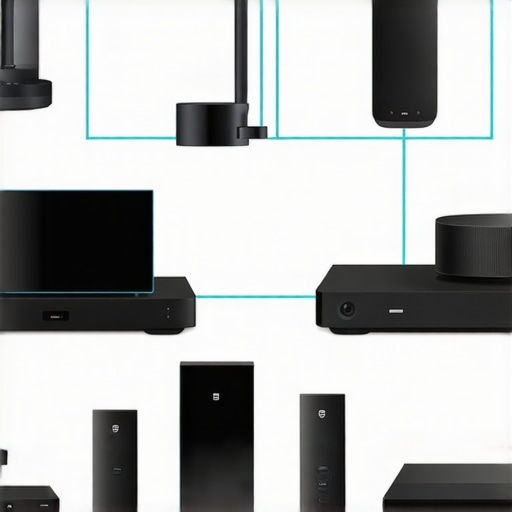
Ever had that frustrating moment where you’re trying to enjoy your favorite playlist, only to be met with dropouts, sync issues, or complicated setups? I remember the first time I tried to create a multiroom audio system in my home. I was excited, thinking I’d have perfect, synchronized music flowing through every room. But what I got was a tangled mess of wires, incompatible devices, and constant frustration. It was a real lightbulb moment for me—real wireless streaming isn’t just about buying the latest gadgets; it’s about understanding how to make them work together smoothly.
Why Wireless Multiroom Audio Matters More Than Ever
In 2024, the demand for seamless, high-quality sound across every corner of our homes is higher than ever. We’re no longer just plugging in speakers here and there; we want synchronized music, voice control, and effortless control from our phones or smart home systems. Wireless technology has advanced dramatically, making it easier and more affordable to transform your living space into a sound haven. But the trick is knowing how to navigate the maze of options—what devices to choose, how to set them up, and which pitfalls to avoid.
According to a recent report, 78% of smart home owners consider multiroom audio a top priority for enhancing their home entertainment experience. Yet, many still face issues like lag, dead zones, or complicated setups that turn a dream into a headache. That’s where I want to help. Over the next few sections, I’ll share proven tips to simplify your wireless streaming setup and truly enjoy the benefits of multiroom audio.
Have You Faced This Problem?
If you’ve ever struggled with inconsistent sound, confusing tech, or just feeling overwhelmed by the options, you’re not alone. I’ve been there. Early on, I made the mistake of buying random speakers without checking their compatibility or understanding the network requirements. That led to a lot of frustration, dead spots, and constant reconfiguring. I realized that a little knowledge and a strategic approach could save me—and you—a lot of trouble. For a deeper dive into how to create the perfect multiroom setup, check out this guide.
So, if you’re tired of patchy sound and want a reliable, straightforward way to enjoy your music everywhere in your home, stick around. We’ll cover the key steps to setting up a wireless multiroom system that works every time, with minimal fuss and maximum enjoyment.
Choose the Right Devices to Start
Think of selecting your devices like building a team for a relay race. Each member (or speaker) needs to be compatible and reliable. Begin by researching top-rated Wi-Fi speakers such as those highlighted in best multiroom Wi-Fi speakers for seamless home audio setup. Focus on models that support multiroom features and Wi-Fi connectivity, not just Bluetooth. This ensures your setup scales smoothly without hiccups.
Map Out Your Network and Placement
Imagine your Wi-Fi network as the backbone of your audio system. A strong, stable connection is essential. I once set up a multiroom system in my living room and kitchen, but the Wi-Fi router was in the basement. The result was constant dropouts in the kitchen. Placing your router centrally or adding a mesh Wi-Fi system (see wireless Wi-Fi speakers: the future of multiroom audio) can prevent dead zones. Use a Wi-Fi analyzer app to identify weak spots and consider wired Ethernet backhaul for critical points to boost stability.
Synchronize Your Devices Correctly
Synchronization is the heartbeat of a successful multiroom system. When I first tried connecting my speakers, they played slightly out of sync, like a bad echo. The fix was to use dedicated multiroom apps or the native app provided by your device manufacturer, ensuring all speakers are on the same Wi-Fi network. Many systems support grouping via their app—think of it as creating a playlist for your speakers. For detailed steps, check the ultimate blueprint for multiroom audio connectivity. This method guarantees that music streams smoothly across all rooms, creating an immersive experience.
Optimize Your Wi-Fi for Streaming
Streaming high-quality audio requires more than just a good speaker; your Wi-Fi must be up to the task. Use a dual-band router or mesh system to dedicate a specific band (like 5 GHz) for streaming, reducing interference from other devices. I once had my smart home devices congesting my Wi-Fi, causing lag. After separating my streaming traffic, everything ran flawlessly. Consider Quality of Service (QoS) settings to prioritize your audio traffic, which you can explore further in ultimate guide to wireless streaming whole home audio in 2024. Proper network management ensures your music flows seamlessly, no matter how many devices are connected.
Test and Fine-Tune Your Setup
Once everything’s connected, it’s time to test. Play music in one room and walk around to listen for delays or dropouts. Adjust the placement of speakers, update firmware, and tweak network settings as needed. I had to move a speaker closer to the router after noticing slight lag, which dramatically improved synchronization. Remember, a little patience and tweaking can turn a frustrating setup into a blissful listening experience. For more advanced tips, see mastering home audio secrets to seamless wireless streaming.
Many enthusiasts believe that choosing the latest speakers or a robust Wi-Fi network guarantees a flawless multiroom audio experience. However, even seasoned users often fall for nuanced pitfalls that sabotage their sound quality and system reliability. Let’s explore some of the most overlooked mistakes and misconceptions that can trip up even advanced users.
Why Most People Overlook Network Interference and Its Impact
One common myth is that a strong Wi-Fi signal alone ensures perfect streaming. In reality, interference from other wireless devices, neighboring Wi-Fi networks, and even household appliances can cause jitter, dropouts, and desynchronization. Many assume that simply upgrading to a dual-band or mesh system solves all issues, but neglecting to optimize channel settings or segregate traffic can undermine performance. According to a study by Cisco, Wi-Fi interference accounts for over 60% of streaming disruptions in multiroom setups. This is why advanced users should consider using Wi-Fi analyzers to identify congested channels and implement QoS settings for prioritizing audio traffic—details often missed by average setups.
Common Myth: Compatibility Means Everything
It’s a widespread belief that if your speakers support the same protocol or are branded similarly, they will automatically synchronize perfectly. The truth is, compatibility on paper doesn’t guarantee seamless operation. Different devices may implement protocols differently, leading to latency mismatches. For instance, some speakers support multiroom grouping via their app but still experience lag if their firmware isn’t up to date or if they rely on proprietary protocols. A better approach is to verify manufacturer recommendations and firmware consistency, or even better, opt for devices known for cross-platform stability—like those outlined in best multiroom Wi-Fi speakers for seamless home audio setup.
How Advanced Users Can Overcome Synchronization Challenges
Synchronization isn’t just about grouping speakers; it’s about precise timing. Many assume that if devices are on the same network, they will sync automatically. But advanced setups may require manual fine-tuning, firmware updates, and network segmentation. For example, setting up dedicated VLANs or wired backhauls can drastically reduce latency and jitter. Additionally, some users overlook the importance of firmware updates, which often include critical performance improvements. For a comprehensive strategy, explore the ultimate blueprint for multiroom audio connectivity. This resource provides insights on achieving flawless synchronization even in complex environments.
Have you ever fallen into this trap? Let me know in the comments. Remember, mastering the nuances of your network and device compatibility is key to unlocking true multiroom audio perfection. Don’t just settle for the basics—dig deeper and optimize your entire system for the best sound experience.
How Do I Keep My Wireless Multiroom System Running Smoothly Over Time
Once you’ve set up your multiroom audio system, the real challenge begins: maintaining its performance and ensuring it keeps working flawlessly for years to come. The good news is that with a few strategic practices, you can extend the longevity of your equipment and avoid common pitfalls that lead to system degradation. One crucial aspect is staying vigilant about firmware updates. Manufacturers regularly release updates that fix bugs, improve stability, and enhance compatibility. Personally, I make it a point to check for firmware updates every month—it’s a simple step that can prevent many issues before they start. You can usually set these updates to happen automatically or manually check via the device’s app or web interface.
Next, invest in quality networking gear. A robust, modern router with dual-band or tri-band support is essential. I recommend a mesh Wi-Fi system with wired backhaul options, which I personally use to eliminate dead zones and reduce latency. Regularly monitoring your network with tools like Wi-Fi analyzers helps identify interference sources or congestion points, so you can optimize channels or add new access points as needed.
Cleaning and physical maintenance shouldn’t be overlooked. Dust and heat can affect device longevity, so periodically clean your speakers and hubs, especially vents and connection ports. Additionally, ensure your placement remains optimal—avoid blocking vents or placing speakers near electronics that emit electromagnetic interference.
As the technology evolves, so do the options for improving your system. In the future, expect more intelligent network management features, such as AI-driven interference mitigation and adaptive streaming that automatically adjusts to your environment. To stay ahead, keep an eye on updates from your device manufacturers and industry leaders, like this insightful article about emerging trends in wireless home audio.
I encourage you to implement regular maintenance routines, like firmware checks and network optimization, to keep your system performing at its best for years to come. With consistent care, your multiroom setup will continue delivering seamless, high-quality sound without unexpected hiccups. Want to dive deeper into sustaining your home audio setup? Check out this guide for more expert tips.
The Hardest Lesson I Learned About Multiroom Audio
One of the biggest mistakes I made early on was assuming that all Wi-Fi speakers are created equal. I bought a few popular brands, expecting seamless integration, but faced constant lag and disconnection issues. It taught me that compatibility isn’t just about supporting the same protocol; firmware updates and network environment matter immensely. Now, I always verify device firmware and test compatibility in my setup before committing.
3 Myths About Multiroom Audio That Held Me Back
First, I believed that a strong Wi-Fi signal alone would guarantee perfect streaming. Turns out, interference from neighboring networks and household appliances can cause jitter even with a good signal. Second, I thought that supporting the same protocol meant effortless synchronization—nope, firmware and network configuration are crucial. Lastly, I assumed that placing speakers anywhere would work—optimal placement and network planning are key to avoiding dead zones and lag.
What Experts Won’t Tell You About Wireless Home Audio
Many overlook the importance of segmenting Wi-Fi traffic and using tools like Wi-Fi analyzers to identify interference. Advanced users know that dedicated backhauls, QoS settings, and firmware updates can make or break your multiroom experience. These hidden tweaks can turn a frustrating setup into a seamless soundscape, but they’re often ignored by casual users.
My Essential Toolkit for Multiroom Setup
- Mesh Wi-Fi System: I trust a mesh network with wired backhaul options to eliminate dead zones and reduce latency. It’s the backbone of my multiroom system.
- Wi-Fi Analyzer Apps: Tools like NetSpot or Wi-Fi Analyzer help me find the clearest channels and optimize placement, preventing interference.
- Firmware and App Updates: Regularly checking for updates ensures my devices run smoothly and support new features.
- Dedicated Multiroom Apps: Using manufacturer apps or universal control systems helps group speakers effectively and sync music perfectly.
Your Turn to Try Creating a Seamless Wireless System
Building a reliable wireless multiroom audio setup is both an art and science. It demands attention to network details, device compatibility, and strategic placement. But the rewards—immersive, synchronized sound across your entire home—are worth the effort. Start small, optimize your Wi-Fi, and experiment with device placement and settings. With patience and perseverance, you can enjoy a flawless multiroom experience that transforms your living space into a personal concert hall.
What’s the biggest challenge you’ve faced when setting up your multiroom system? Share your experiences below, and let’s troubleshoot together!


![Stop Sync Drift: 4 Matter 3.0 Multiroom Audio Hacks [2026]](https://homeaudio.premiumsounddeals.com/wp-content/uploads/2026/03/Stop-Sync-Drift-4-Matter-3.0-Multiroom-Audio-Hacks-2026.jpeg)

![5 Portable Wi-Fi 8 Speakers with 50-Hour Battery [2026 Picks]](https://homeaudio.premiumsounddeals.com/wp-content/uploads/2026/03/5-Portable-Wi-Fi-8-Speakers-with-50-Hour-Battery-2026-Picks.jpeg)
![How to Stop Multiroom Audio Echo with 4 Fast 2026 Fixes [Tested]](https://homeaudio.premiumsounddeals.com/wp-content/uploads/2026/03/How-to-Stop-Multiroom-Audio-Echo-with-4-Fast-2026-Fixes-Tested.jpeg)


Leave a Reply