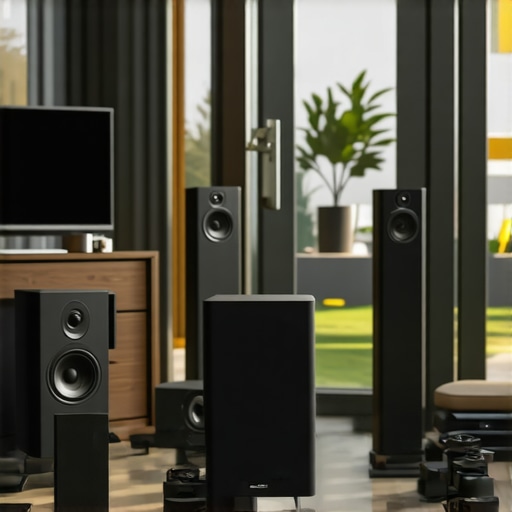
I once remember a Saturday afternoon where I was caught in a frustrating game of musical chairs—literally. I had been trying to enjoy my favorite playlist across different rooms, but each time I moved, the audio slipped away or, worse, turned into a discordant mess. It was a lightbulb moment that hit me: my home’s sound system needed more than just a few good speakers. It needed to work seamlessly, creating an invisible web of sound that followed me effortlessly.
The Hunt for True Wireless Harmony in My Home
Since that day, I’ve dived deep into the world of multiroom audio systems, discovering how modern technology can transform a chaotic setup into a smooth, synchronized experience. The promise? To help you bridge the gap between scattered speakers and a cohesive sound environment. Whether you’re tired of constantly fiddling with connections or battling latency issues, this guide is where your journey toward seamless streaming begins.
Is Multiroom Audio Overhyped or Worth the Hype?
Early in my search, I made the mistake of investing in cheap, incompatible devices that ultimately created more frustration. I assumed all wireless speakers were created equal—an incorrect assumption that many beginners share. According to a recent industry report, the multiroom audio market is expected to grow exponentially in 2024, with consumers prioritizing ease of use and reliability (source), indicating the importance of choosing the right setup. Making informed decisions early on can save you headaches and money.
If you’re tired of inconsistent sound and tangled wires, you’re not alone. Many like me have faced the same hurdles, but the good news is, with the right knowledge and tools, you can create a home audio environment that’s truly seamless. Next, let’s explore what makes a successful multiroom setup and how to avoid common pitfalls that can derail your wireless harmony.
Start with a Strong Network Foundation
Your home Wi-Fi acts as the backbone for your multiroom audio system. Use a dual-band router that supports a 5 GHz network to ensure faster, less congested connectivity. Place the router centrally to minimize dead zones, and consider a mesh Wi-Fi setup if your home is large or has thick walls. A stable and robust network prevents drops and latency issues that can turn your listening experience into a headache. To optimize your setup, follow the tips outlined in this guide.
Choose Compatible Devices Carefully
Not all Wi-Fi speakers are created equal. Verify that your devices support the same wireless protocols, like DLNA or AirPlay 2, for seamless integration. In my experience, mixing brands without compatibility checks leads to synchronization problems. Dedicating time to research and selecting a compatible ecosystem pays off, creating a synchronized sound environment with minimal fuss. For specific product recommendations, see top Wi-Fi speakers of 2024.
Configure Your System for Harmony
Once your hardware is selected, the next step involves configuring your network settings and device groupings. Use the dedicated app of your chosen system to assign speakers to zones, giving each area a tailored audio experience. During my first attempt, I mistakenly set all speakers to a single zone, causing audio lag and echo. After reassigning zones and ensuring synchronization, the sound became much more cohesive. Consistently update firmware for all devices, as manufacturers often release improvements that enhance stability and latency. For detailed setup procedures, consult this step-by-step guide.
Control and Fine-tune for Perfection
Use your mobile device or voice assistants to control volume, playback, and zones. Adjust latency and equalizer settings within the app to match the acoustics of your rooms. I learned this the hard way when my upstairs speakers sounded out of sync until I tweaked the delay settings, resulting in harmonious playback. Regularly test your system during different times of day to identify and resolve potential issues. Refer to this expert resource for advanced tips.
Implementing Effective Placement Strategies
Position speakers at ear level and avoid obstructing the sound path with furniture or curtains. Use adjustable stands or wall mounts to achieve optimal sound dispersion. I remember mounting speakers at different heights in my living room to prevent audio hotspots, which significantly improved clarity. For guidance on placement, see recommended placement tips.
Test and Troubleshoot Vigilantly
Periodically test your system with various content types and sources. Use speed tests to confirm your Wi-Fi is delivering consistent throughput. When I experienced lag during a movie, I reset my router and moved a Wi-Fi extender closer to my speakers, which rectified the lag. Keep an eye on software updates and maintain your network hardware for continuous performance. For troubleshooting strategies, visit this troubleshooting resource.
Many newcomers to wireless home audio believe that choosing the latest speakers or connecting devices is enough to achieve seamless multiroom sound. However, this mindset often overlooks the intricate details that can make or break your entire setup. One common myth is that all Wi-Fi networks are equally capable of supporting high-quality streaming; in reality, many systems falter because of overlooked network configurations. Using a dual-band router with a dedicated 5 GHz channel is crucial for reducing interference and latency, yet many users neglect to optimize their network. These seemingly minor adjustments can significantly enhance reliability and synchronization, as emphasized by experts in the field of wireless audio technology (source).Maintaining a seamless multiroom audio setup requires more than just choosing the right devices; it involves ongoing care, the right tools, and understanding how to troubleshoot effectively. Personally, I rely on a combination of advanced network management tools and regular firmware updates to ensure consistent performance. For example, I use a network monitoring tool like NetSpot, which helps me identify dead zones or interference sources in my Wi-Fi setup, allowing me to reposition routers or access points proactively. Additionally, scheduling automatic firmware updates for my speakers and network hardware prevents bugs and compatibility issues from creeping in unnoticed. In the future, I predict that smart home ecosystems will integrate more self-healing capabilities, automatically detecting and resolving connection issues before users notice any disruption.
How do I maintain my multiroom system over time?
Regularly check for firmware updates and keep your network equipment firmware current; it often includes performance improvements and bug fixes. Conduct periodic speed tests using dedicated apps like Ookla Speedtest to ensure your Wi-Fi delivers the throughput needed for high-quality streaming. Avoid cluttering your network with unnecessary devices that can cause interference; dedicate specific channels for your streaming devices. Invest in a mesh Wi-Fi system with robust coverage—placing nodes strategically reduces dead zones. I also recommend consulting experts’ insights, such as those found in this resource, for advanced troubleshooting tips. Don’t forget to visually inspect your speakers and mounts periodically, ensuring cables are intact and connections are secure. By combining these practices, you’ll extend the lifespan of your system and preserve audio quality over time. Ready to optimize? Try setting up a scheduled firmware check every quarter and see the difference it makes in your system’s reliability.
The Hardest Lesson I Learned About wireless streaming,home audio,wi fi speakers,whole home audio,multiroom audio
One of the most striking realizations was that even the best equipment can falter without proper network setup. I used to believe high-end speakers alone would deliver flawless sound, but I overlooked the importance of a resilient Wi-Fi backbone. This oversight often led to delays and mismatched audio across rooms. The takeaway? Your home network isn’t just a highway—it’s the foundation of your entire wireless audio ecosystem. Investing in a mesh Wi-Fi system and prioritizing bandwidth management can make all the difference.
3 Myths About wireless streaming,home audio,wi fi speakers,whole home audio,multiroom audio That Held Me Back
Firstly, I thought compatibility was a given—turns out, mixing brands without verifying support for protocols like AirPlay 2 or DLNA causes synchronization nightmares. Secondly, I believed that a strong Wi-Fi means no interference—however, crowded channels and signal interference can sabotage even stout networks. The third myth was that firmware updates are optional; I learned they are essential for stability and new features, keeping the entire system humming smoothly. Dispelling these myths has been crucial in my journey toward a reliable multiroom experience.
What Experts Won’t Tell You About wireless streaming,home audio,wi fi speakers,whole home audio,multiroom audio
Many industry insiders emphasize simplicity but often shy away from discussing the ongoing maintenance needed. From periodically reapplying firmware updates to optimizing your network traffic, maintaining harmony is an active process. I rely on network monitoring tools, like NetSpot, to identify weak spots and adjust my router placement. Additionally, regularly testing audio sync with various content helps preempt disruptions. These behind-the-scenes efforts ensure I enjoy truly seamless listening—less frustration, more enjoyment.
Curated Gems for Elevating Your Wireless Audio Game
Start with the guide on transforming your living space, which offers a solid blueprint on integrating wireless streaming into daily life. For hardware, I trust top Wi-Fi speakers of 2024 because they balance quality and compatibility. To keep your setup thriving, creating the perfect multiroom setup provides step-by-step guidance. And for troubleshooting like a pro, explore these expert secrets.
Your Next Move Toward Effortless Home Audio
Embarking on this wireless audio journey transforms your living space’s ambiance and your everyday experience. With the right tools, mindful configuration, and ongoing care, delivering music and sound seamlessly across your entire home becomes not just a dream but a reality. Feel inspired to refine your setup, experiment with placements, and stay vigilant with updates. Remember, each step you take enhances your enjoyment and brings you closer to a truly immersive sound environment. Dive into the resources provided and start creating your perfect home soundscape today!


![Stop Sync Drift: 4 Matter 3.0 Multiroom Audio Hacks [2026]](https://homeaudio.premiumsounddeals.com/wp-content/uploads/2026/03/Stop-Sync-Drift-4-Matter-3.0-Multiroom-Audio-Hacks-2026.jpeg)

![5 Portable Wi-Fi 8 Speakers with 50-Hour Battery [2026 Picks]](https://homeaudio.premiumsounddeals.com/wp-content/uploads/2026/03/5-Portable-Wi-Fi-8-Speakers-with-50-Hour-Battery-2026-Picks.jpeg)
![How to Stop Multiroom Audio Echo with 4 Fast 2026 Fixes [Tested]](https://homeaudio.premiumsounddeals.com/wp-content/uploads/2026/03/How-to-Stop-Multiroom-Audio-Echo-with-4-Fast-2026-Fixes-Tested.jpeg)


Leave a Reply