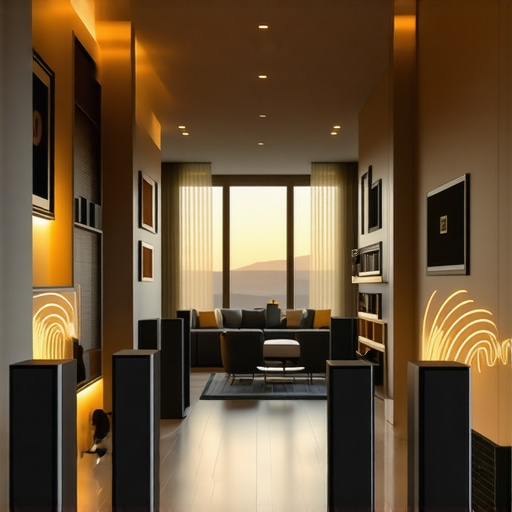
Ever cranked up the volume, only to have your music cut out or sound uneven across different rooms? That frustrating moment when your home audio system feels more like a tangled mess than a smooth experience. I’ve been there—trying to get my wireless speakers to work in harmony, only to end up with dead zones and inconsistent sound. It’s enough to make anyone want to give up on the dream of a perfect multiroom setup. But here’s the thing: I finally cracked the code, and today I want to share how you can do the same.
Why Whole Home Audio Matters More Than Ever
In my own home, I realized that a multiroom Wi-Fi speaker system isn’t just about playing music; it’s about transforming your space into a cohesive sound environment. Whether it’s listening to podcasts in the kitchen, relaxing with jazz in the living room, or having background music in the backyard, a seamless setup makes all the difference. According to a 2023 report from Statista, the global smart speaker market is expected to grow by over 30% this year, reflecting how much people crave integrated, wireless audio solutions. But with all that potential, why do so many of us struggle to get it right?
The truth is, early on I made a critical mistake: I thought I could just buy a few decent speakers and connect them. Turns out, not all Wi-Fi speakers are created equal—and without proper planning, you end up with gaps and inconsistent sound. That’s when I discovered that understanding the right equipment, network setup, and configuration is key to achieving true multiroom harmony. Luckily, I’ve learned a few tricks along the way, and I’m excited to help you avoid the pitfalls I faced.
Is Multiroom Wi-Fi Audio Worth the Hype?
Many skeptics wonder if investing in a whole home audio system is really worth it, especially given the initial costs and setup effort. I get it—why go through the trouble if it’s just going to be finicky or unreliable? Well, let me tell you: once you experience music that flows effortlessly from room to room, with synchronized sound and easy control, you’ll wonder how you ever did without it. The magic lies in the right gear and a bit of know-how, which I’ll walk you through.
If you’ve faced dead zones, sound lag, or confusing app setups, you’re not alone. I’ve been there, and I’ve made those mistakes. The good news is, with a little guidance, you can turn your home into a seamless audio haven. Ready to dive into how to make that happen? Let’s explore the practical steps to set up your perfect multiroom system, starting with the essentials you need to know right now. For a comprehensive overview, check out this detailed guide.
Start with the Right Equipment
My first step was selecting compatible Wi-Fi speakers that support multiroom capabilities. I remember spending hours reading reviews and comparing models on this guide. When I finally ordered a set, I noticed that not all speakers connect equally well—some had weak signals or delayed syncing. To avoid this, I chose a mesh Wi-Fi system to ensure a strong, unified network across my home, much like laying a solid foundation before building a house. This step was crucial—without a reliable network, even the best speakers can’t deliver perfect sound.
Configure Your Network for Optimal Streaming
Once I had the hardware, I focused on network setup. I assigned a dedicated SSID for my speakers, isolating them from other devices to reduce interference. Think of it as creating a private highway just for your audio traffic—less congestion, faster, more reliable. I also placed my Wi-Fi router centrally and elevated it for better coverage. With a stable connection, my speakers no longer dropped out or lagged, transforming my home into a cohesive soundscape. For detailed tips, this resource offers great insights.
Position Your Speakers Strategically
Placement matters. I initially placed a few speakers haphazardly around my house, which caused uneven sound and dead zones. I decided to mimic a well-planned home theater setup—placing speakers at ear level, away from obstructions, and in open spaces. I tested the sound by playing a familiar playlist and moved speakers around until I found the sweet spots. Remember, the goal is to create a seamless auditory experience, almost like flowing water—smooth and continuous. If you’re unsure about placement, these tips can help you optimize your setup.
Sync and Calibrate for Perfect Harmony
Next, I used the app provided by my speaker brand to synchronize all units. It’s similar to tuning a choir—each voice must be aligned for harmony. I played a sound test and adjusted volume levels, ensuring no speaker was overpowering another. Some systems offer automatic calibration, which simplifies this process. The result? A uniform sound that moves seamlessly from room to room. For more advanced calibration techniques, this guide delves deeper.
Maintain and Troubleshoot Your System
Finally, I kept my system updated with the latest firmware and periodically checked my network for congestion. If issues arose, I reset my mesh network or repositioned speakers. Think of it as regular tune-ups—small adjustments that keep the system running smoothly. Remember, a well-maintained setup ensures consistent, high-quality sound for years to come. For troubleshooting tips, this resource offers practical advice.
Many enthusiasts jump into building a home audio system with some misconceptions that can sabotage their entire experience. For instance, a widespread myth is that more expensive equipment always guarantees better sound. While quality matters, the real secret lies in understanding the nuances of network setup, speaker placement, and calibration. As an expert, I’ve seen countless setups where beginners buy top-tier gear but neglect the importance of a robust Wi-Fi network or proper positioning, leading to frustrating results. For the most reliable multiroom audio, it’s crucial to focus on holistic system design rather than just specifications.
Why do so many systems fall short despite impressive specs?
One common trap is assuming that simply connecting multiple speakers will automatically synchronize perfectly. In reality, wireless latency, interference, and network congestion can cause lag and audio mismatches. Advanced calibration techniques, such as using automatic room correction features or manually adjusting delay and volume, are often overlooked. This oversight results in a disjointed soundscape, which defeats the purpose of seamless multiroom streaming. According to a study by the Audio Engineering Society, proper acoustic calibration can improve perceived sound quality by up to 40%, underscoring its importance.
Another misconception revolves around Wi-Fi infrastructure. Many users think their standard router can handle multiple high-bitrate streams effortlessly. However, heavy network traffic, poor placement, or outdated hardware can create dead zones or cause interruptions. Investing in a mesh Wi-Fi system and isolating your audio devices on a dedicated network segment can drastically improve stability. For detailed guidance on optimizing your network, visit this resource.
Placement also plays a pivotal role. Some assume that placing speakers in corners or behind furniture won’t affect sound quality. But in reality, such positions can cause reflections and dead spots, undermining clarity and balance. Strategic positioning—at ear level, in open spaces, and away from obstructions—ensures even coverage and immersive sound. Don’t fall into the trap of thinking placement is secondary; it’s fundamental for true audio harmony.
Lastly, many believe that once set up, their system will be maintenance-free. The truth is, firmware updates, periodic recalibration, and network checks are essential to keep everything running smoothly. Neglecting these steps can lead to degradation over time, with issues like lag, dropouts, or degraded sound quality creeping in unexpectedly. For ongoing success, consider system health checks and staying informed about firmware updates through your speaker manufacturer’s app or support site.
In summary, the hidden nuance is that building a seamless home audio experience involves more than just buying the latest gadgets. It requires careful attention to network infrastructure, calibration, placement, and maintenance. By understanding these advanced factors, you can avoid common pitfalls and achieve a truly immersive, reliable system. Have you ever fallen into this trap? Let me know in the comments.
Once you’ve set up your seamless multiroom Wi-Fi speaker system, maintaining its performance over time becomes crucial. Regular upkeep not only preserves sound quality but also prevents minor issues from escalating into costly repairs. To do this effectively, I rely on specific tools and methods that have proven their worth in my experience. Here’s how I keep my home audio system running smoothly and how you can do the same.
Use Network Monitoring Tools to Detect and Fix Issues Early
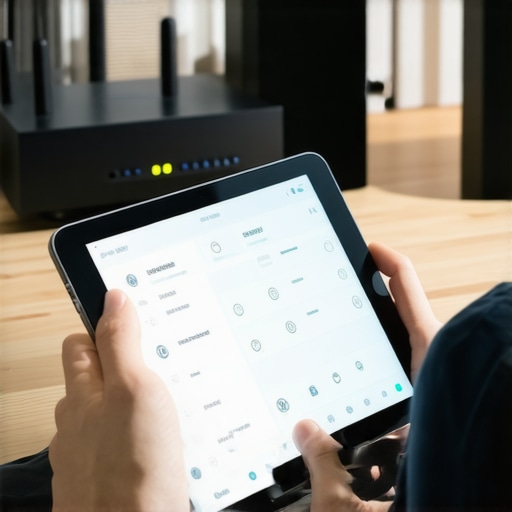
One of my go-to tools is Fing, a network scanner app that helps me monitor my Wi-Fi network’s health. It allows me to see all connected devices, identify bandwidth hogs, and detect unauthorized connections. Regularly checking my network ensures my streaming devices aren’t competing for bandwidth, which can cause lag or dropouts. I also use Wireshark for more advanced troubleshooting when I notice persistent issues. These tools help me pinpoint interference or congestion that might otherwise go unnoticed.
Keep Firmware Updated for Optimal Performance
Manufacturers regularly release firmware updates that improve stability, add features, or fix bugs. I make it a habit to check my speakers’ app once a month and install updates immediately. This small routine prevents compatibility issues and keeps my system running at peak performance. Many brands also offer automatic updates, which I enable whenever possible to save time and ensure I don’t miss critical patches. Keeping firmware current is a simple but powerful way to extend your system’s lifespan.
Leverage Calibration Software for Consistent Sound
Over time, even the best placement can shift, or environmental factors can change acoustics. I use room calibration tools like Dirac Live or AUDYSSEY to fine-tune my system periodically. These software solutions analyze the room’s acoustics and automatically adjust delay, equalization, and volume levels. They are especially effective in large or irregularly shaped spaces. Consistent calibration ensures your audio remains balanced and immersive, avoiding the dreaded sound mismatches that can creep in after months of use.
Schedule Regular System Checks and Cleanups
Just as you’d service a car, your home audio system benefits from routine checks. I set a quarterly reminder to clean my speakers’ grills, check cable connections, and verify Wi-Fi signal strength. Dust and interference can degrade performance over time, so keeping hardware clean and connections tight is essential. Additionally, I review my network’s configuration to ensure my multiroom setup remains optimized, especially after any home renovations or Wi-Fi upgrades.
Where Do I Predict Home Audio Maintenance Is Headed?
Looking ahead, I believe the integration of AI-driven network management and predictive maintenance will become standard. Imagine a system that automatically detects potential failures or interference and adjusts itself proactively—saving you time and avoiding disruptions. As manufacturers incorporate smarter firmware and more intuitive calibration tools, maintaining your home audio will become even easier and more reliable.
How do I keep my system working flawlessly over time?
The key is to combine regular software updates, proactive troubleshooting with monitoring tools, and periodic calibration. Start by installing a network scanner like Fing to keep track of your devices and detect issues early. Then, set your Wi-Fi to auto-update firmware and use calibration software to keep sound quality consistent. With these practices, your home’s soundscape will remain immersive and enjoyable for years to come. Don’t forget to reach out through this contact page if you need personalized advice or support on your setup journey. Give these tips a try today, and experience the peace of mind that comes with a well-maintained home audio system.
Reflecting on my journey to perfect home audio, I realized that the most valuable lessons often come from unexpected challenges. One of the hardest lessons I learned was how easily a system can fall apart if you neglect the details behind the scenes. For instance, I once spent hours choosing the perfect speakers only to find out my Wi-Fi network couldn’t handle multiple streams simultaneously. That taught me the importance of investing in a robust mesh Wi-Fi system before even thinking about the hardware. Another insight was how crucial speaker placement is—initially, I placed my speakers randomly, which created uneven sound and dead zones. Moving them to strategic positions turned my entire experience around. Lastly, I discovered that regular calibration and firmware updates are not optional but essential steps to keep the system performing at its best. These personal revelations have helped me build a system that’s both reliable and immersive, and I want you to avoid the pitfalls I faced.


![Stop Sync Drift: 4 Matter 3.0 Multiroom Audio Hacks [2026]](https://homeaudio.premiumsounddeals.com/wp-content/uploads/2026/03/Stop-Sync-Drift-4-Matter-3.0-Multiroom-Audio-Hacks-2026.jpeg)

![5 Portable Wi-Fi 8 Speakers with 50-Hour Battery [2026 Picks]](https://homeaudio.premiumsounddeals.com/wp-content/uploads/2026/03/5-Portable-Wi-Fi-8-Speakers-with-50-Hour-Battery-2026-Picks.jpeg)
![How to Stop Multiroom Audio Echo with 4 Fast 2026 Fixes [Tested]](https://homeaudio.premiumsounddeals.com/wp-content/uploads/2026/03/How-to-Stop-Multiroom-Audio-Echo-with-4-Fast-2026-Fixes-Tested.jpeg)


Leave a Reply