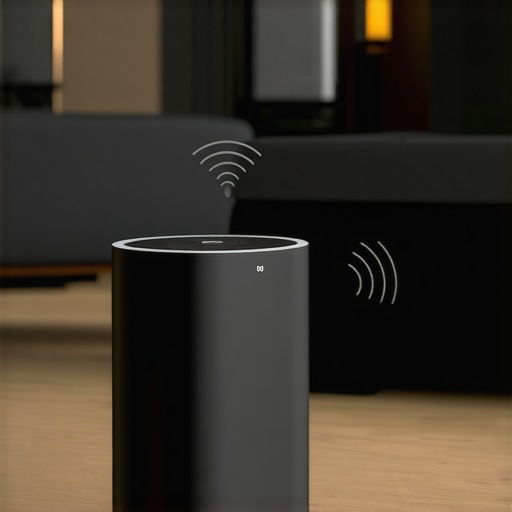
Ever set up your smart home sound system only to be met with frustrating dead zones, uneven sound, or a tangled mess of wires? I’ve been there. I remember spending hours trying to get my multi-room setup just right, only to end up with patchy music and constant tech headaches. That lightbulb moment hit me hard — the real challenge wasn’t just choosing the right speakers, but understanding how to make my home Wi-Fi work seamlessly with them. It’s a puzzle many of us face, and honestly, it can feel overwhelming without the right guidance.
Why Whole Home Wi-Fi and Wireless Streaming Matter More Than Ever
Today’s homes are smarter, busier, and more connected than ever. The need for a reliable, high-quality wireless audio experience isn’t just a luxury — it’s practically a necessity. Whether you’re streaming your favorite playlist, hosting a party, or just enjoying background music, a seamless multi-room setup makes all the difference. But here’s the kicker: many of us underestimate how crucial a solid Wi-Fi network is to making this work smoothly. An unreliable connection can turn your audio paradise into a constant source of frustration.
From personal experience, I’ve learned that investing in a good Wi-Fi system and understanding the ins and outs of wireless streaming is the secret sauce. It’s not about just buying the latest speakers; it’s about integrating them wisely into a network that’s designed to handle multiple devices without hiccups. If you’ve ever had a speaker drop out mid-song or a sync issue that throws your whole system off, you know what I mean. Luckily, I’ve cracked the code, and I’m here to share what I’ve learned so you can avoid my early mistakes and elevate your home audio experience.
Is Whole Home Wi-Fi Really Worth the Hype?
At first, I was skeptical. I thought, “Why do I need a fancy Wi-Fi system? My router seems fine.” Turns out, I was missing the bigger picture. A single router can’t always keep up with the demands of a multi-room setup, especially in larger homes. Upgrading to a dedicated Wi-Fi mesh system transformed my experience — no more dead zones, no more lag, just consistent, high-quality sound everywhere.
Early on, I also made the mistake of ignoring placement — thinking that just plugging in a few speakers was enough. Spoiler: It’s not. Proper placement and understanding the network’s architecture are key. If you want to dive deeper into how to create the perfect multi-room audio system, I recommend checking out this comprehensive guide.
So, if you’re tired of unreliable wireless audio and want a setup that just works, stick with me. We’ll go through the steps to optimize your Wi-Fi, choose the best speakers, and make your whole home sound fantastic.
Strengthen Your Wi-Fi Backbone for Multi-Room Sound
Start by assessing your current Wi-Fi setup. If your home has dead zones or lag spikes, replacing your single router with a mesh Wi-Fi system can make a world of difference. I remember upgrading mine during a chaotic family gathering; the sudden boost in stability made everyone’s music and calls smoother. Place mesh nodes strategically—think of them as relay stations in a relay race—so they cover every corner without overlaps that cause interference. For larger homes, a mesh system with dedicated backhaul channels ensures your streaming stays uninterrupted, even with multiple devices connected. To dive deeper into optimizing your Wi-Fi, check out this guide.
Prioritize the Right Speakers and Placement
Choosing the correct speakers is half the battle. Opt for Wi-Fi-enabled models with robust connectivity and support for multi-room features. When I set up my system, I initially placed speakers in corners, thinking it would maximize sound. Instead, I ended up with uneven audio and muddiness. After repositioning them at ear level along walls, the clarity improved dramatically. Imagine your home as a concert hall—speaker placement is like positioning microphones for the best sound capture. Avoid placing speakers near metal objects or thick walls that can block signals. For guidance on positioning, visit these tips. Also, consider pairing your speakers with quality streaming devices to ensure smooth transmission.
Configure Your Network for Seamless Streaming
Once you have the hardware in place, fine-tune your network settings. Use a dedicated Wi-Fi band or VLAN for your audio devices to isolate traffic and prevent congestion. I set up a separate SSID for my speakers, which cut down latency and prevented interruptions during parties. Think of your network as a highway system—during rush hours, congestion causes delays; dedicated lanes keep traffic flowing. Enable QoS (Quality of Service) features on your router to prioritize streaming traffic, especially if multiple people are gaming or working online. For detailed setup instructions, explore this resource. Regular firmware updates also ensure your network stays secure and efficient.
Sync and Manage Your Multi-Room Audio System
Synchronization is critical—lag can ruin the experience. Use the native app provided by your speakers or streaming devices to calibrate timing and volume levels across rooms. I faced a sync issue when my kitchen speaker was always a beat behind; a quick recalibration via the app fixed it instantly. Think of it as tuning a musical instrument—precision makes all the difference. Keep your devices updated and avoid interfering signals like Bluetooth or microwave ovens during streaming. For comprehensive tips, see this guide. With patience and proper management, your whole home will sing in harmony.
Many enthusiasts believe that simply purchasing the latest Wi-Fi speakers guarantees seamless multi-room audio. However, this misconception can lead to overlooked issues that sabotage your setup. One of the most persistent myths is that all Wi-Fi networks are created equal. In reality, not all routers are optimized for streaming multiple devices, especially in larger homes where coverage gaps can cause frustrating dropouts. Upgrading to a dedicated mesh Wi-Fi system can dramatically improve stability, but many still underestimate the importance of proper placement and network configuration. For example, placing routers or mesh nodes too close together can cause interference, reducing overall performance. To truly optimize your multi-room setup, it’s essential to understand the nuances of your network, including bandwidth allocation and interference management. For expert advice, check out this guide.
What advanced mistakes do people often make when setting up multi-room Wi-Fi audio systems?
A common mistake is neglecting the quality of your network’s backhaul. Many assume that connecting all devices to a single router is sufficient, but in larger or complex homes, dedicated backhaul channels in mesh systems are vital for maintaining high throughput and low latency. Without this, audio sync issues and dropouts become inevitable. Additionally, some users fail to isolate their audio traffic by creating separate SSIDs or VLANs, leading to network congestion. This oversight can cause latency spikes and synchronization problems. According to a study by Cisco, network segmentation can improve traffic management significantly, which is crucial for high-quality streaming. Remember, seamless multi-room audio depends heavily on your network’s backbone. Make sure to regularly update firmware and assign priority to audio traffic via QoS settings—these are often overlooked but critical steps. Want to learn more? Visit this resource.
Have you ever fallen into this trap? Let me know in the comments!
Tools That Keep Your Home Audio System in Top Shape
Maintaining a seamless multi-room audio setup requires more than just good hardware; it demands reliable tools and consistent checks. I personally rely on a few key pieces of equipment and software that have proven their worth over time. For instance, I use NetSpot for Wi-Fi analysis and troubleshooting. This tool helps me visualize my network coverage, identify dead zones, and optimize the placement of my mesh nodes. Its heatmaps and survey features are incredibly detailed, making it easier to pinpoint where adjustments are needed. I also swear by Ubiquiti’s UniFi Controller, especially if you’re using a mesh system from Ubiquiti. It offers granular control over your network settings, QoS rules, and device monitoring, all of which are vital for stable streaming. These tools have saved me countless hours of frustration by providing actionable insights and automation options.
On the software front, I ensure all my firmware and app updates are current. Many issues stem from outdated firmware that doesn’t support the latest streaming protocols or has unresolved bugs. Setting a recurring reminder to check for updates on your Wi-Fi router and speakers can prevent many connectivity hiccups. Additionally, I configure my network with dedicated SSIDs for my audio devices, which isolates their traffic from other household gadgets. This segregation minimizes interference, ensuring your music stays smooth and synchronized across rooms. For a comprehensive approach, visiting this guide can offer more advanced techniques.
How do I keep my system working long-term?
It’s essential to regularly evaluate your setup. An effective way is to perform periodic speed tests and coverage scans, especially after moving furniture or adding new devices. Over time, firmware updates can introduce improvements or new features, so staying current is vital. Also, consider investing in high-quality cables and connectors; even wireless setups benefit from good wiring for power and auxiliary connections, reducing potential points of failure. As wireless technology evolves, so will the tools and standards for home audio. Future trends suggest increased integration of AI-driven network management, which will automatically optimize your Wi-Fi for streaming consistency. For now, focusing on these proven tools and routines will keep your system humming smoothly, so don’t hesitate to try out NetSpot or update your firmware today.
After years of tinkering and trial-and-error, I’ve uncovered some insider secrets that transformed my home audio experience. Here’s what I wish I knew from the start about making your whole home Wi-Fi work flawlessly with wireless streaming.
How I Lost Sleep Over Dead Zones and Sync Issues
The biggest lesson I learned was that not all Wi-Fi setups are created equal. My initial reliance on a single router left me battling dead zones and lag during crucial moments. Upgrading to a mesh Wi-Fi system was a game-changer, but the real revelation came when I optimized node placement and segregated my audio traffic. This taught me that a powerful Wi-Fi backbone isn’t enough—smart configuration and strategic placement are vital for multi-room harmony.
Why Ignoring Network Segmentation Can Ruin Your Sound
I used to think prioritizing my speakers’ placement was enough. Turns out, segmenting my network and giving my streaming devices dedicated bands made a huge difference. It’s like creating exclusive lanes on a highway—traffic flows smoother, and your music never skips a beat. Don’t overlook these details if you want consistent, high-quality sound throughout your home.
The Real Power Is in Continuous Tuning and Maintenance
Even after setting everything up, I realized that regular checks and updates are essential. Firmware updates, network troubleshooting tools like NetSpot, and monitoring your signal coverage can prevent issues before they appear. This ongoing process is what keeps your multi-room audio system in perfect sync and playing at its best.
My Favorite Tools for a Seamless Home Audio
Over time, I’ve come to rely on a few key tools. NetSpot helps me visualize Wi-Fi coverage and identify weak spots. Ubiquiti’s UniFi Controller gives me granular control over my mesh network. And I never skip firmware updates—these keep my system secure and compatible with the latest streaming protocols. Trust me, these tools are worth integrating into your routine if you want hassle-free wireless audio.
The Unexpected Lesson that Changed Everything
One surprising insight was that even the best speakers can’t compensate for a poor network. No matter how fancy your hardware, if your Wi-Fi is flaky, your multi-room setup will suffer. Making sure your network backbone is solid is the foundation of a truly enjoyable wireless streaming experience. For more details, check out this guide.


![Stop Sync Drift: 4 Matter 3.0 Multiroom Audio Hacks [2026]](https://homeaudio.premiumsounddeals.com/wp-content/uploads/2026/03/Stop-Sync-Drift-4-Matter-3.0-Multiroom-Audio-Hacks-2026.jpeg)

![5 Portable Wi-Fi 8 Speakers with 50-Hour Battery [2026 Picks]](https://homeaudio.premiumsounddeals.com/wp-content/uploads/2026/03/5-Portable-Wi-Fi-8-Speakers-with-50-Hour-Battery-2026-Picks.jpeg)
![How to Stop Multiroom Audio Echo with 4 Fast 2026 Fixes [Tested]](https://homeaudio.premiumsounddeals.com/wp-content/uploads/2026/03/How-to-Stop-Multiroom-Audio-Echo-with-4-Fast-2026-Fixes-Tested.jpeg)


Leave a Reply