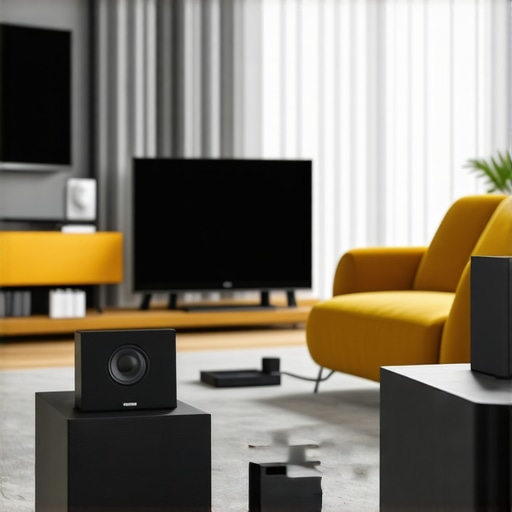
There was a Saturday morning when I finally decided to overhaul my entire home audio system. I imagined immersive music filling every corner, every bedroom, even the backyard. But amid the chaos of tangled wires and inconsistent streaming, I had a moment of clarity: I was trying to do too much with too little knowledge. My old speakers stuttered, music cut out randomly, and I felt more frustrated than entertained. That lightbulb moment made me realize that my approach to whole home audio was outdated and inefficient.
Reclaim Your Space with Seamless Wireless Audio
Today, I want to guide you through transforming your home into a synchronized, effortless sound sanctuary. Whether you’re tired of juggling multiple devices or fed up with the poor quality of your current setup, this article will share practical insights and proven strategies to elevate your audio experience. We’ll explore the latest wireless streaming solutions, discuss common mistakes, and help you build a system that truly works for your space and lifestyle. Because, trust me, once you get this right, your home becomes a more vibrant, inviting place.
Is Wireless Home Audio Really Worth the Hype
I’ll admit, I was skeptical at first—thinking that wireless meant compromise. My early mistake? I bought a few generic speakers without researching their compatibility or the latest technology. That led to connectivity issues and dead zones. It seemed easier to just stick with my old wired system or keep streaming from a single device. But I learned that not all wireless solutions are created equal. Now, I know that the right setup can *actually* simplify your life and improve sound quality—if you know what to look for. Curious how I turned my terrible audio into a seamless experience? Dive into the upcoming sections for the full breakdown. And if you’ve faced challenges like these, you’re not alone—many homeowners struggle before discovering the right tech. Remember, a well-designed wireless system is within your reach. For more tips on enhancing your setup, explore our [best tips for integrating Wi-Fi speakers](https://homeaudio.premiumsounddeals.com/best-tips-for-integrating-wi-fi-speakers-in-your-home).
Plan Your Layout Before Buying Equipment
My first step was sketching my home map and identifying zones where I wanted sound—living room, kitchen, backyard. Think of this as drawing a blueprint for a building before construction. This helps prevent dead spots and ensures you get adequate coverage. Use a tape measure and mark Wi-Fi signal strengths in each area. This strategic planning avoids wasteful spending and sets a clear path for selecting compatible devices. For guidance on designing your multiroom system, visit our comprehensive planning guide.
Choose the Right Wireless Speakers for Your Space
Considering my living room’s high ceiling and open layout, I opted for high-power Wi-Fi enabled speakers rather than Bluetooth ones, since the latter are limited in range and quality. Think of Wi-Fi speakers as a reliable cellular network, while Bluetooth is like a walkie-talkie—good for close-range, casual conversations but not for entire neighborhoods. I selected models compatible with multiple rooms and supported standard streaming protocols. To compare top options, check our latest recommended devices.
Synchronize Devices Seamlessly
Once I had the equipment, the challenge was to connect everything smoothly. I followed a step-by-step setup outlined in our multiroom configuration guide. I used a dedicated app that centralized control, making it as easy as managing multiple playlists. It’s crucial to ensure your Wi-Fi network is robust—think of it as upgrading from a dirt road to a superhighway. If connectivity issues arise, I recommend upgrading your router or adding an access point for better coverage. Adequate bandwidth prevents lag and dropouts, ensuring your music flows seamlessly across rooms.
Master Wi-Fi Network Management
My experience taught me that a weak Wi-Fi network is the Achilles’ heel of wireless audio. I used a Wi-Fi analyzer app to identify dead zones and signal interference in my home. Upgrading to a mesh Wi-Fi system transformed my setup, like installing a series of relay stations so the signal could hop effortlessly through walls and floors. To optimize your network, consider changing your wireless channel or upgrading to a dual-band router. For detailed technical tips, visit our Wi-Fi optimization guide.
Configure and Control with Ease
After physical setup, configuring each device was straightforward using manufacturer-specific apps. I grouped speakers logically—for example, all kitchen speakers in one group—making control intuitive. This setup is like creating playlists tailored to each room’s ambiance. I also tested playback to ensure synchronization, avoiding the common pitfall of audio lag. Incorporate voice control or automation if desired, for a smarter home experience. To streamline setup steps, see our comprehensive configuration guide.
Test and Finalize Your System
Before enjoying, I played test tracks across all zones, fine-tuning the speaker placement and leveling volume for uniformity. It’s akin to conducting an orchestra—each instrument (or speaker) must be correctly calibrated for harmony. Check for latency issues or weak spots and adjust your network or device placement accordingly. Document your setup process so future updates or troubleshooting are easier. Remember, the goal is a native, immersive sound experience without complex controls or interruptions.
If you’re ready to elevate your home audio, explore the latest solutions and step-by-step guides to ensure your system is both scalable and reliable. For personalized assistance or advanced configurations, contact our team via support page.
While many enthusiasts believe they understand the essentials of whole home audio setup, misconceptions linger that can sabotage your efforts. A common myth is that simply pairing high-end speakers guarantees seamless multiroom experience; in reality, compatibility among devices and network infrastructure are equally crucial. Overlooking these nuances often results in frustrating audio lag or uneven sound distribution, undermining the very ambiance you’re striving to create. For sophisticated setups, it’s vital to scrutinize how different protocols, like DLNA or AirPlay 2, influence synchronization—neglecting this can lead to persistent lag issues that frustrate users. Experts highlight that network topology, particularly the placement of routers and mesh nodes, directly impacts streaming reliability, so a chaotic wiring or poor Wi-Fi coverage might be your biggest enemy. Integrating your devices under a unified, well-structured network—not just adding more speakers—is key to true seamlessness. Curious about advanced configurations? Our guide on smarter wireless solutions offers insights to elevate your system. Remember, an overlooked detail like signal interference from microwave ovens or cordless phones can cause dropouts; being aware of such sources can save you hours of troubleshooting. Do you know how to identify and mitigate these wireless nuisances? For a comprehensive blueprint, check out this expert guide. Before you finalize your setup, consider the advanced question: ‘How does network segmentation improve multiroom audio performance?’ The answer lies in isolating traffic to prioritize streaming data, reducing interference across your home network. According to a recent study by Network World, proper segmentation significantly decreases latency and packet loss—crucial factors in maintaining synchronization. So, don’t settle for the common pitfalls. Dive deeper and ensure your system is built on reliable, compatible, and optimized foundations. Dive into our latest articles to transform your home soundscape. Have you ever fallen into this trap? Let me know in the comments.Maintaining a reliable and seamless whole home audio system requires more than just great speakers and a solid Wi-Fi network. It involves employing the right tools and routines to ensure long-term performance and easy troubleshooting. One of my go-to tools is the network analyzer app NetSpot, which I use regularly to monitor Wi-Fi signal strength and identify interference sources. This app helps me visualize dead zones and sources of signal clutter, allowing me to reposition routers or add mesh nodes strategically. Since the future of home audio leans heavily toward AI-driven network management, investing in a smart mesh Wi-Fi system such as Netgear Orbi or Eero has become essential. They automatically adjust settings to maintain optimal coverage, saving time and frustration. I also recommend scheduling periodic system audits—testing device connectivity, updating firmware, and re-evaluating your layout—to prevent issues before they escalate. For example, firmware updates for your speakers and streaming devices often include security patches and performance improvements; neglecting these can compromise system stability. According to a recent report by CNET, keeping your firmware and app controls up to date is crucial for smooth operation and compatibility, especially as standards like AirPlay 2 and Spotify Connect evolve. Additionally, integrating monitoring routines into your maintenance plan means catching issues early. Predictive software solutions, such as Ubiquiti’s Network Management System, analyze network health trends and alert you to potential failures before they disrupt your listening experience. Looking ahead, automation and AI will further simplify maintenance, allowing devices to self- diagnose and optimize performance. To streamline your routine, I suggest setting up a system dashboard that consolidates device statuses—using tools like the open-source Zabbix or PRTG—and schedules regular checks. Meanwhile, always keep a manual backup of your network configuration and device settings, so restoring your setup after a hardware change is quick and painless. Want to empower your long-term system stability? Start by implementing a Wi-Fi analysis app like NetSpot and schedule regular firmware updates. For more detailed strategies, see our guide on maintaining your home audio network efficiently. Remember, staying proactive today ensures flawless sound tomorrow, so don’t wait for issues to arise—invest in the right tools now. Need help setting up your monitoring routines? Contact us through our support page and we’ll walk you through the process.
What I Wish I Knew Before Overhauling My Home Audio Setup
One of the most valuable lessons I learned was that compatibility matters more than brand reputation. I once assumed that high-end speakers would just work together seamlessly, but I soon faced synchronization issues and dead zones. Pairing devices with different protocols or network requirements can turn frustration into harmony—trust me, doing thorough research saved me countless hours. Additionally, I underestimated the importance of a robust Wi-Fi network. A strong, well-managed network isn’t just a backbone—it’s the heart of your whole home audio experience. Upgrading to a mesh system and managing interference sources dramatically improved reliability. Lastly, I discovered that planning your layout before purchasing equipment ensures you’re not wasting money or creating weak spots—it’s like building a house without blueprints. These insights transformed my setup from a tangled mess into an immersive, reliable soundscape.
Tools and Resources That Elevate My Home Audio Experience
For anyone serious about perfecting their wireless home audio, I highly recommend starting with a quality Wi-Fi analyzer like NetSpot. It helped me identify dead zones and interference sources, giving me concrete data to optimize placement. The Ubiquiti Unifi system and Eero mesh routers are game-changers—they’re intelligent, adaptable, and simplify network management. When it comes to firmware updates and device control, I rely on manufacturer apps that support multiroom synchronization, such as Sonos or BlueSound. Lastly, staying engaged with comprehensive guides like this ultimate guide has kept me ahead of evolving standards and best practices. Combining these tools helps me maintain a seamless, high-quality sound experience that stands the test of time.
Embrace Your Audio Journey and Create Lasting Memories
The adventure of perfecting your whole home audio system is a rewarding one—think of it as crafting a personal concert hall. With patience, planning, and the right tools, you can transform your space into a vibrant, inviting environment filled with music, atmosphere, and shared experiences. Remember, each upgrade brings you closer to effortless enjoyment and a deeper connection to your home. If you’re ready to take the next step, explore expert guides and trusted equipment to make your dream setup a reality. Your home deserves the best sound, and you’re capable of creating it—start today.
What’s been your biggest challenge in setting up your home audio system? Share your story below and let’s learn from each other’s experiences.



![Stop Sync Drift: 4 Matter 3.0 Multiroom Audio Hacks [2026]](https://homeaudio.premiumsounddeals.com/wp-content/uploads/2026/03/Stop-Sync-Drift-4-Matter-3.0-Multiroom-Audio-Hacks-2026.jpeg)

![5 Portable Wi-Fi 8 Speakers with 50-Hour Battery [2026 Picks]](https://homeaudio.premiumsounddeals.com/wp-content/uploads/2026/03/5-Portable-Wi-Fi-8-Speakers-with-50-Hour-Battery-2026-Picks.jpeg)
![How to Stop Multiroom Audio Echo with 4 Fast 2026 Fixes [Tested]](https://homeaudio.premiumsounddeals.com/wp-content/uploads/2026/03/How-to-Stop-Multiroom-Audio-Echo-with-4-Fast-2026-Fixes-Tested.jpeg)


Leave a Reply