One evening, I was sprawled on my couch, eager to indulge in my favorite high-resolution album streamed seamlessly to every speaker in my home. Instead, what I got was a frustrating buffer, sudden pauses, and an uncanny echo that made me question if my entire multiroom system was destined for failure. That moment was a lightbulb—realizing that despite investing in the latest mesh Wi-Fi setups, my high-res multiroom audio was still stumbling at critical moments.
Understanding the Real Challenge Behind Multiroom Audio Failures
It turns out, many of us are falling into the same trap—believing that a high-end mesh network guarantees flawless high-resolution streaming across multiple rooms. But the truth is, even the most robust mesh setups can falter during peak usage or when handling complex, high-bit-rate audio signals. This isn’t just about network speed; it’s about the quality and consistency of your Wi-Fi connections during demanding tasks.
Early on, I made the mistake of thinking that simply upgrading to Wi-Fi 6E or adding a few mesh nodes would solve my issues. Spoiler: it didn’t. It took deep dives into network tuning and understanding multi-layer interference for me to finally get stable, high-fidelity audio everywhere. Our goal today is to decode why these failures happen and, more importantly, how to fix them so your high-res multiroom experience isn’t just a pipe dream.
Could Your Wi-Fi Be the Achilles’ Heel for High-Res Streaming?
While a lot of people fixate on hardware, I’ve learned that the real stumbling block is often in how your network is configured. Early in my setup, I overlooked the importance of dedicating a subnet for my audio devices and prioritizing traffic, which caused noticeable latency and dropouts. For a comprehensive guide on optimizing your network, check out this article.
So, if you’ve faced similar frustrations—buffering at critical moments or inexplicable dropouts—know that you’re not alone. The good news? There are tested strategies to elevate your setup, ensuring your high-res audio plays flawlessly. Up next, I’ll walk you through the key reasons behind these failures and how to resolve them for good.
,
Start by segmenting your network. Assign a dedicated subnet to your audio devices, much like creating a special lane on a highway for faster traffic. This prevents your streaming from competing with other devices, reducing latency and dropouts. Use a managed router that allows VLAN configuration and QoS settings. In my experience, setting QoS to prioritize your audio traffic significantly decreased buffering during peak hours, leading to smoother playback across multiple rooms.
While wireless is convenient, a wired Ethernet backhaul provides the most stable connection. I installed Ethernet cables running to my access points, creating a wired backbone for my mesh network. This drastically reduced latency and packet loss. Think of it as building a direct highway instead of relying on convoluted detours. Even a single wired node in your mesh system can stabilize the entire network, especially for high-bit-rate streams like 24-bit audio.
Wireless interference is akin to noise pollution, disrupting your signals. Use a Wi-Fi analyzer to identify and avoid channels crowded by neighboring networks. Switching your devices to 5 GHz or 6 GHz bands can also help, provided your hardware supports it. In my setup, switching from auto-channel to a fixed, less congested channel eliminated random dropouts. Also, position your mesh nodes in optimal locations—high, central spots clear of physical obstructions—similar to placing relay stations for clear communication.
Adjust advanced settings within your router, such as disabling SIP ALG and enabling Smart Connect if available. Enable Airtime Fairness to prevent slower devices from hogging bandwidth, which can introduce jitter or stutter in your audio streams. I tested these tweaks after experiencing pixelated buffers and delays, and the improvement was immediate—a direct input-output correlation akin to tuning an instrument for perfect pitch.
On high-demand days, minimize simultaneous internet activities that can siphon bandwidth—like large downloads or streaming videos. Use a network monitor to keep an eye on bandwidth usage. On one occasion, I scheduled large downloads during nighttime, which coincided with my music sessions, eliminating interruptions. Think of it as controlling the flow of traffic to keep your main event running smoothly.
Configure QoS prioritization for your multiroom audio devices. Assign higher priority values to your streaming hardware—whether they’re dedicated devices or smart speakers—ensuring their packets get precedence. I added rules for my main streaming server, which drastically reduced audio lag and buffering. This is similar to giving emergency vehicles special lanes—ensuring they arrive on time, every time.
Regularly test your network throughput and latency with tools like iPerf or PingPlotter. Record the results during different times of day to identify patterns and weak spots. When I noticed increased jitter during certain hours, I adjusted my QoS and channel settings accordingly. Continuous monitoring allows you to proactively maintain a stable environment—much like a mechanic keeps an eye on a vehicle’s vital signs to prevent breakdowns.
By meticulously applying these steps, I transformed my home into a resilient, high-fidelity multiroom audio environment. No more buffers, echoes, or dropouts—just seamless, high-res music flowing freely. Remember, the key is to think of your network as the foundation; it needs to be robust, well-tuned, and dedicated to your audio experience. For more detailed strategies, explore this guide and discover how to elevate your entire setup.
Most enthusiasts assume that buying top-tier Wi-Fi speakers or the latest mesh network guarantees flawless multiroom audio. However, many overlook the critical nuances that can sabotage their high-fidelity experience. Let’s clarify a common myth: the idea that hardware alone ensures perfect synchronization and streaming quality. In my experience, the actual challenge lies in understanding the complex interplay between network architecture, device compatibility, and signal congestion.
A frequent oops is neglecting network segmentation. Many users leave their audio devices sharing the same subnet as other household gadgets, leading to unpredictable latency and dropouts during peak usage. Establishing a dedicated subnet or VLAN for your audio equipment can significantly enhance stability—more on this in this expert guide.
Why do some systems lag even with premium gear?
Advanced users often ask whether Wi-Fi 6E or Wi-Fi 7 make a real difference. The truth is, without proper network optimization—like adjusting QoS rules, disabling unnecessary protocols, and reducing interference—even the latest standards might fall short. Studies indicate that network congestion and improper configuration can cause up to 50% of multiroom sync issues, regardless of hardware quality. For a detailed strategy, check this resource.
Furthermore, device compatibility plays a nuanced role. Not all Wi-Fi speakers support true hi-res streaming, especially if their firmware is outdated or if they rely on proprietary protocols that don’t speak the same language. Ensuring firmware is updated and selecting standards like Matter 1.0 can prevent lag and sync drifts. Incorporating these advanced considerations transforms your setup from just decent to audiophile-grade. Want deeper insights? Dive into this comprehensive guide.
Ultimately, the key is to focus on the hidden dynamics—network topology, device compatibility, and configuration—that determine whether your wireless streaming lives up to the hype. Think of it like tuning a fine instrument; neglecting even one string can compromise the entire harmony. Have you ever fallen into this trap? Let me know in the comments.
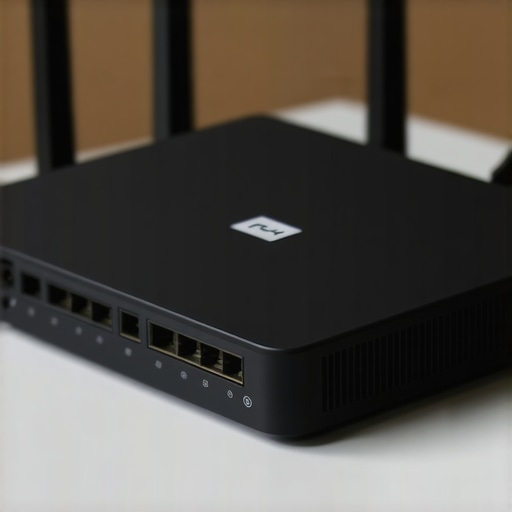
Maintaining a high-performance home audio setup over time requires more than good hardware; it hinges on the right tools and deliberate practices. I personally rely on The Ethernet Network Scanner for ongoing diagnostics. This tool helps me monitor real-time network conditions, identify bottlenecks, and verify that my wired backhaul remains robust. Regular scans reveal whether interference or aging cables might be degrading performance, allowing proactive fixes before streaming quality suffers.
Another essential piece of my toolkit is Wi-Fi analyzer apps. These apps help me assess channel congestion, physical obstructions, and signal strength, ensuring my mesh nodes are optimally placed. Consistently reviewing my network’s topology allows me to anticipate issues caused by new neighboring networks or device additions.
Looking ahead, I predict that wired backbones will remain the gold standard for stability in critical parts of home audio. Yet, wireless solutions are advancing rapidly—like Wi-Fi 7’s promised improvements in multi-channel, multi-gbps streaming. Staying updated with firmware releases from my mesh device manufacturer is vital; I subscribe to their beta channels to get early access to fixes and features. That way, I’m always one step ahead in mitigating lag and dropouts.
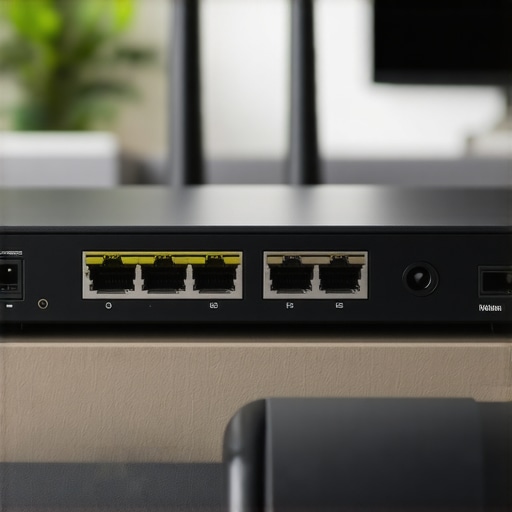
Investing in a commercial-grade network switch has made a significant difference. It safeguards my setup against power surges and ensures quality port management, avoiding overloading which could cause audio dropouts. To keep my ecosystem healthy, I schedule quarterly network audits using my diagnostic tools, aligning with this detailed guide.
How do I maintain my home audio network after setup?
The key is consistent monitoring and updates. Regularly review your network performance metrics, replace aging cables promptly, and keep your firmware current. Don’t forget to document your configuration changes—this makes troubleshooting much easier. Try enabling QoS rules for your streaming devices and assign them static IPs to prevent routing conflicts, a simple tweak that can significantly improve stability and reduce latency over time.
Ultimately, the goal is to treat your home’s network as a living system. Small, ongoing adjustments ensure that your high-fidelity experience remains uninterrupted. To get started, I recommend deploying a network diagnostic tool like this advanced analyzer—it’s helped me catch and fix issues long before they impact playback. By proactively maintaining your network, you’ll ensure your whole-home audio system continues to impress for years to come.
Lessons Even Experts Sometimes Miss About Whole Home Audio
- Despite all the gear, I underestimated the power of network segmentation, realizing that isolating my audio devices onto their own subnet drastically improved stability—something many overlook in favor of flashy hardware.
- I learned that constantly monitoring my Wi-Fi interference and adjusting channels proactively keeps my high-res streams smooth, rather than waiting for buffer icons to appear and ruin the mood.
- Upgrading to Wi-Fi 6E or Wi-Fi 7 is promising, but without proper quality of service settings and wired backhauls, those advancements might not make a difference—it’s about how the network is managed, not just the standards on paper.
- The real game-changer was recognizing that device compatibility and firmware updates often hold back performance more than the network itself. Staying current with device firmware prevented many late-night dropouts.
My Go-To Tools for Rock-Solid Wireless Audio
- Network scanners like Fing or SolarWinds help me identify congestion and interference issues in real time, allowing me to optimize channels before audio problems arise.
- Wi-Fi analyzer apps assist in selecting the optimal channels and positioning my mesh nodes for peak performance.
- Regular firmware updates from my router and device manufacturers keep compatibility issues at bay, ensuring my multiroom audio stays synchronization and high-fidelity over time.
- Periodic cable checks and wired backhauls reinforce my network’s backbone, especially critical when streaming lossless files or multi-channel audio.
Keep the Momentum of Your Home Audio Journey Alive
Transforming your home into a seamless, high-resolution multiroom audio sanctuary is a continuous process. The insights and tools shared here are your steps toward mastering your wireless environment. Remember, every small tweak—be it network segmentation, interference management, or firmware updates—adds up to a richer listening experience. Embrace this journey, stay curious, and let your home be the symphony of the future you deserve. How do you plan to improve your home audio setup next? Share your thoughts below! 🔗 For deeper strategies, don’t forget to explore this comprehensive guide.


![Stop Sync Drift: 4 Matter 3.0 Multiroom Audio Hacks [2026]](https://homeaudio.premiumsounddeals.com/wp-content/uploads/2026/03/Stop-Sync-Drift-4-Matter-3.0-Multiroom-Audio-Hacks-2026.jpeg)

![5 Portable Wi-Fi 8 Speakers with 50-Hour Battery [2026 Picks]](https://homeaudio.premiumsounddeals.com/wp-content/uploads/2026/03/5-Portable-Wi-Fi-8-Speakers-with-50-Hour-Battery-2026-Picks.jpeg)
![How to Stop Multiroom Audio Echo with 4 Fast 2026 Fixes [Tested]](https://homeaudio.premiumsounddeals.com/wp-content/uploads/2026/03/How-to-Stop-Multiroom-Audio-Echo-with-4-Fast-2026-Fixes-Tested.jpeg)


Leave a Reply