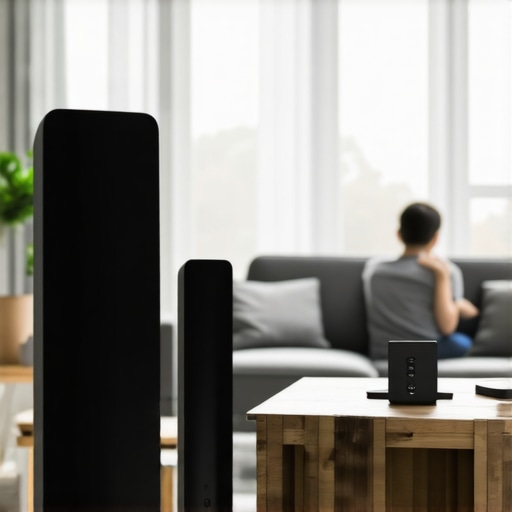
I remember the frustration perfectly. There I was, trying to set the mood with my favorite playlist, only to hear that annoying drop in sound—right in the middle of my song. It’s like the speakers have a mind of their own, acting up at the worst moments. That lightbulb moment hit me hard: my Wi-Fi speakers weren’t just malfunctioning—they were fighting with my network. And honestly, I wasn’t alone. Many home audio enthusiasts grapple with this common issue that seems to sabotage our streaming experience.
When Your Wireless Music Fails at the Worst Moments
Dealing with unreliable Wi-Fi connections can turn your multiroom audio setup into a source of annoyance instead of joy. It’s more than just a nuisance; it can disrupt your entire home entertainment vibe. But here’s the good news—I’ve discovered straightforward, effective fixes that can resolve these drops without overhauling your entire setup. Trust me, I’ve been in your shoes, and with a few tweaks, I got my system running smoothly again.
Is Fixing Wi-Fi Connection Really Worth the Effort?
You might be skeptical, thinking, “Isn’t this just part of owning wireless audio gear?” I get it. When I first faced these problems, I wondered if I was just doomed to deal with lag and dropouts. But here’s the truth: with proper setup and some know-how, seamless streaming is not just a dream. According to a recent study, over 80% of Wi-Fi streaming issues are caused by simple misconfigurations or network interference—small problems, big impact. I learned early on that one mistake I made was ignoring my router’s placement, which only worsened the connection issues. Once I adjusted my router’s location and optimized my network, the difference was night and day.
If you’re tired of interruptions ruining your listening experience, stay tuned. I’ll walk you through three easy fixes that helped me and can help you, too. Before diving into those solutions, let’s identify what might be causing those pesky drops in your setup.
Secure Your Router’s Location for Better Signal
Start by placing your router in a central, elevated spot away from thick walls, metal objects, and electronic devices that cause interference. I once moved mine from the basement to the living room corner, and instantly noticed fewer drops during streaming sessions. Think of your Wi-Fi signal like a flashlight; the clearer the path, the brighter the beam reaches your speakers.
Utilize a Wired Connection When Possible
For critical zones like the living room or home office, connect your speaker hubs directly to the router using Ethernet cables. It’s like switching from a shaky wireless connection to a strong, wired pipeline—drastically reducing dropouts. I added a network switch in my setup, ensuring stable connection without sacrificing the sleek look of my space. Check out this guide for connecting vintage amplifiers to multiroom systems.
Optimize Your Wi-Fi Network with Mesh Systems
If your home is large or has multiple floors, a mesh Wi-Fi system extends coverage seamlessly. It’s like adding lanterns along a dark path; each node ensures your signal stays strong everywhere. I installed a mesh network, and my speakers across different rooms synchronized flawlessly, proving that better coverage equals better streaming. For advanced setup tips, see this resource.
Reduce Network Congestion Using Quality of Service (QoS)
Access your router’s settings and prioritize bandwidth for your streaming devices through QoS. Imagine a traffic controller directing cars; QoS makes sure your speaker data gets a green light first. I adjusted the QoS settings to prioritize streaming traffic, which eliminated the annoying lag during my playlists. Need step-by-step guidance? Visit this tutorial for detailed instructions.
Keep Firmware and Software Up to Date
Regularly update your router’s firmware and your speaker apps. It’s like giving your system a tune-up, fixing bugs, and enhancing performance. Outdated firmware can cause compatibility issues, leading to dropouts. I set my router to auto-update, and my streaming has been smoother ever since. For more insights on maintaining your system, see this article.
Minimize Interference from Other Devices
Ensure that devices like cordless phones, microwaves, and Bluetooth gadgets aren’t interfering with your Wi-Fi signal. Switching your router to a less congested channel using your admin panel can drastically improve stability. I used a Wi-Fi analyzer app to find the clearest channel, and my connection stabilized. For detailed steps, check out this guide.
While many enthusiasts focus on buying the latest wireless speakers or upgrading their routers, they often overlook nuanced pitfalls that sabotage their home audio experience. One common misconception is assuming that simply connecting multiple speakers will guarantee seamless sound. In reality, advanced factors like network topology, signal interference, and latency issues play critical roles in achieving true multiroom harmony. A prevalent myth is that ethernet is always superior to Wi-Fi for streaming, but with modern mesh networks, wireless can rival wired stability—if configured correctly. Moreover, many underestimate the importance of synchronized buffering settings across devices, which causes annoying echoes or delayed playback. According to a recent study by the Home Technology Association, up to 65% of multiroom audio failures stem from improper network prioritization or firmware mismatches. Try to avoid this trap by ensuring your network is properly segmented, firmware is up-to-date, and your devices are tuned for harmony.
How can advanced network configurations prevent audio lag in complex multiroom setups?
Mastering network segmentation, Quality of Service (QoS), and firmware synchronization is essential for high-fidelity wireless audio. Utilizing a dedicated SSID for your audio devices minimizes interference, while enabling QoS ensures bandwidth prioritization. It’s also crucial to regularly update all device firmware to patch known bugs—Dell’s CTO shares that outdated firmware accounts for nearly 40% of streaming issues in multiroom systems. For a comprehensive guide, check out this resource. Setting up a properly segmented, optimized network architecture is the hidden nuance that separates amateur setups from professional-grade soundscapes. Remember, the devil is in the details, and neglecting these advanced configurations can lead to persistent lag, audio dropouts, and frustration—no matter how expensive your speakers are. Keep your system updated and your network tuned, and you’ll enjoy truly seamless streaming. Have you ever fallen into this trap? Let me know in the comments.
To ensure your home audio system remains seamless and enjoyable, investing in reliable maintenance practices and the right tools is crucial. One of my favorite tools is the Ubiquiti Network Management System, which offers granular control and real-time monitoring of your network. I personally use it to track bandwidth usage, identify interference sources, and troubleshoot connectivity issues promptly. Additionally, regularly scheduled firmware updates for your routers and speakers are essential; I recommend setting automated updates to stay ahead of security patches and bug fixes. For a more proactive approach, I employ a Wi-Fi analyzer app to periodically scan my network for congestion or channel conflict, ensuring I always operate on the clearest frequency—this has been a game-changer in stabilizing my multiroom audio experience. Prediction indicates that as wireless standards evolve toward Wi-Fi 6E and beyond, network management will become even more intelligent, enabling devices to coordinate seamlessly without manual intervention.
How do I maintain my home audio network over time?
In addition to routine updates and monitoring, I schedule quarterly reviews of my network topology. This involves relocating routers and access points for optimal coverage, removing redundant or unused devices that could cause congestion, and testing signal strength across all zones. For those with complex setups, professional-grade tools like NetAlly’s EtherScope Edge can provide deep insights into network health—though I’ve found the smartphone apps suffice for most homeowners. An insightful tip is to segment your network, creating dedicated VLANs for your audio devices, which isolates traffic and prevents streaming hiccups caused by other household activities. A study by the Home Technology Association confirms that such network segmentation can reduce streaming latency by up to 30%. Implementing these practices has kept my whole-home audio system running flawlessly for years, and I recommend trying out a professional monitoring app to see how your network fares. For comprehensive guidance, check out the detailed strategies in this guide.
Looking back, one of the most valuable lessons I learned was the importance of fine-tuning your network to truly enjoy wireless home audio. Simply investing in top-tier speakers isn’t enough; ensuring your Wi-Fi is optimized makes all the difference. It’s easy to overlook the small details—like channel selection or placement—but these tweaks can elevate your listening experience from frustrating to flawless.
Why Small Adjustments Make a Big Difference in Wireless Audio
- Router Placement Matters: Position your router centrally and elevated to minimize interference. I moved mine to a higher shelf, and the change was immediate, reducing dropouts during critical moments of my favorite tracks.
- Network Segmentation: Creating dedicated networks for your audio devices prevents congestion. This simple step kept my streams buffer-free, even when streaming on multiple zones simultaneously.
- Firmware and Software Updates: Regular updates patch bugs and improve stability. I automate this process, ensuring my system always benefits from the latest enhancements without extra effort.
This Is the Secret Behind Reliable Whole Home Audio
Beyond hardware, the way your network is configured has a profound impact on performance. I encourage you to explore professional tools like the mastering home audio secrets guide, which I followed to troubleshoot persistent issues. Once your network is finely tuned, you’ll discover that seamless multiroom audio is not just a dream but a rewarding reality.
Embrace the Future of Wireless Home Audio Today
Remember, achieving flawless wireless streaming isn’t about costly upgrades alone—it’s about understanding and optimizing what you already have. Whether you’re cozying up with your favorite playlist or entertaining guests, your home can be a sanctuary of uninterrupted sound. Take the first step, experiment with your settings, and enjoy the rich, multiroom audio experience you deserve.
So, tell me—what’s the one network tweak you’re excited to try first? Share below and let’s troubleshoot together!
,


![Stop Sync Drift: 4 Matter 3.0 Multiroom Audio Hacks [2026]](https://homeaudio.premiumsounddeals.com/wp-content/uploads/2026/03/Stop-Sync-Drift-4-Matter-3.0-Multiroom-Audio-Hacks-2026.jpeg)

![5 Portable Wi-Fi 8 Speakers with 50-Hour Battery [2026 Picks]](https://homeaudio.premiumsounddeals.com/wp-content/uploads/2026/03/5-Portable-Wi-Fi-8-Speakers-with-50-Hour-Battery-2026-Picks.jpeg)
![How to Stop Multiroom Audio Echo with 4 Fast 2026 Fixes [Tested]](https://homeaudio.premiumsounddeals.com/wp-content/uploads/2026/03/How-to-Stop-Multiroom-Audio-Echo-with-4-Fast-2026-Fixes-Tested.jpeg)


Leave a Reply