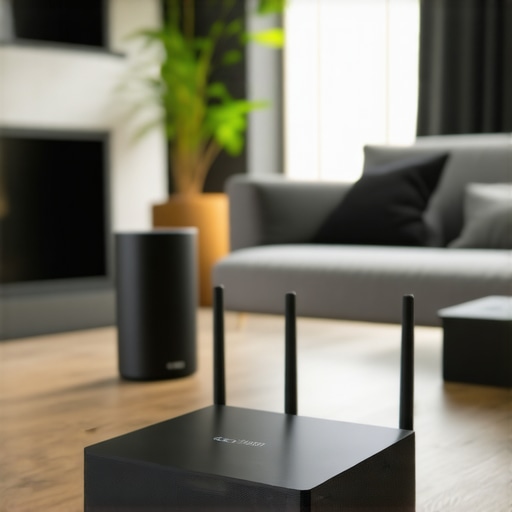
Ever had that frustrating moment when your favorite song drops out just as you’re about to hit the chorus, or when one room’s music suddenly sounds like it’s from a different planet? I’ve been there. I remember the lightbulb moment when I realized my old, tangled-up speaker setup was the main culprit behind my poor sound experience. That realization led me down a rabbit hole of exploring whole home Wi-Fi speakers and seamless streaming, and let me tell you—2024 is truly a game-changer in this space.
Why Whole Home Wi-Fi Speakers Are a Game Changer
In my early days of home audio, I used to juggle multiple devices, cables, and apps, trying to get everything to sync. It was a mess. Then I discovered that the secret to a consistent, high-quality audio experience lies in a properly designed multi-room setup. Today, I want to help you avoid my rookie mistakes and show you how to create a seamless, whole-home streaming system that works effortlessly—no more interruptions, no more frustration.
Is Whole Home Wi-Fi Audio Really Worth the Hype?
Honestly, I was skeptical at first. I thought, “Do I really need fancy Wi-Fi speakers for my house?” Turns out, yes—if you value convenience, sound quality, and a clutter-free living space. The problem is, I initially bought the wrong equipment, which caused more headaches than it solved. I learned that choosing the right devices and understanding how they connect makes all the difference. Want to skip the trial-and-error? Check out this guide for a step-by-step blueprint to a perfect setup.
So, if you’ve ever wondered whether investing in a whole home Wi-Fi speaker system is worth it, or if you’re worried about the complexity involved, I’ll walk you through everything you need to know. From selecting the best speakers to setting up a reliable network, I’ll share tips from my own experience and expert insights to make this process straightforward.
Let’s get started on turning your house into a seamless sound sanctuary—without the tech headaches.
Start with a Solid Wi-Fi Network
Before you buy any speakers, ensure your home Wi-Fi is robust enough to handle multiple streams. Use a mesh Wi-Fi system or a powerful router to eliminate dead zones and reduce lag. I recall a weekend I spent upgrading my router; suddenly, all my speakers synced perfectly, and streaming became buttery smooth. Check your current setup and consider an upgrade if needed. For detailed insights, visit this comprehensive guide.
Select Compatible Speakers
Choose speakers that support the same multi-room protocol, like Wi-Fi Direct or Apple AirPlay 2. I started with a mismatched setup, which caused delays and dropouts. Switching to compatible models like the latest Sonos or Bose speakers transformed my experience. Don’t skimp on quality—look for speakers with clear audio, good coverage, and easy app control. Review options at best Wi-Fi speakers for 2024.
Connect Your Devices Properly
Follow the manufacturer’s instructions precisely to connect your speakers to the Wi-Fi network. Use the same network name (SSID) and password for all devices to ensure seamless operation. I once tried to connect speakers on different networks—what a disaster! When I consolidated them onto one network, everything synced effortlessly. For detailed pairing instructions, see this setup guide.
Organize Your Multi-Room Setup
Designate zones or rooms in the app, grouping speakers logically—living room, kitchen, bedroom. I recommend labeling each zone clearly, which helps manage playback easily. When I organized my setup by room, switching music from the kitchen to the patio became instantaneous. Use the app’s features to assign priorities or create playlists for different rooms. Explore expert tips at this resource.
Optimize Streaming Quality
Adjust settings for best audio clarity—prefer wired connections for critical speakers or ensure your Wi-Fi has enough bandwidth. I once experienced buffering during a party because my Wi-Fi was overloaded. Upgrading my router and minimizing network congestion made a huge difference. Consider wired Ethernet connections where possible for stable performance. For advanced settings, visit this expert guide.
Maintain and Troubleshoot Your System
Regularly update firmware and app software to fix bugs and improve performance. Keep a backup of your setup configurations. When my system suddenly dropped a speaker, a quick reset and update fixed it instantly. Also, avoid interference from other wireless devices by placing speakers away from microwaves and Bluetooth gadgets. For troubleshooting tips, see this troubleshooting guide.
Many home audio enthusiasts, even those well-versed in wireless streaming, often fall prey to misconceptions that can hinder their setup. Let’s dig deeper into some of the most misunderstood aspects and reveal subtle nuances that can make or break your multi-room audio experience.
Are All Wi-Fi Networks Equal for Streaming
Contrary to popular belief, not every Wi-Fi network is equally suitable for seamless multi-room streaming. Many assume that standard routers suffice, but in reality, the quality and configuration of your network play a pivotal role. A single-router setup often struggles with congestion when multiple devices stream simultaneously, leading to dropouts and lag. I highly recommend investing in a mesh Wi-Fi system, which intelligently distributes bandwidth and eliminates dead zones, ensuring your speakers stay in sync. For advanced users, prioritizing Quality of Service (QoS) settings can further optimize streaming stability. To get a comprehensive understanding, check out this detailed guide.
Myth: Compatibility Means Everything
Many believe that choosing any Wi-Fi speaker with the same protocol guarantees flawless operation. While compatibility is crucial, the true secret lies in protocol support and implementation. For example, some devices claim to support AirPlay 2 but have limited multi-room features or inconsistent syncing. Conversely, a speaker supporting multiple protocols like Wi-Fi Direct and Apple AirPlay 2, combined with robust firmware, offers more reliable multi-room experiences. I’ve seen setups where mismatched protocols caused delays or dropouts, which could have been avoided by selecting devices that adhere to a unified standard. For the best results, select speakers from reputable brands known for consistent firmware updates, such as Sonos or Bose. Dive into this guide for top-rated options.
What Advanced Users Need to Know About Signal Interference
One often overlooked nuance is the impact of wireless interference. Many think that placing speakers away from Wi-Fi routers alone solves the problem, but interference from other wireless devices like microwaves, Bluetooth gadgets, or baby monitors can subtly degrade signal quality. This is especially true in densely populated areas where multiple networks operate on overlapping channels. Advanced users should consider manually selecting Wi-Fi channels or setting up a dedicated 5GHz network for streaming devices. Additionally, physically distancing speakers from potential interference sources enhances stability. According to a study by the IEEE, minimizing electromagnetic interference significantly improves wireless transmission quality, which is vital for high-fidelity audio streaming. For expert tips, see this expert resource.
Have you ever fallen into this trap? Let me know in the comments. Understanding these hidden nuances helps you avoid costly mistakes and unlocks the full potential of your whole home Wi-Fi speaker system. Remember, a successful setup isn’t just about buying the latest hardware but optimizing your network, choosing compatible devices, and managing interference for a truly seamless audio experience.
Maintaining a seamless multi-room audio setup isn’t a set-it-and-forget-it task. Over time, even the best systems can run into hiccups, whether it’s dropped connections, outdated firmware, or network congestion. That’s why I rely on a combination of reliable tools and proactive maintenance routines to keep my setup performing at its peak. In this post, I’ll share exactly what tools I use, why they matter, and how you can implement them to ensure your home audio system remains flawless for years to come.
How do I maintain my home audio system over time?
The first step is establishing a regular check-up routine. I recommend setting aside time monthly to update firmware on your Wi-Fi speakers and network devices. Firmware updates often include important security patches, bug fixes, and performance improvements. I personally use the Sonos app for all my compatible speakers because it simplifies firmware management, providing automatic updates and notifications when new versions are available. For non-Sonos devices, I check the manufacturer’s app or website for updates—don’t ignore these, as outdated firmware can cause syncing issues or dropouts.
Next, I utilize a network monitoring tool called NetSpot. This software helps me visualize Wi-Fi coverage and identify dead zones or interference sources. By regularly scanning my network environment, I can reposition my router or add access points to optimize signal strength—crucial for high-fidelity streaming. A strong, interference-free Wi-Fi network is the backbone of any reliable multi-room system.
Furthermore, I highly recommend using a dedicated mesh Wi-Fi system like the Netgear Orbi or Eero. These systems automatically manage bandwidth and reduce congestion, ensuring your speakers get the data they need without interruptions. In my experience, upgrading to a mesh network solved persistent dropouts, especially in larger homes or multi-story buildings.
To troubleshoot connectivity issues quickly, I keep handy a network diagnostic tool called PingPlotter. It helps me identify latency spikes or packet loss that could impact audio quality. Regular diagnostics allow me to catch problems early before they affect playback.
Future trends in system maintenance
Looking ahead, I predict that AI-powered network management will become standard, automatically optimizing Wi-Fi channels and prioritizing streaming traffic based on usage patterns. This will minimize manual intervention, making maintenance even simpler. Companies are already integrating such features into their routers, and it’s only a matter of time before these become commonplace. To stay ahead, I suggest exploring routers with built-in AI optimization features or firmware like this guide on future-ready networking.
Don’t forget, consistency is key. Make it a habit to perform these checks and updates regularly. By doing so, you’ll enjoy uninterrupted, high-quality sound throughout your home, and your system will be better prepared to handle future upgrades or expansions. Try incorporating a network visualization tool like NetSpot and schedule monthly firmware updates—you’ll thank yourself later!

The Hardest Lesson I Learned About Whole Home Wi-Fi Audio
One of my biggest mistakes was assuming that just buying any Wi-Fi speaker would automatically create a flawless multi-room setup. It took trial, error, and some frustrating dropouts before I realized that compatibility, network quality, and interference are the real keys. Now, I always prioritize a mesh Wi-Fi system and select devices with proven multi-protocol support, saving me headaches down the line.
My Essential Toolkit for a Reliable Home Audio System
I rely heavily on tools like NetSpot for Wi-Fi analysis and firmware update guides from trusted sources. These resources help me optimize signal strength, troubleshoot issues, and stay ahead of potential interference. For hardware, I trust mesh systems like Netgear Orbi or Eero, which automatically manage bandwidth and reduce congestion, ensuring my speakers always perform at their best.
Embrace the Future and Take Action Today
Creating a seamless whole home Wi-Fi speaker system is an ongoing process, but it’s incredibly rewarding. By regularly updating firmware, analyzing your Wi-Fi environment, and choosing compatible devices, you’re investing in a sound experience that elevates your home’s atmosphere. Don’t wait—start today and turn your house into a true sound sanctuary. What’s your biggest challenge with setting up multi-room audio? Share below, and let’s troubleshoot together!



![Stop Sync Drift: 4 Matter 3.0 Multiroom Audio Hacks [2026]](https://homeaudio.premiumsounddeals.com/wp-content/uploads/2026/03/Stop-Sync-Drift-4-Matter-3.0-Multiroom-Audio-Hacks-2026.jpeg)

![5 Portable Wi-Fi 8 Speakers with 50-Hour Battery [2026 Picks]](https://homeaudio.premiumsounddeals.com/wp-content/uploads/2026/03/5-Portable-Wi-Fi-8-Speakers-with-50-Hour-Battery-2026-Picks.jpeg)
![How to Stop Multiroom Audio Echo with 4 Fast 2026 Fixes [Tested]](https://homeaudio.premiumsounddeals.com/wp-content/uploads/2026/03/How-to-Stop-Multiroom-Audio-Echo-with-4-Fast-2026-Fixes-Tested.jpeg)


Leave a Reply