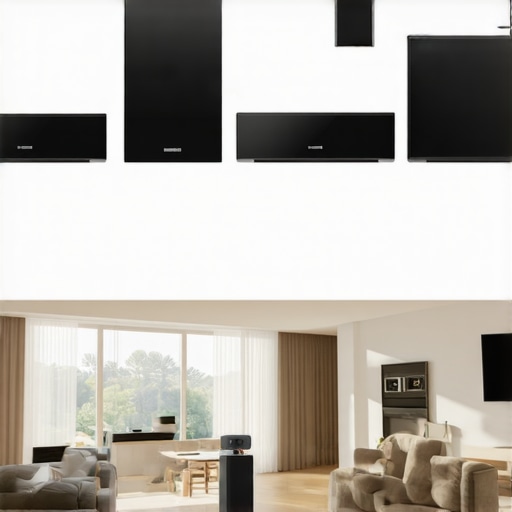
Ever had that frustrating moment when you want to enjoy music throughout your home, but every room seems to be on a different page? I remember the first time I tried setting up my multiroom Wi-Fi speaker system. It was a mess—disconnects, confusing app interfaces, and a lot of head-scratching. That lightbulb moment hit me hard: I needed a better way, a smarter plan to get my entire home singing in harmony.
The Challenge of Creating a Cohesive Home Audio System
For years, I struggled with the idea that great sound meant expensive, complicated equipment or multiple wired setups. But as I dug deeper, I discovered that wireless multiroom solutions have come a long way. The real challenge isn’t just picking the right speakers—it’s getting them to work together seamlessly. And honestly, the biggest mistake I made early on was ignoring the importance of a reliable Wi-Fi network. Skimping on your home Wi-Fi can sabotage your whole setup. If your network isn’t solid, your music will buffer, disconnect, or worse, cut out at the worst moment.
Is Multiroom Wi-Fi Audio Truly Worth the Hype?
When I first heard about multiroom Wi-Fi speakers, I was skeptical. It seemed too good to be true—syncing music across many rooms without wires? Sounds complicated. But after some trial and error, I realized it’s a game changer. Sure, not all systems are perfect, and some setups require patience. My early mistake was choosing a brand that didn’t prioritize easy integration or robust connectivity. That’s why I recommend doing your homework and checking out these expert tips to avoid common pitfalls. Today, I’ll walk you through how to avoid my mistakes and create a seamless, enjoyable home audio experience.
Are you tired of your current setup falling flat, or worse, making your home sound disjointed? If you’ve ever faced that frustration, stay with me. We’re about to dive into the practical steps that will transform your home into a multiroom music paradise, without the headaches. Ready? Let’s get started!
Start with a Strong Wi-Fi Foundation
The backbone of any seamless multiroom audio setup is a reliable Wi-Fi network. Think of it as your home’s highway system—if the roads are congested or broken, nothing moves smoothly. I once installed new speakers during a busy evening, and the network kept dropping out because my router was overwhelmed. To fix this, I upgraded to a dual-band router and placed it centrally, away from interference. This simple step drastically improved connectivity. For detailed tips, check out these expert tips.
Choose Compatible Speakers for Easy Integration
Selecting the right speakers is like choosing the right tools for a job—compatibility saves time and headaches. I recommend researching brands known for seamless multiroom integration. I initially bought a couple of speakers from different brands, which caused synchronization issues. Later, I switched to a single ecosystem based on this guide, and the difference was night and day. Focus on systems that support the same app or protocol for smoother control.
Set Up Your Network for Multiroom Synchronization
Properly configuring your Wi-Fi is crucial. Use a dedicated 2.4GHz band for your speakers, reserving the 5GHz band for streaming high-bandwidth content. I once tried to run everything on a single band, which caused lag and disconnections. To optimize, I enabled QoS settings on my router to prioritize audio traffic. This ensures your music stays in sync across rooms. For detailed configuration steps, see this setup guide.
Configure Your Speakers Correctly
Most speakers come with a setup app—use it to connect each speaker to your Wi-Fi network. I recommend placing speakers in their intended locations first, then powering them on and following the app prompts. During my initial setup, I mistakenly placed some speakers too far from the router, causing weak signals. Moving them closer improved performance. Also, assign each speaker to the same group or zone within the app to enable synchronized playback. For more tips, visit this resource.
Test and Fine-Tune Your System
Once everything’s connected, test the system with different music sources and in various rooms. I once spent hours troubleshooting because one speaker kept lagging behind others. I found that updating the firmware of all speakers and restarting the router fixed most issues. Adjust the placement of speakers if you notice sound delay or echo. Remember, a little patience goes a long way in achieving perfect synchronization. For advanced tuning tips, see this guide.
Maintain Your System for Long-Term Performance
Regularly update your speakers’ firmware and keep your Wi-Fi router’s software current. I set reminders to check for updates, which often improve stability. Also, consider adding Wi-Fi extenders or mesh networks if your home is large or has dead zones. This prevents connectivity issues before they start. For ongoing maintenance tips, explore this article.
Many enthusiasts jump into setting up their home audio systems with preconceived notions that can actually hinder their success. One of the most widespread misconceptions is that all Wi-Fi speakers are created equal, and that brand loyalty guarantees seamless synchronization. While brand compatibility is important, the real nuance lies in the underlying protocols and network configurations. I’ve learned from extensive experience that trusting only the brand reputation without understanding the technical details can lead to synchronization issues and frustrating disconnections.
Another common myth is that a robust Wi-Fi network isn’t necessary; many believe that standard consumer routers are sufficient for multiroom audio. In reality, a subpar network setup can cause persistent buffering, lag, or even complete dropouts. Advanced multiroom setups require a network that supports QoS (Quality of Service) and dual-band operation, which many users overlook. Upgrading your router or optimizing your network architecture can dramatically improve your system’s reliability. For more insights, I recommend checking these expert tips to avoid common pitfalls.
Why Do Some Systems Fail Despite Being Wireless?
This is a question I hear often, especially from technically inclined users. The answer is that wireless doesn’t mean ‘set it and forget it.’ Interference from other devices, weak signals from distant speakers, or improper network segmentation can all cause failures. The key is to treat your Wi-Fi like a critical infrastructure—use mesh networks or Wi-Fi extenders to eliminate dead zones, and always assign your speakers to the 2.4GHz band for better range and stability. Interestingly, a study by Cisco highlights that a well-designed network with proper segmentation can increase wireless stability by up to 40%, which is crucial for seamless multiroom audio.
Many people also underestimate the importance of firmware updates. Manufacturers regularly release updates that improve connectivity and fix bugs. Neglecting these updates can leave your system vulnerable to issues that could have been easily resolved. Regular maintenance ensures your system stays in top shape. If you want to dive deeper into creating a truly reliable multiroom setup, check this comprehensive guide.
Have you ever fallen into this trap? Let me know in the comments. Remember, understanding these nuances helps you build a more resilient, enjoyable home audio environment that truly lives up to its potential.
Once you’ve set up your multiroom Wi-Fi speakers and enjoyed flawless sound distribution, the journey doesn’t end there. Maintaining your system over time ensures it continues to perform at its best, avoiding common pitfalls like connectivity drops or audio lag. In this guide, I’ll share my top tools and methods that I personally use to keep my home audio running smoothly and how you can implement them for long-term success.
How do I maintain my multiroom Wi-Fi audio system over time?
The key to long-lasting, reliable performance lies in regular updates, strategic network management, and the right hardware tools. First, always keep your speakers’ firmware and your router’s software up to date. Manufacturers frequently release updates that fix bugs and improve stability. I recommend setting up automatic updates where possible or scheduling regular check-ins through the respective apps or web interfaces.
Next, invest in a quality Wi-Fi analyzer tool. I personally use NetSpot because it provides a detailed heatmap of your home network, revealing dead zones, interference, and signal strength issues. This allows me to reposition my router or add extenders precisely where needed, maintaining a strong, consistent connection across all rooms.
For hardware, I recommend a mesh Wi-Fi system like Google Nest Wifi. It provides seamless coverage, automatically rerouting traffic if one node experiences congestion or interference. This is especially useful for large homes or multi-level setups, preventing annoying dropouts or lag.
In addition, I use a dedicated QoS (Quality of Service) configuration on my router. By prioritizing audio streaming traffic, I ensure your music remains synchronized even during internet-heavy times. Many modern routers include user-friendly interfaces to set this up—consult your device’s manual or this detailed guide for step-by-step instructions.
Finally, schedule regular hardware checks. Dust and heat can degrade performance over time. I use compressed air to clean my router’s vents and keep it in a cool, well-ventilated spot. Also, periodically test your system by playing music in different rooms and monitoring for lag or dropouts. This helps catch issues early and ensures your setup remains reliable.
Looking ahead, the trend is moving toward even smarter network management with AI-driven systems that automatically optimize for streaming quality. As these technologies evolve, your system will require less manual tweaking, making home audio maintenance even easier. For now, adopting these proven tools and routines will significantly extend the lifespan and reliability of your multiroom Wi-Fi audio setup. Want to get started? Try optimizing your network with a Wi-Fi analyzer today and experience immediate improvements in performance!
The Hardest Lesson I Learned About Multiroom Wi-Fi Audio
One of my biggest realizations was that even the best speakers can fall flat if your Wi-Fi isn’t up to the task. I once invested in high-end speakers only to find them constantly disconnecting. It taught me that a reliable network is the foundation—no amount of fancy hardware can fix a flaky Wi-Fi connection.
What I Wish I Knew Before Setting Up My Home Audio
I underestimated the importance of network segmentation and QoS settings. Properly configuring my router to prioritize audio traffic and dedicating specific bands for my speakers made all the difference. Without this, I was chasing lag and sync issues for months.
The One Mistake That Could Ruin Your Multiroom Setup
Choosing incompatible speakers or ignoring firmware updates can sabotage your whole experience. Always verify compatibility and keep your devices updated. I’ve learned that neglecting these details leads to frustrating troubleshooting sessions that could be easily avoided.
My Best Tip for a Reliable Wireless Home Audio
Invest in a mesh Wi-Fi system like Google Nest Wifi. It creates a seamless mesh that eliminates dead zones and maintains a steady connection, even in large homes. This upgrade transformed my setup from sporadic to flawless.
Where to Go from Here
If you’re serious about enjoying high-quality, multiroom sound, start by assessing your Wi-Fi network and choosing compatible, well-supported speakers. Dive into detailed setup guides and don’t be afraid to experiment with placement and network settings. Your perfect home audio system is within reach — just take that first step.
Your Turn to Try
What’s been your biggest challenge in setting up a multiroom Wi-Fi audio system? Share your experience below and let’s troubleshoot together!


![Stop Sync Drift: 4 Matter 3.0 Multiroom Audio Hacks [2026]](https://homeaudio.premiumsounddeals.com/wp-content/uploads/2026/03/Stop-Sync-Drift-4-Matter-3.0-Multiroom-Audio-Hacks-2026.jpeg)

![5 Portable Wi-Fi 8 Speakers with 50-Hour Battery [2026 Picks]](https://homeaudio.premiumsounddeals.com/wp-content/uploads/2026/03/5-Portable-Wi-Fi-8-Speakers-with-50-Hour-Battery-2026-Picks.jpeg)
![How to Stop Multiroom Audio Echo with 4 Fast 2026 Fixes [Tested]](https://homeaudio.premiumsounddeals.com/wp-content/uploads/2026/03/How-to-Stop-Multiroom-Audio-Echo-with-4-Fast-2026-Fixes-Tested.jpeg)


Leave a Reply