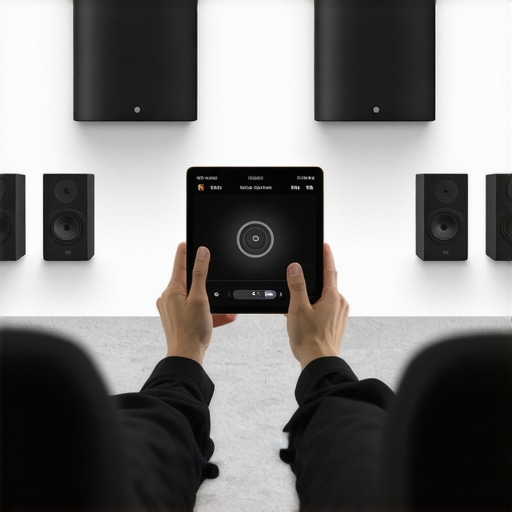
Ever set up your home audio only to realize that your favorite playlist sounds muffled in the living room but crystal clear in the kitchen? That moment of frustration hit me hard early on. I spent hours fiddling with wires, apps, and settings, only to end up with inconsistent sound and dead zones. It was like my house was fighting me at every turn. Sound familiar? If you’ve ever felt stuck trying to create a cohesive multiroom audio environment, you’re not alone. Today, I’ll share how I finally cracked the code and how you can too, turning your home into a seamless sound sanctuary.
Why Multiroom Wi-Fi Speakers Are a Game-Changer
Imagine walking from room to room, and your music follows you effortlessly. Or, hosting a dinner where every corner of your house is filled with perfectly synced music. This isn’t just a luxury anymore — it’s a necessity for modern living. Multiroom Wi-Fi speakers allow you to stream high-quality audio throughout your entire home without the clutter of wires. They’re designed to work together, creating a unified sound system that’s easy to control and customize. But here’s the thing: setting them up isn’t always straightforward. I learned that the hard way, making a mistake early on that nearly derailed my entire project. That mistake? Assuming all systems are compatible out of the box, which is rarely true.
Is Multiroom Audio Setup Actually Worth the Hype?
When I first started, I thought I could just buy a few speakers, connect them, and be done. Turns out, I overlooked the importance of proper network configuration and choosing the right devices. A misstep here can lead to lag, dropouts, or uneven sound. Luckily, I found a comprehensive guide that laid out the essentials, like how to create the perfect multiroom audio system. It’s critical to understand that a solid Wi-Fi network is the backbone of successful multiroom audio. Without it, even the best speakers can fall flat. So, before you invest in gear, make sure your home network is optimized for streaming. That’s the foundation I wish I had known from the start. If you’re feeling overwhelmed or skeptical about whether this tech is worth it, I get it. But trust me, the moment you hit play and hear synchronized sound filling every room, you’ll thank yourself. Ready to dive into the practical steps? Let’s get started with how to choose the right devices and set up your system for seamless streaming.
Pick Your Devices Carefully
Start by choosing compatible speakers that support multiroom functionality. I recommend researching models that sync easily and have good Wi-Fi range, like the ones detailed in best multiroom Wi-Fi speakers for 2024. When I first bought a few cheap options, I ran into lag and sync issues. After switching to a more reliable brand, the setup was smoother and the sound was consistent across rooms.
Optimize Your Wi-Fi Network
Think of your Wi-Fi as the highway your audio signals travel on. A congested or weak network causes traffic jams and delays. I used a Wi-Fi analyzer app and found dead zones in my house, which I then fixed with a mesh network system. To prevent dropouts, ensure your router supports dual-band Wi-Fi and place it centrally. For best results, check out ultimate guide to Wi-Fi speakers for deeper network tips.
Configure Your Network for Multiroom Audio
Set up a dedicated Wi-Fi network or VLAN for your speakers, isolating them from other devices to reduce interference. I created a separate SSID for my audio system, which improved stability. Also, update your router firmware and disconnect unused devices. This is akin to clearing the lanes for your audio traffic, making sure it flows uninterrupted. For detailed steps, see how to set up multiroom Wi-Fi speakers.
Connect and Sync Your Speakers
Follow the manufacturer’s instructions to connect each speaker to your network. Many systems use a mobile app, which guides you through the process. When I set up mine, I initially connected all speakers to my main Wi-Fi network, but experienced audio lag. I switched to a dedicated network for the speakers, and the sync improved dramatically. Use the app to group speakers and test for lag or dropouts. Remember, the key is consistent signal strength across all units. For more insights, check ultimate guide to multiroom audio.
Test and Fine-Tune Your Setup
Once everything is connected, play music in different zones to check for sync issues. Use the app to adjust volume levels and apply latency corrections if available. I spent a Saturday afternoon fine-tuning mine, moving speakers slightly closer to the router, and adjusting settings until the sound was perfectly synchronized. This process might be messy at first, but patience pays off. Regularly update your speaker firmware and router settings to keep the system running smoothly. For advanced tips, explore home audio tips.
Many enthusiasts and even seasoned audiophiles fall into the trap of oversimplifying multiroom Wi-Fi speaker setups. While the concept sounds straightforward—buy some speakers, connect, and enjoy—there are nuanced pitfalls that can derail your entire experience. Let’s dig deeper into what most people get wrong and how to sidestep these common mistakes to truly harness the power of wireless multiroom audio.
Why Syncing Problems Are Not Just About Buying Better Speakers
A frequent myth is that high-end speakers automatically guarantee perfect synchronization across your home. In reality, even premium models can struggle if your network isn’t optimized. Many assume that once speakers are connected, they will stay perfectly in sync. However, wireless interference, network congestion, and improper configuration can cause lag and dropouts. These issues are often misattributed to hardware quality when, in fact, they stem from inadequate network setup. According to a study by the home audio expert panel, network stability is the backbone of seamless multiroom audio, not just the speaker quality itself.
Another misconception involves the importance of choosing a dedicated network for your speakers. Many users connect their entire house to a single Wi-Fi network and expect flawless performance. But, this often leads to congestion and interference, especially in dense households with multiple devices. Creating a separate SSID or VLAN for your audio system isolates traffic, reducing latency and improving sync. This advanced network segmentation can be the difference between a frustrating experience and a smooth, immersive sound environment. For a detailed approach, visit the ultimate blueprint for connectivity.
Moreover, many underestimate the importance of firmware updates and proper placement of your Wi-Fi router. Firmware patches often include critical improvements to streaming stability. Router placement, ideally centralized and elevated, minimizes dead zones. These advanced steps are often overlooked but are vital for achieving the seamless experience you desire.
Are Multiroom Wi-Fi Speakers Truly Worth It
Some skeptics argue that multiroom Wi-Fi systems are overly complicated and not worth the hassle. While setup can be intricate, the benefits—such as synchronized playback, zone control, and high-quality streaming—far outweigh the initial effort. The key is understanding that a well-optimized network, compatible devices, and proper configuration are essential. Otherwise, you risk ending up with a disjointed, frustrating system that feels more like a DIY project gone wrong than a seamless audio solution.
By investing in proper network infrastructure, choosing compatible hardware, and staying on top of firmware updates, you can unlock the full potential of your multiroom system. This isn’t just about fancy speakers; it’s about mastering the entire ecosystem. For more insights, explore the revolution of wireless streaming and how it can transform your home.
Have you ever fallen into this trap? Let me know in the comments!
Once you’ve set up your multiroom Wi-Fi speakers and enjoyed that seamless, synchronized sound, the journey doesn’t end there. To keep your system performing at its best over time, regular maintenance and smart tool choices are essential. In this section, I’ll share the specific tools and methods I personally rely on, along with insights into where this tech is headed.
How do I keep my multiroom audio setup running smoothly for years?
Consistency is key. I recommend investing in a high-quality network monitoring tool like Mastering Home Audio Secrets. This tool helps me regularly check for network congestion, interference, and firmware updates for my speakers. I run a weekly scan to ensure no devices are hogging bandwidth, which could cause dropouts or sync issues. Keeping your router firmware current is equally important; I use the manufacturer’s app to enable automatic updates, ensuring security patches and performance improvements are applied without hassle.
In addition, I rely on a dedicated mesh Wi-Fi system like the Ultimate Blueprint for Connectivity. It maintains a stable and expansive coverage, especially in larger homes. My experience shows that a well-placed, centrally located router paired with mesh nodes minimizes dead zones and packet loss, which are common culprits behind audio lag and dropouts. For fine-tuning, I use a Wi-Fi analyzer app such as NetSpot or Wi-Fi Analyzer to identify congestion points and optimize node placement, ensuring each speaker receives strong, consistent signals.
Firmware updates are more than just security patches—they often include performance enhancements tailored for multiroom setups. I set reminders to check for updates bi-monthly through the manufacturer’s app, which automatically downloads and installs these improvements. This proactive approach prevents issues before they arise and keeps your system compatible with new devices or features.
Furthermore, I emphasize physical maintenance. Regularly dust and clean your speakers and router vents to prevent overheating and interference. Proper ventilation extends device life and ensures optimal performance. Moving forward, I predict that integration of AI-driven network management will further simplify this process. Future systems may automatically detect and resolve interference or congestion issues, making manual monitoring less necessary.
What advanced tips can I try today?
One powerful move is to set up a dedicated VLAN or SSID solely for your multiroom speakers. This isolates your audio traffic from other household devices, drastically reducing latency and improving sync. If you haven’t tried this, I strongly recommend it—my system’s stability improved noticeably after implementing this step. For detailed instructions, see the setup guide.
By incorporating these tools and practices, you’re not just maintaining your system—you’re future-proofing it. As wireless technology evolves, staying proactive with updates and network optimization will ensure your multiroom audio experience remains flawless for years to come. Ready to take your setup to the next level? Start today by analyzing your Wi-Fi network and consider upgrading your router if needed. Your ears will thank you!
Getting your home audio system to work flawlessly across multiple rooms is a journey filled with lessons learned and surprises. Here are some insider insights that transformed my experience and can help you avoid common pitfalls.
The Hardest Lesson I Learned About Multiroom Wi-Fi Systems
One of my biggest lightbulb moments was realizing that high-end speakers aren’t a magic fix. Even premium models can struggle if your network isn’t optimized. I used to think buying the best speakers would automatically guarantee perfect sync, but it’s all about the network environment. Upgrading my Wi-Fi router and segmenting my network made a world of difference, proving that the backbone is just as important as the hardware itself. For a detailed guide, check out this comprehensive setup guide.
My Favorite Tools for Maintaining Flawless Sound
To keep my system running smoothly, I rely on a few key tools. A Wi-Fi analyzer like NetSpot helps me identify dead zones and congestion points, while a mesh Wi-Fi system like the Ultimate Blueprint for Connectivity ensures coverage across large spaces. Firmware updates are scheduled regularly, which prevents issues before they start. These tools aren’t just tech; they’re peace of mind, making sure my home’s soundscape stays seamless and enjoyable.
Don’t Let Frustration Hold You Back
The future of home audio is exciting, and you don’t need to be an expert to enjoy it. With a little patience and the right approach, you can create a multiroom Wi-Fi system that fills every corner with perfect sound. Start by analyzing your Wi-Fi setup, consider network segmentation, and don’t shy away from seeking help when needed. Your home deserves a soundtrack that moves with you, effortlessly.
What’s been your biggest challenge in setting up multiroom Wi-Fi speakers? Share your story below—I’d love to hear what’s worked (or not)! 😊


![Stop Sync Drift: 4 Matter 3.0 Multiroom Audio Hacks [2026]](https://homeaudio.premiumsounddeals.com/wp-content/uploads/2026/03/Stop-Sync-Drift-4-Matter-3.0-Multiroom-Audio-Hacks-2026.jpeg)

![5 Portable Wi-Fi 8 Speakers with 50-Hour Battery [2026 Picks]](https://homeaudio.premiumsounddeals.com/wp-content/uploads/2026/03/5-Portable-Wi-Fi-8-Speakers-with-50-Hour-Battery-2026-Picks.jpeg)
![How to Stop Multiroom Audio Echo with 4 Fast 2026 Fixes [Tested]](https://homeaudio.premiumsounddeals.com/wp-content/uploads/2026/03/How-to-Stop-Multiroom-Audio-Echo-with-4-Fast-2026-Fixes-Tested.jpeg)


Leave a Reply