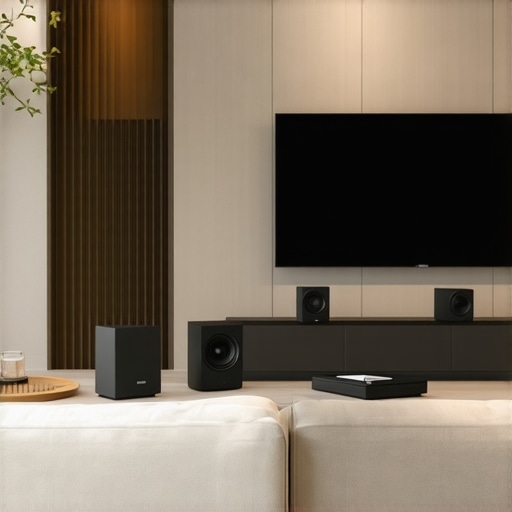
Ever been in the middle of a movie night, only to have your Wi-Fi speakers cut out or your whole-home audio suddenly become a confusing jumble of disconnected devices? I’ve been there—frustrated, fiddling with settings, and feeling like I was chasing my tail. That lightbulb moment hit me hard: I was trying to piece together a system without truly understanding what made it tick. And honestly, I was making mistakes that could have been avoided with a little more know-how.
Why Whole Home Audio and Wi-Fi Speakers Matter More Than Ever
In 2024, the way we enjoy our living spaces has shifted dramatically. Streaming has become the default, and our desire for seamless, high-quality sound throughout the house is growing. But here’s the thing: not all setups are created equal. A poorly planned system can turn your home into a battleground of competing signals, lag, and dead zones.
That’s where understanding the essentials of whole home audio and Wi-Fi speakers becomes a game changer. It’s not just about having speakers scattered around; it’s about creating a unified experience that’s reliable, easy to control, and sounds fantastic no matter where you are. Want to avoid the common pitfalls and get a system that actually works? Stick with me.
Is This Tech Really Worth the Hype or Just Overrated?
It’s a fair question. Early on, I made the mistake of assuming all wireless speakers are the same—an assumption that cost me time, money, and some serious frustration. The truth is, not all systems are designed for seamless integration. Some brands promise multi-room magic but deliver laggy audio or complicated setups. As I learned the hard way, choosing the right gear and understanding the setup process is crucial. If you want to skip the headaches, I recommend checking out our comprehensive guide on beginner tips for whole home audio setup.
So, have you faced the challenge of getting your multiroom audio to actually work without constant troubleshooting? If so, you’re not alone. The good news is, with the right knowledge and tools, you can create a system that’s both simple to manage and sound-rich. Ready to dive into the practical steps? Let’s get started and turn your house into a true sound sanctuary.
Start with a Clear Plan
Before diving into buying gear, map out your home’s layout and identify where you want speakers. Think of it like planning a road trip — you need a route. I once assumed I could just scatter speakers randomly in my living room and upstairs, but that led to dead zones and confusing controls. Instead, I drew a simple floor plan, noting power outlets and Wi-Fi coverage areas. This step ensures you buy the right number of speakers and place them strategically for even sound distribution.
Choose the Right Equipment
Picking compatible gear is crucial. Look for brands known for seamless integration, like Sonos, Bose, or Denon, which support multi-room setups. I learned this the hard way when I bought cheap Wi-Fi speakers that kept disconnecting. Check the specifications for Wi-Fi compatibility, multiroom support, and app control features. For beginners, I recommend reviewing our beginner tips for whole home audio setup to avoid costly mistakes.
Set Up Your Network Properly
Your Wi-Fi network is the backbone of your system. Use a router that supports dual-band Wi-Fi (2.4GHz and 5GHz) and consider a mesh network if your home is large or has thick walls. I once tried to connect all speakers to a single router, but dead zones appeared in my basement. Upgrading to a mesh network solved this, providing reliable coverage everywhere. For detailed tips, see best tips for integrating Wi-Fi speakers in your home.
Configure Your Speakers
Follow the manufacturer instructions to connect each speaker to your Wi-Fi network. Use the same app across devices for easy control. I initially set up each speaker manually, which was tedious. Then I realized most brands offer a unified app that simplifies the process — saving me time and headaches. When configuring, assign each speaker to its zone or room, like assigning seats in a theater, so you can control them individually or as a group. Check out how to create the perfect multiroom audio system for detailed guidance.
Optimize Placement and Calibration
Placement affects sound quality. Place speakers at ear level when possible, avoiding corners and reflective surfaces. I once placed a speaker behind a couch, muffling the sound. Moving it to an open area improved clarity significantly. Use calibration tools if available, or tweak settings manually to balance volume and tone. Think of your speakers like musical instruments — placement changes can make a big difference in how the music flows. For more tips, see ultimate guide to wireless streaming in 2024.
Test and Fine-Tune Your System
Once set up, play familiar tracks and walk around to check sound quality and connectivity. I found that moving a router a few inches or adjusting speaker angles improved performance. Use your app to group speakers for synchronized playback or control zones independently. Regular testing helps catch issues early, ensuring your system remains reliable. Remember, perfection isn’t instant; it’s about continuous tweaks to suit your environment. For advanced tuning, explore multiroom Wi-Fi speakers for seamless home audio.
Maintain and Upgrade Over Time
Keep firmware updated to benefit from improvements and bug fixes. As your needs evolve, consider adding new speakers or upgrading existing ones. I started with two speakers, then expanded to a full multi-room system that fills the house with sound. Regular maintenance and gradual upgrades keep your setup fresh and functional. For inspiration on expanding, see top wireless streaming devices for 2024.
Many enthusiasts jump into setting up whole home audio systems with the belief that more expensive gear or the latest tech guarantees perfect sound and seamless connectivity. However, this is a common misconception that can lead to costly mistakes and frustration. As someone deeply involved in home audio solutions, I can tell you that understanding the nuances is crucial for success.
One widespread myth is that all Wi-Fi speakers are equally reliable and easy to set up. In reality, the compatibility of your devices, the quality of your network, and the configuration play pivotal roles. Choosing the right equipment isn’t just about brand names; it’s about ensuring your gear supports multi-room support and robust connectivity. I recommend reviewing our beginner tips for whole home audio setup to avoid basic pitfalls.
Why do some multiroom systems seem to lag or drop out unexpectedly?
This often happens because many assume that Wi-Fi signals are inherently strong and stable everywhere. The truth is, Wi-Fi coverage can be uneven, especially in larger homes or those with thick walls. Many people overlook the importance of a mesh network or proper placement of their router and speakers. A common mistake is to connect multiple devices to a single router without considering interference or dead zones. Upgrading to a mesh Wi-Fi system, as I did in my own experience, dramatically improves stability. For advanced users, exploring why wireless streaming is revolutionizing home entertainment can provide deeper insights into optimizing your setup.
Another trap is undervaluing calibration and placement. Placing speakers haphazardly can cause uneven sound distribution and phase issues, which many don’t realize are the root cause of poor audio quality. Proper calibration and strategic placement are often overlooked but are essential for achieving the best sound. Think of your speakers as musical instruments — if not tuned and positioned correctly, the entire performance suffers.
Also, many believe that upgrading to the latest hardware will solve all problems. While newer devices often come with improvements, they aren’t magic bullets. Firmware updates, network optimization, and correct configuration are just as important, if not more so. Regularly updating your firmware and reviewing mastering home audio secrets for seamless wireless streaming can keep your system running smoothly.
Finally, don’t fall for the misconception that multiroom audio systems are inherently complicated to manage. With the right approach, they can be intuitive and reliable. The key is understanding the importance of a solid network backbone, compatible gear, and precise placement.
Have you ever fallen into this trap? Let me know in the comments. Remember, the devil is in the details, and a little extra knowledge can save you a lot of hassle in creating your perfect home audio experience.
Maintaining your whole home audio setup isn’t a set-it-and-forget-it task. Over time, even the most carefully configured systems can develop glitches or performance issues. That’s why I recommend implementing a few specific tools and routines to keep everything working seamlessly. First, regularly check for firmware updates from your device manufacturers. These updates often fix bugs, improve compatibility, and add new features, ensuring your system stays at peak performance. I personally subscribe to firmware update notifications from brands like Sonos and Bose, which makes staying current easier and helps prevent common connectivity problems.
Second, invest in a quality network monitor app. I use NetSpot because it provides real-time insights into your Wi-Fi coverage and identifies dead zones or interference sources. This allows me to optimize my router placement or add mesh units where needed, avoiding lag or dropouts during playback. A stable network backbone is essential, especially as your system grows or if multiple devices are streaming simultaneously.
Third, maintain a detailed map of your device configuration. Keep a record of IP addresses, network names, and app settings. This is particularly useful when troubleshooting or upgrading components. I also use a remote management app for my network gear, which helps me make adjustments quickly without digging through complex menus or physically accessing equipment. For comprehensive guidance on network setup, check out this article.
In addition, adopt a routine of periodic testing. Play a familiar playlist and walk through your space to identify any sound inconsistencies or connectivity hiccups. I schedule a monthly check where I verify all zones are synchronized and the sound quality remains consistent. This proactive approach catches issues early and saves time before they escalate into major problems.
Looking ahead, I predict that smart diagnostics and AI-driven network optimization tools will become standard in home audio systems. These innovations will automatically detect and resolve issues, further simplifying maintenance. For now, the best practice is to leverage existing technology, like firmware updates and network monitoring tools, to keep your system reliable and enjoyable.
How do I maintain my home audio system over time?
The key is a combination of regular updates, thorough network management, and periodic testing. Start by setting reminders for firmware updates, use a network monitor to keep tabs on your Wi-Fi health, and keep a configuration log for quick troubleshooting. By integrating these tools into your routine, you’ll ensure your whole home audio system remains a source of joy, not frustration. Ready to take your setup to the next level? Try configuring a network monitoring app today and see how much smoother your streaming experience becomes. For a detailed step-by-step, visit our comprehensive guide.
The Hardest Lesson I Learned About Whole Home Audio
One of my biggest mistakes was assuming that every Wi-Fi speaker would automatically integrate seamlessly. It turns out, compatibility and network stability are critical, and overlooking these details caused endless frustration. The lightbulb moment was realizing that a solid network backbone and compatible gear are the foundation of a reliable system, not just the latest gadgets.
3 Myths About Multiroom Audio That Held Me Back
I used to believe that more expensive equipment would automatically solve connectivity issues. It’s simply not true. Upgrading hardware without optimizing your Wi-Fi setup often leads to lag and dropouts. Also, I thought placing speakers randomly would give the best sound — wrong again. Proper placement and calibration are what makes your system sing.
What Experts Won’t Tell You About Wireless Streaming
Many don’t realize that Wi-Fi coverage is uneven in large or thick-walled homes. A mesh network changed everything for me, providing stable, consistent coverage throughout. Additionally, firmware updates are often overlooked but can dramatically improve performance and fix bugs, so stay current with your device updates.
My Essential Toolkit for Seamless Home Audio
To maintain my system, I rely on firmware updates from trusted brands, a quality network monitor app like NetSpot, and a detailed configuration log. These tools help me troubleshoot quickly and keep my system performing at its best.
Keep Your System Alive and Thriving
Regular testing, firmware updates, and network optimization are key. I schedule monthly checks and use network monitoring tools to identify dead zones or interference. As technology advances, I believe AI-driven diagnostics will make maintaining home audio even easier, but for now, proactive management is your best bet.
Your Turn to Try
Creating a reliable whole home audio system in 2024 isn’t just about fancy gadgets — it’s about understanding the basics and maintaining them. If you’re ready to elevate your sound experience, start with a solid network foundation and stay curious about new tech innovations.
Have you ever struggled with Wi-Fi coverage or device compatibility? Let me know below — your experience might help others avoid common pitfalls!



![Stop Sync Drift: 4 Matter 3.0 Multiroom Audio Hacks [2026]](https://homeaudio.premiumsounddeals.com/wp-content/uploads/2026/03/Stop-Sync-Drift-4-Matter-3.0-Multiroom-Audio-Hacks-2026.jpeg)

![5 Portable Wi-Fi 8 Speakers with 50-Hour Battery [2026 Picks]](https://homeaudio.premiumsounddeals.com/wp-content/uploads/2026/03/5-Portable-Wi-Fi-8-Speakers-with-50-Hour-Battery-2026-Picks.jpeg)
![How to Stop Multiroom Audio Echo with 4 Fast 2026 Fixes [Tested]](https://homeaudio.premiumsounddeals.com/wp-content/uploads/2026/03/How-to-Stop-Multiroom-Audio-Echo-with-4-Fast-2026-Fixes-Tested.jpeg)


Leave a Reply