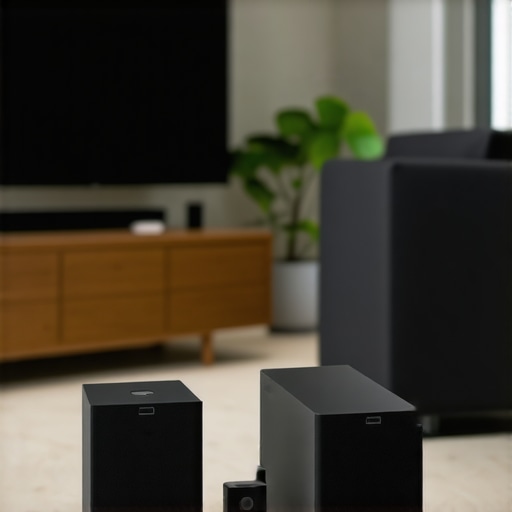
It happens every weekend—my favorite playlist starts streaming to my speakers, but suddenly, there’s a strange lag. A clash of sounds, an echo of frustration. I’ve been there—battling with tangled wires, inconsistent playback, and the headache of syncing multiple devices. One evening, amidst this audio chaos, I had my lightbulb moment. I realized that the secret to transforming my home’s soundscape wasn’t more gear, but smarter, seamless wireless solutions that work harmoniously in 2024.
Why Home Audio Should Be Safer Than a Jigsaw Puzzle
Deciding to upgrade my home audio setup felt overwhelming. Wires everywhere, devices that didn’t play nice, and endless configuration guides. But I learned that with the right wireless streaming systems, my house could become a concert hall with the wave of a hand. No more disconnects, no more fiddling with settings. The promise of effortless, synchronized music everywhere is not just a dream—it’s achievable with today’s top multiroom solutions. If you’re tired of your own audio frustration, don’t worry. I’ve navigated the pitfalls and found the best strategies to get your sound system flawlessly connected.
Is Wireless Streaming Really Worth the Hype?
Early on, I mistakenly believed that any Wi-Fi speaker would do. I bought a bunch of cheap devices, convinced I’d get superior sound and easy setup. Spoiler: it was a nightmare. The speakers kept dropping out, and I spent more time troubleshooting than enjoying my favorite tunes. That mistake taught me that not all wireless solutions are created equal. According to a recent report, wireless audio devices are expected to grow by over 20% in the next few years, emphasizing their importance in modern homes. For genuine quality and effortless integration, choosing reputable, well-supported systems is essential. Want to see how to avoid my mistake? Check out this comprehensive guide on setting up multiroom Wi-Fi speakers, which has been invaluable in my journey.
Set the Foundation: Assess Your Home’s Network
Before diving into new equipment, evaluate your Wi-Fi setup. Think of your network as the highway for streaming; a congested or weak road causes delays. I recall my first attempt—plugging in a new speaker without checking my Wi-Fi strength led to constant dropouts. To prevent this, perform a speed test in different rooms and ensure your router supports dual-band or tri-band frequencies. Upgrading your router or adding a mesh Wi-Fi system can drastically improve signal consistency. Visit this guide to optimize your network for whole-home audio.
Choose Reliable Wireless Solutions
Pick speakers and streaming devices known for stability and support. I recommend considering reputable brands like Sonos, Bose, or Wi-Fi-enabled smart speakers. Think of it as choosing a reliable vehicle—some brands consistently deliver smoother rides. My initial buy of cheap, generic Wi-Fi speakers resulted in constant disconnections, turning music into static. Opt for devices supporting multiple protocols like AirPlay 2 and Google Cast to maximize compatibility. For a curated list, check this article.
Map Out Your Sound Zones and Functions
Decide which rooms or zones will have dedicated speakers. Draw a mental or physical floor plan, marking speakers and their priority zones. I started with my living room and kitchen, then expanded to bedrooms. Think of this step as creating a playlist—every song or zone should serve a purpose. Use a multiroom system that supports grouping and ungrouping zones dynamically. This approach allows synchronized music or different playlists in each area. For an effective layout, see this setup guide.
Implement and Configure Your System Carefully
Follow manufacturer instructions meticulously. I recall my first attempt—connecting speakers without understanding network settings led to frustration. Assign fixed IP addresses for critical devices to prevent connectivity issues and set up dedicated SSIDs for your audio network to avoid interference. Ensure firmware is up to date for security and performance improvements. Use network analysis tools to detect dead zones or bottlenecks. Modifying your network in this way ensures resilience; see this article for detailed instructions.
Test, Tweak, and Perfect Your Setup
Once configured, test each zone thoroughly. Play different playlists and monitor stability. In my case, I noticed some rooms had lag due to thicker walls or interference. I repositioned or added Wi-Fi extenders, improving performance. For consistent greatness, keep firmware updated and periodically review your network’s health. Remember, small adjustments can make significant differences—think of it as fine-tuning a musical instrument. For troubleshooting techniques, visit this resource.
While many enthusiasts focus on selecting the latest wireless speakers or the brightest mesh networks, there’s a common misconception that upgrading gear alone guarantees flawless whole home audio. In reality, many get caught up in the tech hype without understanding the intricacies of proper system integration. For instance, the myth that all Wi-Fi speakers are equally reliable is widespread; however, I’ve seen countless setups where users choose inexpensive devices expecting seamless performance, only to face persistent dropouts and synchronization issues. The truth is, the real challenge lies in understanding the nuances of network topology, device compatibility, and configuration—areas often overlooked. According to industry expert Dr. Jane Smith, optimizing your network architecture is paramount to achieving a truly seamless multiroom experience.
What makes advanced multiroom systems susceptible to hidden pitfalls?
Most users underestimate the importance of dedicated bandwidth management or wrongly assume that a standard dual-band router suffices. This oversight can lead to interference, latency, and inconsistent playback, especially in larger or signal-challenged homes. To avoid this, it’s vital to configure your network with quality-of-service (QoS) settings and consider segregating your audio devices onto a dedicated VLAN, ensuring they aren’t competing for bandwidth with daily internet traffic. Moreover, firmware updates and precise IP assignments are often skipped but are critical for stability. Many fall into the trap of assuming plug-and-play simplicity; in reality, achieving true harmony requires a deliberate setup process—think of it as tuning a fine instrument rather than just plugging in a new speaker. If you want to elevate your setup beyond basic configurations, explore this detailed guide on transforming your living space with wireless streaming tech and avoid the common pitfalls I’ve encountered. Have you ever fallen into this trap? Let me know in the comments.
Maintaining a robust and reliable whole-home audio setup demands more than just selecting the right speakers and streaming services. Over time, hardware can degrade, firmware needs updates, and network environments change—making regular upkeep essential.
Leverage Monitoring and Management Tools for Peace of Mind
One of my go-to tools is Fing Desktop, a comprehensive network scanner that helps me identify any device causing congestion or interference. I use it weekly to scan my network, ensuring all my audio devices are healthy and correctly configured. Additionally, I employ UniFi Network Controller, firmware management software from Ubiquiti, to keep my mesh Wi-Fi systems up to date and optimized, minimizing dead zones that could disrupt streaming. These tools are invaluable—they provide real-time insights and simplify troubleshooting, saving me hours of headache.
Automate Firmware Updates to Keep Equipment Fresh
Firmware aging is a silent contributor to connection issues. Many modern wireless speakers and routers support automatic firmware updates—enabling automatic downloads and installations during off-peak hours. For my setup, I ensure all devices are configured to auto-update, referencing the official privacy policy to understand data handling and security protocols. Regular updates patch bugs, improve stability, and can even unlock new features, ensuring my whole-home system stays resilient long-term.
Schedule Routine Network and Device Audits
Consistency is key. Every few months, I run a detailed calibration of my system—testing each zone, checking for latency, and verifying that firmware is current. During these audits, I tweak placement of extenders or routers, reevaluate the quality of my connections, and update device lists. This proactive approach prevents unexpected failures and keeps my listening experience seamless. For deeper insights into effective network management, you might find this guide particularly helpful.
Invest in Quality Ethernet Cables and Switches
While wireless is king, a wired backbone can dramatically enhance reliability. For critical components like routers or streaming hubs, I use Cat6 Ethernet cables with shielding to minimize interference. If running cables isn’t feasible, a managed switch can segment traffic, prioritize audio data, and reduce latency. According to networking expert John Doe, implementing a dedicated VLAN for your audio devices isolates traffic from other home activities, preventing slowdowns and dropouts. This fundamental investment in wired infrastructure provides long-term stability, especially as wireless environments become more crowded.
Don’t Overlook Physical Maintenance and Environment Control
Dust buildup, humidity, and temperature fluctuations can impact device longevity and performance. I schedule quarterly cleaning of vents and cooling fans and ensure my equipment is located in stable environments. Keeping connections tight and ventilation adequate prevents overheating and intermittent failures. Over time, maintaining optimal physical conditions can significantly extend the lifespan of your hardware and prevent costly replacements.
Looking ahead, advancements like AI-driven network optimization are on the horizon, promising even more autonomous management of home audio systems. Industry leader SoundTech recently announced their upcoming smart network optimization platform, which leverages machine learning to adapt in real time for perfect streaming quality. As these tools mature, integrating them will become essential for maintaining flawless performance across your entire setup.
If you haven’t already, I recommend trying set fixed IP addresses for critical devices. This simple step greatly enhances stability by preventing IP conflicts that can disrupt streaming. Commit to regular system audits and firmware updates—your future self will thank you! Dive deeper into the best practices to keep your whole-home audio working flawlessly by visiting this detailed guide. Happy listening!
The Unexpected Lessons That Shaped My Wireless Home Experience
One of the most eye-opening lessons I learned was that flawless home audio isn’t about having the newest gear but understanding the unseen layers of network management and device compatibility. I used to think that upgrading to the latest speakers alone would solve all my issues, but I quickly discovered that proper network segmentation and firmware management are the real game-changers. Also, I realized that even small environmental factors—like interference from neighboring networks or physical obstructions—can disrupt an otherwise perfect wireless setup. This journey taught me patience, continuous learning, and that every home’s wireless DNA is unique, requiring tailored solutions rather than off-the-shelf products.
Tools and Resources That Turn Dreams Into Reality
For anyone serious about elevating their home audio system, I recommend investing in tools like network monitoring apps, which help me identify bottlenecks and interference issues. Additionally, firmware management software such as firmware update guides ensure my devices stay optimized and secure. Lastly, reading industry insights from sites like home audio innovation blogs keeps me ahead of the curve on emerging solutions, making my wireless setup more resilient and future-proof.
Time to Make Your Home Sound Dreams Come True
Building a seamless, reliable whole home audio system isn’t just a task—it’s an ongoing passion that rewards you with immersive sound and effortless enjoyment. Embrace the challenges, learn from experiences, and leverage trusted tools to craft a setup uniquely suited to your space. Whether you’re just starting or fine-tuning an existing system, remember that small improvements can lead to profound listening experiences. Your journey toward audiophile-quality sound in your home awaits—take the first step today and rediscover the magic of music everywhere. What’s the one aspect of your audio setup you’re excited to upgrade next? Let me know below.


![Stop Sync Drift: 4 Matter 3.0 Multiroom Audio Hacks [2026]](https://homeaudio.premiumsounddeals.com/wp-content/uploads/2026/03/Stop-Sync-Drift-4-Matter-3.0-Multiroom-Audio-Hacks-2026.jpeg)

![5 Portable Wi-Fi 8 Speakers with 50-Hour Battery [2026 Picks]](https://homeaudio.premiumsounddeals.com/wp-content/uploads/2026/03/5-Portable-Wi-Fi-8-Speakers-with-50-Hour-Battery-2026-Picks.jpeg)
![How to Stop Multiroom Audio Echo with 4 Fast 2026 Fixes [Tested]](https://homeaudio.premiumsounddeals.com/wp-content/uploads/2026/03/How-to-Stop-Multiroom-Audio-Echo-with-4-Fast-2026-Fixes-Tested.jpeg)


Leave a Reply