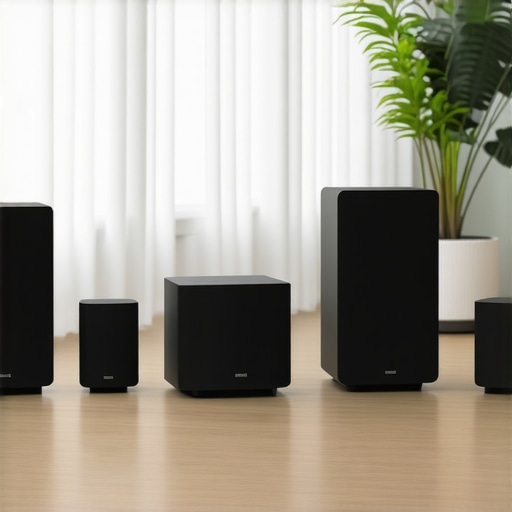
I remember the frustration hitting me one evening as I stood in my living room, fiddling endlessly with tangled wires and flickering, unresponsive speakers. Despite investing in what I thought was quality gear, the sound just wouldn’t fill my space the way I’d envisioned. That moment, staring at a jumble of devices and unsatisfactory audio, was an eye-opener. I realized I was missing a crucial piece of the puzzle: a reliable, seamless wireless multiroom system that truly harmonizes my entire home. If you’ve ever faced similar frustrations—whether your audio feels disconnected or the setup seems intimidating—you’re not alone. The good news? There’s a way to turn your home into a unified sound sanctuary, without the hassle and confusion I initially encountered. Today, I’m going to share my journey and the practical steps you can take to achieve effortless, high-quality wireless streaming that makes every space feel alive with music, podcasts, or whatever you love. Let’s dive into how you can sidestep the common pitfalls and unlock the full potential of your home audio.
Why Settling for Subpar Wireless Streaming Is No Longer Acceptable
Get Your Network Right Before Anything Else
Start by optimizing your Wi-Fi. Think of your network like the highway system—if it’s clogged or poorly built, data (music or podcasts) can’t travel smoothly. Use a dual-band router that supports 5 GHz for faster, more reliable streaming. Place your router centrally and away from obstructions like thick walls or appliances. Run a speed test to ensure your internet plan can handle multiple streams without buffering. Having a solid internet foundation is critical, as it directly influences the quality of your entire home audio experience. For in-depth tips on boosting your network, visit this detailed guide.
Choose the Proper Wireless Speakers and Configure Correctly
Pick multiroom Wi-Fi speakers that suit your home’s size and decor. Look for models supporting the latest standards (like Wi-Fi 6) for future-proof performance. When setting up, ensure each speaker is connected to your Wi-Fi network—this is like assigning each device its own address on a postal route. Use dedicated apps or control software to group speakers into zones. I remember one time, I tried to connect all my devices via Bluetooth—an effort that resulted in constant disconnections and frustration. Switching to Wi-Fi speakers, I managed to streamline the entire setup, and the difference was night and day. For comprehensive product choices, check this collection.
Establish an Uninterrupted Signal Path
Interference and weak signals are the biggest enemies of seamless wireless streaming. Position your router and speakers to minimize obstacles and avoid overlapping channels. Use Ethernet backhaul if possible—connecting your router directly to speakers or access points ensures stable transmission. If your setup involves multiple access points, configure them on non-overlapping channels to prevent competition. I once spent an entire afternoon troubleshooting dropouts in my living room; turning off a neighboring Wi-Fi channel solved the issue. Think of your setup like a concert: clarity depends on clear, uninterrupted soundwaves. For advanced network configurations, refer to this in-depth resource.
Implement Quality of Service (QoS) Settings
Adjust your router’s QoS settings to prioritize streaming traffic over other network activities. This ensures that your music or podcast data gets precedence, avoiding interruptions during peak usage. Access your router’s admin panel—usually through a web browser—and locate QoS settings. Set high priority for your audio devices. I found this step crucial when multiple family members were streaming videos simultaneously; after enabling QoS, my audio remained crisp and uninterrupted. Think of QoS as a VIP pass for your streaming data—it guarantees smooth delivery. For detailed instructions, see this guide.
Test and Fine-Tune the System
Once set up, walk around your home testing each zone. Play audio at different volumes and check for dropouts or lag. Adjust speaker placement—sometimes moving a speaker a few inches can significantly improve connectivity. Fine-tuning may involve changing Wi-Fi channels or resetting devices. I remember initially placing speakers too close to cordless phones; once moved farther away, the streaming stabilized. Remember, perfecting your system is an iterative process. For troubleshooting tips, visit this troubleshooting article.
Keep Security Tight to Protect Your Investment
Secure your Wi-Fi network to prevent unauthorized access, which can cause interference or eavesdropping. Change default passwords, enable WPA3 encryption, and set up guest networks if needed. A secure network not only protects your privacy but also maintains stable streaming. I learned the hard way when a neighbor’s device started hogging bandwidth, affecting my audio quality. Think of your network security as a lock on your treasure chest—protect your valuable data and peace of mind. For more security tips, see our privacy policy.
Many enthusiasts assume that simply purchasing the latest wireless speakers guarantees flawless whole-home audio, but the reality is far more nuanced. One widespread misconception is that all Wi-Fi speakers are equal in performance; in truth, the underlying network setup, interference management, and device compatibility play crucial roles in achieving seamless streaming. Overlooking these factors often leads to frustrating dropouts and inconsistent sound quality. For example, aligning your network frequency channels to minimize interference can dramatically improve stability—a detail often missed by beginners. Moreover, the myth that Bluetooth is a suitable substitute for Wi-Fi multiroom setups persists, yet Bluetooth’s limited range and susceptibility to obstruction make it unsuitable for comprehensive home coverage. Advanced users understand the importance of configuring Quality of Service (QoS) settings on their routers, a step that ensures high-priority bandwidth for audio streams, preventing lag and cutouts during peak times. Failure to optimize these settings is a common mistake that degrades user experience. Additionally, many assume that all multiroom systems are compatible across brands and platforms, but interoperability issues frequently arise, making it vital to select ecosystem-locked devices or follow strict compatibility guidelines. This is why mastering your home network before integrating multiroom audio solutions is essential; thorough knowledge of your system’s intricacies can avert costly troubleshooting, and detailed resources like mastering home audio can guide you through this process. Are you aware of these hidden complexities, or have you ever fallen into this trap? Let me know in the comments. For a comprehensive understanding of how to elevate your wireless streaming experience, explore our detailed guides on [mastering home audio](https://homeaudio.premiumsounddeals.com/mastering-home-audio-secrets-to-seamless-wireless-streaming) and [creating the perfect multiroom system](https://homeaudio.premiumsounddeals.com/how-to-create-the-perfect-multiroom-audio-system). Remember, the devil is in the details—knowing these can make the difference between a good system and an exceptional one.Maintaining a seamless and high-quality home audio setup requires deliberate effort and the right tools. I personally rely on dedicated network monitoring software such as Fing or WireX to keep a close eye on my Wi-Fi network’s health, ensuring that my streaming devices always have the bandwidth they need. These tools allow me to identify congestion points, interference, or unauthorized devices that could disrupt playback. Regular firmware updates for your routers and speakers are also critical; manufacturers often release patches that fix bugs and improve stability, so making this a monthly routine helps keep everything running smoothly. For instance, updating your router’s firmware can optimize its channel management, reducing interference that causes dropouts. I recommend setting up a scheduled check of your network’s performance, especially if you expand your system or notice inconsistencies. Additionally, employing a network switch with Quality of Service (QoS) settings can prioritize audio traffic, preventing lag even when your household is heavily using the internet. I’ve found this particularly useful during family movie nights or parties, where multiple streams compete. Looking ahead, the trend is moving toward AI-powered network management tools that automatically adjust settings to optimize streaming quality without manual intervention, making maintenance even simpler. For comprehensive insights, check out our detailed guide on mastering your home audio setup. To get started with maintaining stability today, try configuring QoS on your router—many models have user-friendly interfaces that walk you through the process. Implementing these steps ensures your system remains robust and ready for any streaming challenge. Remember, consistent maintenance is the secret to long-term enjoyment without frustrating interruptions. For more advanced techniques, visit this in-depth resource and keep your music flowing smoothly.
The Hard-Won Wisdom of Wireless Setup—Avoiding Common Traps
One of the most vital lessons I learned was that rushing the network optimization phase often leads to persistent issues down the line. Initially, I underestimated the importance of placing my router centrally and away from interference sources. That oversight caused frustrating dropouts, reminding me that paying attention to physical placement and interference management is crucial for a seamless experience. Also, I discovered that mixing different brands of wireless speakers without verifying compatibility can turn into a nightmare. To prevent this, I now ensure all devices support the same standards and ecosystems, saving time and reducing headaches. Lastly, I realized that neglecting regular firmware updates can silently sabotage your system’s stability—something I only learned after experiencing retired features and bugs that could have been fixed easily. These lessons highlight how patience, compatibility, and maintenance are the backbone of a reliable home audio setup.



![Stop Sync Drift: 4 Matter 3.0 Multiroom Audio Hacks [2026]](https://homeaudio.premiumsounddeals.com/wp-content/uploads/2026/03/Stop-Sync-Drift-4-Matter-3.0-Multiroom-Audio-Hacks-2026.jpeg)

![5 Portable Wi-Fi 8 Speakers with 50-Hour Battery [2026 Picks]](https://homeaudio.premiumsounddeals.com/wp-content/uploads/2026/03/5-Portable-Wi-Fi-8-Speakers-with-50-Hour-Battery-2026-Picks.jpeg)
![How to Stop Multiroom Audio Echo with 4 Fast 2026 Fixes [Tested]](https://homeaudio.premiumsounddeals.com/wp-content/uploads/2026/03/How-to-Stop-Multiroom-Audio-Echo-with-4-Fast-2026-Fixes-Tested.jpeg)


Leave a Reply