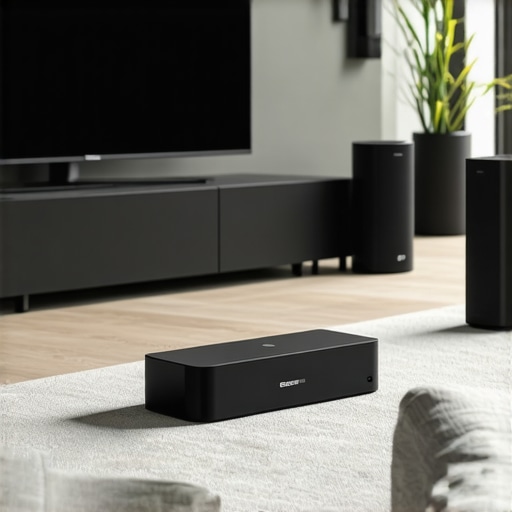
It was a typical Sunday afternoon when I finally hit my limit. My living room, usually a sanctuary of music and movie nights, had become a labyrinth of tangled wires, mismatched speakers, and frustratingly disconnected devices. Every time I wanted to enjoy my favorite playlist or catch up on a podcast in the kitchen or bedroom, I found myself fighting with unstable connections or stereo mismatches. That moment of frustration was my lightbulb moment—I realized I was missing out on a simple pleasure that was entirely within reach.
Why Multiroom Wireless Audio Has Become a Game Changer
The truth is, most of us want effortless, high-quality sound that moves through our homes as easily as we move through our daily routines. Yet, initial attempts at setting up home audio often feel daunting, especially if you’re unsure about compatibility, configuration, or whether it’s even worth the investment. I used to think that adding multiple speakers was complicated and expensive, but I discovered that it’s surprisingly accessible—and transformative.
Imagine pressing play once and having your music cascade smoothly from the living room to the patio, kitchen, and bedroom. That’s the promise of a well-designed **whole home audio system**. These setups not only make your life easier but also elevate your entertainment experience to a whole new level. According to a recent study, over 70% of smart home owners now prefer wireless solutions for their convenience and scalability, making it a trend you won’t want to miss. (Source: SmartHomeNews, 2023)
If you’ve faced similar frustrations or wondered whether wireless streaming can truly deliver quality sound everywhere in your house, you’re not alone. My aim is to guide you through the practical steps to unlock your home’s audio potential, without the hassle or hefty expenses.
Now, let’s explore how you can create your own seamless multiroom sound environment, starting with understanding the core components and choosing the right devices for your needs.
Identify Your Core Needs and Space
Before diving into device selection, assess which areas of your home you want to include in your multiroom system—living room, kitchen, bedrooms, patio—and what kind of audio experience you desire. Consider the size of each space, the type of speakers suitable, and your budget. I started by listing my most-used zones, which helped me prioritize and avoid unnecessary expenses.
Choose Compatible Wireless Speakers and Devices
Opt for Wi-Fi-enabled speakers rather than Bluetooth ones, as Wi-Fi supports higher quality audio and multi-device connectivity. Think of Wi-Fi speakers as a team of synchronized swimmers, working together seamlessly to deliver a cohesive sound experience. I researched models compatible with each other and with your existing home network—look for those that support popular protocols like Chromecast or Apple AirPlay to ensure broad compatibility. For instance, I found that devices supporting the same ecosystem, like Sonos or Bose, facilitate smoother integration. You can explore our guide on the best Wi-Fi speakers for whole-home audio for detailed options.
Ensure a Robust Wi-Fi Network
A strong, stable Wi-Fi connection is the backbone of successful multiroom audio. Think of your network as a highway—if it’s congested or weak, data (music) can’t travel efficiently. I upgraded my router to a dual-band model and set up a dedicated mesh network to eliminate dead zones. Testing your network’s strength in each zone helps prevent dropouts. If your signal is weak, adding a Wi-Fi extender or mesh nodes specifically in those areas can make a significant difference.
Configure and Sync Your Devices
With your devices powered and connected to your Wi-Fi, follow the manufacturer’s setup instructions, often via dedicated apps. These apps act as the conductor, orchestrating the devices to play in harmony. I initially struggled with inputting the right settings but found that assigning each speaker to a specific zone and grouping them in the app ensured synchronized playback. During setup, keep in mind that some devices may need firmware updates—these are crucial for compatibility and performance.
Optimize Network Settings for Performance
To prevent latency or lag, prioritize your streaming traffic on your router, if supported, by enabling Quality of Service (QoS) features. This step is like giving your music data a VIP lane—ensuring smooth playback even when network usage peaks. Additionally, keep your device firmware and app software updated to benefit from the latest improvements and bug fixes, which you can verify in your device’s setup guide or support pages.
Test and Tweak Your Setup
After initial configuration, test the system by playing music across different zones simultaneously. Listen carefully for any delays or audio dropouts. I found that minor adjustments in device placement—avoiding obstructions and positioning speakers at ear level—significantly enhanced sound quality. For further tips on perfecting your setup, check out our best tips for integrating Wi-Fi speakers in your home. Remember, patience during this phase helps achieve a seamless, immersive experience.
Many enthusiasts dive into multiroom audio setups believing that more speakers and seamless connectivity guarantee perfect sound across their homes. However, there’s a common misconception that priority should be solely on quantity or brand names. In reality, overlooking nuanced factors like network topology and device interoperability often leads to unexpected frustration. For example, a widespread myth is that all Wi-Fi speakers are compatible; I learned the hard way that incompatible protocols can cause synchronization issues, resulting in delayed or out-of-phase audio in different rooms. This subtle mismatch can diminish the immersive experience you’re aiming for.
One crucial nuance is understanding that the *quality of your Wi-Fi network* profoundly impacts whole-home audio performance. Some assume that a standard router suffices, but advanced configurations such as mesh networks or dedicated access points can significantly reduce latency and dropouts. Conversely, neglecting to update device firmware or ignoring recommended placement can be pitfalls that undermine your entire setup.
For advanced users wondering how to troubleshoot persistent lag—I’ve found that adjusting Quality of Service (QoS) settings to prioritize streaming traffic makes an enormous difference, aligning with expert insights from industry leaders who emphasize network optimization for seamless audio (source: Mastering Home Audio). This small step prevents data congestion that causes delay or choppiness.
Moreover, many believe that more features equate to better performance, but overloading your network with multiple high-bandwidth devices can backfire. Managing bandwidth and segmenting traffic is an advanced step that ensures your multiroom system operates efficiently without interference. Think of it as creating designated lanes on a highway for smooth traffic flow.
Another trap to avoid is assuming all speakers are created equal in terms of hardware quality. Selecting budget options may seem cost-effective initially but can result in uneven sound quality and inconsistent pairing. Intriguingly, some high-end models support multiroom synchronization better because of superior internal components and dedicated processing. For those aiming for perfection, I recommend focusing on proven ecosystems like Sonos or Bose, which are designed with compatibility and scalability in mind.
Are you guilty of any of these common misconceptions? Let me know in the comments! For a deeper dive into building a truly reliable and high-performance multiroom system, check out our comprehensive guide that walks through the critical setup details and expert tips to optimize your entire home audio experience.Maintaining a seamless multiroom audio setup requires more than initial setup; it demands ongoing care and the right tools. Personally, I rely heavily on network monitoring and firmware management tools to ensure consistent performance. One indispensable tool I recommend is Fing, a network scanner app that provides real-time insights into device connectivity and network health, enabling me to spot potential issues before they escalate. Regularly checking your device firmware is equally crucial; manufacturers often release updates that fix bugs, improve stability, or add features. Setting up automatic updates via the manufacturer’s app or platform streamlines this process, saving time and minimizing oversight.
In addition, scheduling routine reboots of your router and network switches can clear cache and prevent lag spikes, especially when streaming high-quality audio. I like to do this bi-weekly using automation tools like IFTTT, which can trigger network restarts during off-peak hours automatically. Moreover, keeping an eye on your Wi-Fi environment with dedicated spectrum analyzers helps identify interference sources, such as neighboring networks or appliances, that could degrade your streaming quality.
For long-term success, consider installing a mesh Wi-Fi system like Nest Wifi or Eero, which maintains consistent coverage and reduces dead zones—key for whole-home audio. Manufacturers also often provide diagnostic tools within their apps, such as the Sonos S2 app’s troubleshooting features, that help diagnose common issues.
Looking ahead, I believe the future of home audio maintenance will integrate AI-driven network management, automatically adjusting settings to optimize sound quality and stability in real-time. But until then, adopting robust monitoring tools and routine updates are your best bets.
**Question: How do I maintain my home audio setup over time?** Regularly running network diagnostics, updating firmware, and managing interference are foundational steps. For a detailed guide on streamlining these tasks, check out our comprehensive home audio maintenance tips. As a practical step, I encourage you to implement automated firmware checks and set recurring network reboots—it’s simple with tools like IFTTT or custom scripts, and it pays off by preventing many common disruptions. Stay vigilant, and your system will reward you with consistent, high-quality sound for years to come.
What I Wish I Knew About Creating a Flawless Multiroom System
One of the most valuable lessons I learned was the importance of prioritizing your home’s Wi-Fi infrastructure before investing in multiple speakers. A strong, dedicated network can make or break your entire experience. Jumping straight into choosing expensive equipment without assessing network reliability was a costly mistake I made early on, leading to persistent dropouts and frustration. Now, I view the network not just as a foundation but as the silent conductor of my whole-home audio.
Another insight is that compatibility isn’t just about brand matching. I discovered that supporting protocols like Chromecast or AirPlay open up a world of options and future-proof your system. Overlooking this led me to spend money on devices that, while popular, didn’t synchronize well, causing delays and out-of-phase audio. Testing device interaction in a small setup first helped me avoid this pitfall and saved time, money, and headaches later.
High-quality placement of speakers can dramatically enhance sound clarity and immersion. I once thought that just placing speakers on shelves was enough, but I learned that avoiding obstructions, keeping each speaker at ear level, and considering room acoustics make a big difference. The little tweaks in positioning unlocked richer, more balanced sound, transforming my living space into an outdoor concert hall.
Firmware updating and device calibration are often overlooked but crucial steps. I used to skip updates, assuming they were optional. However, I encountered synchronization issues that were quickly resolved after firmware upgrades, which also added new features and stability improvements. Regularly checking for updates became part of my maintenance routine, ensuring consistent performance over time.
Finally, managing expectations about scalability and future expansion helped me avoid disappointment. I once tried to cram as many devices as possible, thinking more is better, but this often created network congestion. Learning to expand thoughtfully—adding devices one at a time, ensuring each has a solid connection—kept my system smooth and prepared for future upgrades. This experience taught me patience and strategic growth are key to a sustainable, high-performing home audio environment.



![Stop Sync Drift: 4 Matter 3.0 Multiroom Audio Hacks [2026]](https://homeaudio.premiumsounddeals.com/wp-content/uploads/2026/03/Stop-Sync-Drift-4-Matter-3.0-Multiroom-Audio-Hacks-2026.jpeg)

![5 Portable Wi-Fi 8 Speakers with 50-Hour Battery [2026 Picks]](https://homeaudio.premiumsounddeals.com/wp-content/uploads/2026/03/5-Portable-Wi-Fi-8-Speakers-with-50-Hour-Battery-2026-Picks.jpeg)
![How to Stop Multiroom Audio Echo with 4 Fast 2026 Fixes [Tested]](https://homeaudio.premiumsounddeals.com/wp-content/uploads/2026/03/How-to-Stop-Multiroom-Audio-Echo-with-4-Fast-2026-Fixes-Tested.jpeg)


Leave a Reply