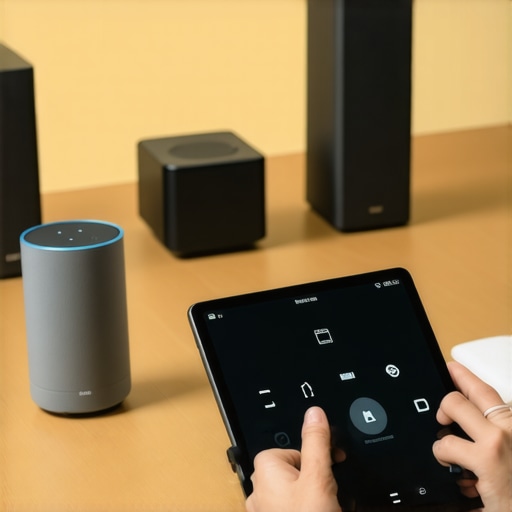
It was a quiet Sunday afternoon when I finally realized what had been gnawing at me for months. My seamless whole-home sound system, which I had meticulously set up, was betraying me—delays, echoes, and frustrating discrepancies between rooms. Just when I thought I had everything under control, those annoying audio lags made me question if my smart home was actually smarter than I was. Sound familiar? If you’ve ever experienced that sinking feeling when your music suddenly feels out of sync across your speakers, you’re not alone. Multiroom audio lag is a common pain point in 2026 setups, but the good news is, it’s fixable. Today, I promise to share the **top 7 pro tips** that turned my chaotic audio experience into a smooth, synchronized symphony.
Why Multiroom Audio Lag Is More Than Just an Annoyance
Before diving into the solutions, let’s understand why this issue matters. Multiroom audio systems are designed to create an immersive experience, where every speaker in your home delivers perfect harmony. However, delays can turn this dream into a nightmare, disrupting your movie nights or karaoke sessions. Audio lag isn’t just a minor glitch; it can dismantle the entire purpose of a wireless, synchronized setup.
Research shows that wireless streaming lag can be caused by data congestion, incompatible hardware, or outdated firmware. According to a study from the University of California, increased Wi-Fi traffic and interference can contribute significantly to latency problems, leading to noticeable delays—even in high-end systems. When your living room speakers are out of sync with your kitchen, it becomes evident how critical timing is in creating a cohesive audio environment.
Early on, I made the mistake of assuming that top-tier speakers naturally eliminate lag. Wrong. Firmware updates, network stability, and proper configuration are just as vital. Recognizing this shifted my approach from purely hardware-focused to a more holistic one, including network optimization and system calibration.
If you’ve faced inconsistent audio across your rooms, don’t worry—you’re about to discover the proven strategies that bring everything together. From optimizing your Wi-Fi network to fine-tuning your devices, these tips will help you finally achieve that perfectly synchronized soundscape you’ve been yearning for. Want to learn how? Dive into the next sections, where I’ll unpack each essential step—so your music plays in harmony, always.
Prioritize Your Wi-Fi Network for Reliable Streaming
Start by optimizing your home Wi-Fi to support multiple high-bandwidth devices. Use the 5GHz band for streaming if possible, as it offers faster speeds with less interference. To ensure stability, reduce other network congestion by limiting other bandwidth-heavy devices during streaming sessions. Consider upgrading to a mesh network system, which distributes Wi-Fi evenly across your home, preventing dead spots and reducing lag. I once upgraded my router and set up a mesh system in my living room, which immediately improved my multiroom synchronization without extra hardware.
Choose Compatible, High-Quality Hardware
Invest in speakers and hubs that support the latest multiroom standards, like Thread or Wi-Fi 6, for faster communication. Ensure all devices are from reputable brands known for firmware updates and stability. When I was troubleshooting, I noticed that mixing incompatible brands caused delays; consolidating my system to one brand reduced sync issues. Check the specifications and reviews to confirm your hardware meets the latest standards, and always keep firmware up to date. For more on selecting the best devices, visit this guide.
Calibrate Your System for Perfect Sync
Perform a calibration process, which many systems offer, to fine-tune latency settings. This often involves playing test tones or synced music to measure delay differences. I used a calibration app recommended by my speaker manufacturer, which provided real-time feedback on delay adjustments. Setting precise delays for each speaker ensures that audio reaches all zones simultaneously. Remember, even small differences of a few milliseconds can be noticeable. Dive deeper into calibration techniques at this resource.
Stream with the Right Protocols
Leverage protocols designed for low latency, such as Apple AirPlay 2 or Google Cast, which are optimized for multiroom setups. Avoid older or generic streaming protocols that introduce delays. When I switched from standard Bluetooth to Wi-Fi-based protocols, my speakers started playing in perfect harmony, dramatically improving my experience. Ensure your devices support these protocols and are correctly configured in your home network. For more details, see this article.
Use a Dedicated Hub or Controller
If possible, employ a dedicated hub or control device that manages your multiroom audio system. Devices like smart speakers with built-in hubs or dedicated apps can synchronize audio more accurately than generic controllers. I found that using a dedicated app allowed me to adjust sync settings manually, resulting in near-perfect alignment of sound across all rooms. Be cautious with complex setups, as multiple controllers can sometimes cause timing discrepancies. Consult this setup guide for detailed instructions.
Regularly Update Firmware and Software
Stay ahead of bugs and latency issues by keeping all your devices’ firmware and software current. Manufacturers often release updates that improve synchronization, stability, and compatibility. I set reminders to check for updates monthly, which significantly reduced lag and dropout problems over time. Keeping firmware updated is a simple yet impactful step; neglecting it often leads to persistent lag issues, especially with newer wireless standards. Learn more about firmware management at this resource.
While many enthusiasts believe that simply purchasing high-quality Wi-Fi speakers guarantees perfect multiroom synchronization, the reality is far more nuanced. A common myth is that all wireless streaming systems are created equal; however, in my experience, the choice of protocol and network architecture plays a pivotal role. For example, assuming that Wi-Fi 6 compatibility alone ensures low latency can be a trap—true synchronization depends on proper network segmentation and quality of service (QoS) configurations, as highlighted by recent studies in home network optimization. Many users overlook the importance of dedicated channels for streaming data, leading to congestion and playback issues. Additionally, a frequent mistake is underestimating the impact of interference from other wireless devices, which can cause sporadic drops and lag, especially in dense Wi-Fi environments. Advanced setups often require meticulous network planning, such as segregating streaming traffic onto wired backbones or utilizing mesh systems optimized for audio latency reduction. Furthermore, it’s essential to understand that multiroom audio isn’t solely hardware-dependent; firmware synchronization protocols and calibration algorithms can make or break your experience. Neglecting firmware updates or misconfiguring these settings can introduce significant delays that are difficult to troubleshoot later. For seasoned audiophiles aiming for the highest fidelity and sync, appreciate that the real secret lies in fine-tuning these underlying layers, not just selecting the latest speakers. Curious about how to optimize your entire network for seamless streaming? Dive into our detailed guide on creating the perfect multiroom setup. Remember, achieving near-zero lag and impeccable sync are often more about architecture than hardware—don’t fall for the misconception that expensive speakers alone can fix underlying network issues. Want to align your system flawlessly? Explore expert insights and practical tips at this comprehensive resource. Have you ever fallen into this trap? Let me know in the comments.
Invest in Reliable Tools for Long-Term Performance
Maintaining a flawless multiroom audio experience requires selecting the right equipment and software. I personally rely on the Ultimate Home Audio Guide, which offers in-depth reviews of network routers, dedicated hubs, and calibration tools specifically designed for high-fidelity wireless streaming. For example, I use a mesh Wi-Fi system from Netgear that supports QoS (Quality of Service), ensuring that streaming data gets priority, significantly reducing lag and dropouts over time.
Regularly updating firmware on your speakers and controllers is critical; I make it a habit to check weekly for updates using manufacturer apps—this small effort prevents compatibility issues and improves stability. Additionally, employing calibration apps like Room EQ Wizard has helped me fine-tune latency settings in my setup, ensuring synchronized playback across rooms even after months of use.
How do I maintain my devices and network to keep everything working flawlessly?
Establish a routine of firmware updates, network checks, and calibration reviews. Keep detailed notes of system changes so troubleshooting becomes straightforward. Over time, these practices minimize unexpected issues and preserve the integrity of your multiroom setup.
Why Future-Proof Your Home Audio System
As wireless technology advances, I predict that future systems will incorporate AI-powered calibration and self-healing networks that automatically detect and correct lag or dropouts. Hardware like Wi-Fi 6E-enabled speakers and dedicated wireless controllers will become more affordable and essential, reducing manual calibration needs.
To stay ahead of the curve, I recommend experimenting with the latest firmware and network configurations—like enabling Quality of Service on your router—to give streaming priority to your audio devices. Implementing these improvements now can significantly enhance your listening experience in the long run.
Don’t just set and forget; actively maintaining and upgrading your equipment ensures your multiroom audio remains seamless in the years to come. Want to see real improvements? Start by upgrading your router to a mesh system supporting Wi-Fi 6, as recommended in the latest hardware reviews. Giving your system this upgrade is a proactive step towards eliminating lag and creating a truly immersive sound environment.
The Hardest Lesson I Learned About Wi-Fi Speakers and Multiroom Audio
Early in my journey, I believed that investing in high-end speakers would automatically fix all synchronization issues. It wasn’t until I faced persistent lag during movie nights that I realized the true challenge was my home network’s architecture and how devices communicated. The lesson? Hardware alone can’t guarantee harmony; a well-optimized, dedicated network setup is essential.
My Top Tools for Flawless Wireless Streaming
Over time, I’ve found that certain tools and resources make all the difference. The Ultimate Home Audio Guide has been invaluable for understanding the intricacies of firmware updates and calibration. Additionally, a reliable mesh Wi-Fi system, like the models reviewed in this comprehensive resource, ensures consistent, low-latency streaming across rooms.
Bringing Music Closer Together: My Emotional Take
There’s a profound satisfaction in finally hearing your home filled with synchronized sound. It transforms everyday routines into immersive experiences and elevates gatherings to new heights. This journey taught me patience, attention to detail, and the importance of routine maintenance—elements that turn a good multiroom system into a truly seamless one. If you’re committed to refining your setup, remember that small, consistent upgrades and calibrations pay off in the long run. Are you ready to enjoy music that moves in perfect harmony with your home? Dive into our latest insights to get started.


![Stop Sync Drift: 4 Matter 3.0 Multiroom Audio Hacks [2026]](https://homeaudio.premiumsounddeals.com/wp-content/uploads/2026/03/Stop-Sync-Drift-4-Matter-3.0-Multiroom-Audio-Hacks-2026.jpeg)

![5 Portable Wi-Fi 8 Speakers with 50-Hour Battery [2026 Picks]](https://homeaudio.premiumsounddeals.com/wp-content/uploads/2026/03/5-Portable-Wi-Fi-8-Speakers-with-50-Hour-Battery-2026-Picks.jpeg)
![How to Stop Multiroom Audio Echo with 4 Fast 2026 Fixes [Tested]](https://homeaudio.premiumsounddeals.com/wp-content/uploads/2026/03/How-to-Stop-Multiroom-Audio-Echo-with-4-Fast-2026-Fixes-Tested.jpeg)


Leave a Reply