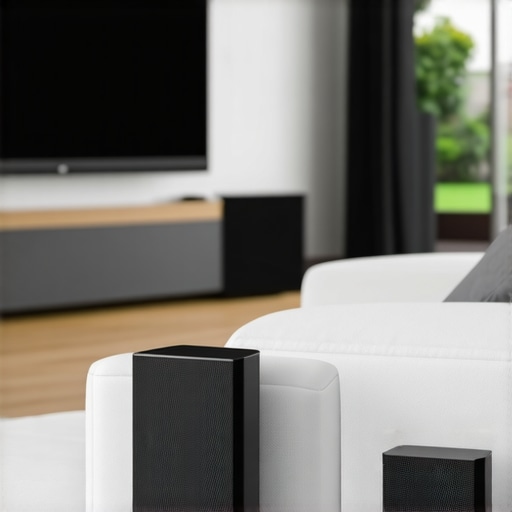
Ever tried relaxing with your favorite music only to be thwarted by uneven sound, tangled wires, or the frustration of complicated setups? That moment when you realize your home’s sound system just isn’t cutting it—is an all-too-familiar lightbulb moment for many homeowners. I remember years ago, struggling to enjoy my living room, kitchen, and bedroom all with different devices that refused to talk to each other. It was like having a puzzle with missing pieces.
Then it hit me—what if I could have seamless, multiroom audio without the mess of wires or constant adjustment? That’s when I dove into the world of Wi-Fi speakers and whole home audio solutions. Today, I want to help you solve this common dilemma. In this guide, we’ll explore how to set up a system that streams effortlessly across your entire home, giving you the peace of mind and high-quality sound your space deserves.
Why Home Audio Setup Matters More Than Ever
In 2024, the way we experience sound in our homes has evolved beyond simple speakers. Multiroom audio tech offers a solution for maintaining a consistent soundtrack whether you’re cooking, working out, or relaxing in the bath. Research shows that seamless audio can boost your mood and even improve your sleep—an underrated benefit of good home sound systems. But the biggest obstacle remains: too often, we settle for inferior setups that are complicated, unreliable, or just plain unattractive.
Many people make the mistake early on of choosing incompatible devices or ignoring the importance of proper network design—things I learned the hard way. For example, I initially relied on Bluetooth speakers, only to find I could never synchronize the music across rooms or maintain a stable connection. That taught me the importance of considering Wi-Fi-based solutions, which are much more robust for whole home audio. Want to learn how to avoid my pitfalls? Keep reading, because I’ll guide you through the simplest and most effective ways to create a killer home audio experience that fits your space and lifestyle.
Is Whole Home Audio Overhyped or Truly Worth It?
It’s natural to wonder if investing in a complete wireless audio setup is worth the effort and expense. After all, isn’t any good enough? Well, I admit I overestimated the complexity at first. I thought a few budget speakers would do the trick, only to be frustrated by inconsistent sound and constant technical hiccups. The truth is, with the right equipment and setup, you can transform your living environment into a cohesive soundscape. This comprehensive guide explains why wireless multiroom systems are becoming indispensable in modern homes.
Select the Right Equipment for Seamless Sound
Begin by choosing compatible Wi-Fi speakers designed for multiroom audio, such as those covered in this comprehensive guide. I remember one weekend experimenting with a mix of budget and premium speakers in different rooms. The key was to ensure all devices supported the same protocol and app ecosystem, which minimized headaches during setup. Think of your devices as band members—each needs to be on the same page for harmonious performance.
Assess Your Wi-Fi Network to Prevent Bottlenecks
Next, evaluate your home’s Wi-Fi infrastructure. A strong, stable connection is the backbone of wireless multiroom audio. I once set up my system in a home with a weak signal upstairs, leading to dropouts and lag—like trying to dance in a fog. Upgrading to a mesh Wi-Fi system or adding access points, as recommended in this article, dramatically improved reliability. Think of your Wi-Fi as the highway; the faster and less congested, the smoother your audio streams.
Position Devices for Optimal Coverage
Place your speakers strategically in each room, avoiding obstructions and interference sources like thick walls or microwave ovens. I learned this firsthand when my living room speakers kept disconnecting until I moved them to a more open spot, akin to giving a musical instrument more room to resonate. Use the open areas of your home, especially higher up, to maximize coverage, much like placing Wi-Fi routers in central locations for best signal distribution.
Connect and Sync Devices Carefully
Follow the manufacturer’s setup instructions carefully, then use the dedicated app to connect all speakers to your network and each other. I once hurried through the process without updating firmware, resulting in synchronization issues—like a band playing out of sync. Regularly updating your devices ensures they operate seamlessly together. For detailed instructions, check out this step-by-step guide.
Configure Groupings for Rooms and Zones
Define zones or groups within your app to play the same music in multiple rooms or different streams where needed. I configured the kitchen and dining room as a single zone during a dinner party, which was a game-changer. Clear zone setup enables you to enjoy uniform sound throughout your home, akin to having an orchestra where each section knows its part. Use your app’s grouping features to specify which speakers play together; many systems allow for multiple zones, enhancing flexibility.
Test the System and Make Adjustments
Finally, test the entire setup extensively. Walk through each room, check for lag or disconnects, and adjust speaker placement or network settings as necessary. I once spent hours tweaking placement after noticing audio lag in the hallway, which I fixed by repositioning a router closer. Remember, a few tweaks can significantly elevate your listening experience, so don’t settle for initial results. For troubleshooting tips, see this troubleshooting guide.Many enthusiasts believe that simply installing multiple Wi-Fi speakers guarantees seamless multiroom audio. However, this oversimplification often leads to frustrating experiences. One prevalent myth is that more speakers automatically translate to better sound coverage, but in reality, **speaker placement and network stability** play crucial roles in achieving high-quality audio.
Another misconception is that all Wi-Fi speakers are created equal. The truth is, **not all devices support the same protocols or synchronization features**, which can result in lag or mismatched audio. Investing in compatible equipment and understanding the underlying technology can prevent these pitfalls, as detailed in this expert guide.
A common mistake is relying solely on your home Wi-Fi network without assessing its robustness. I once faced persistent dropouts because my network was congested, leading to audio cutouts that ruined the listening experience. Upgrading to a mesh Wi-Fi system or optimizing router placement significantly improves reliability, a tip emphasized in this comprehensive resource.
Now, a question for seasoned audiophiles and tech-savvy readers: How does your choice of network infrastructure influence multiroom audio quality? The answer lies in recognizing that **network throughput, latency, and bandwidth** all impact synchronization. **Advanced setup techniques**, such as VLAN configuration or Quality of Service (QoS) prioritization, can further enhance performance, as discussed in more technical detail in this article.
By avoiding assumptions about device compatibility and thoroughly evaluating your network environment, you set the stage for a truly immersive home audio experience. Always remember that seamless sound isn’t just about buying the latest tech; it’s about understanding and fine-tuning the nuances behind the scenes. Have you ever fallen into this trap? Let me know in the comments.Once you’ve successfully set up your seamless home audio network, the next step is to keep it running smoothly over time. Regular maintenance ensures your system continues to deliver high-quality sound without interruptions. One of my go-to tools is network monitoring software like Fing, which helps identify any bandwidth issues or device conflicts that could affect streaming quality. I personally check my network weekly, scanning for unfamiliar devices that might be hogging bandwidth—a common culprit for audio dropouts. Also, keep your firmware and app software up to date; manufacturers regularly release updates that improve stability and add features. For example, I update all my Wi-Fi speakers using the manufacturer’s dedicated app, which often prompts for firmware updates automatically. Additionally, regularly inspecting your Wi-Fi infrastructure—such as routers and mesh nodes—is crucial. Moving your access points to more central positions can dramatically improve signal strength across multiple rooms, maintaining the reliable connection needed for multiroom audio. Prediction-wise, as Wi-Fi 6 and 5G become more widespread, expect even more robust and faster streaming capabilities, making long-term maintenance simpler and more effective.
How do I maintain my home audio setup over the years?
Start by scheduling routine checks for firmware updates via your device apps, ensuring compatibility and bug fixes are applied promptly. Use network diagnostic tools to monitor your Wi-Fi performance—aim for consistent signal strength above -65 dBm across all listening areas—and consider upgrading your router or adding access points if needed. Keep your cable connections clean and secure, especially if you use wired components or secondary devices. Regularly review your device placements to prevent interference from household electronics like microwaves and cordless phones, which can disrupt Wi-Fi signals. Additionally, stay informed about advancements in wireless standards; embracing new tech like Wi-Fi 6 can future-proof your setup, offering higher throughput and lower latency. Predicting the future, continuous software improvements and smarter mesh networks will reduce the manual work needed to maintain optimal performance. I highly recommend trying out a network monitoring tool and performing quarterly audits—these simple steps keep your multiroom audio experience seamless for years to come. For more expert insights, check out this detailed guide.
What I Wish I Might Have Known About Multiroom Audio Early On
One of my hardest lessons was realizing that device compatibility isn’t just a technical detail—it’s the foundation of a seamless listening experience. If I had taken the time to research protocols and supported ecosystems before purchasing, my setup would have been smoother from the start. Don’t underestimate the importance of matching devices supported by the same app ecosystem, as it saves time and frustration down the line.
Another insight came from neglecting Wi-Fi network health. I initially relied on a single router in a large home and faced constant dropouts. Moving to a mesh network transformed my streaming quality dramatically. Proper network planning is your best friend in creating reliable, whole-home sound.
Placement is everything—skipping this step almost cost me my patience. I learned to avoid obstructions and placed speakers in open, elevated spots, much like optimizing a Wi-Fi router’s position. The result? More consistent, room-filling sound. A little effort here yields big results in the quality of your listening experience.
An overlooked lesson was firmware updates. I thought I could set everything up once, but regular updates kept my system synchronized and bug-free. Stay current with manufacturer updates to preserve that seamless experience you worked so hard to design.
Tools That Lift My Home Audio to Next Level
For a reliable setup, I trust top-rated wireless streaming devices known for stability and compatibility. They’ve helped me avoid jittery playback and dropped connections. Pairing a smart, capable multiroom system with strong network infrastructure has unlocked consistent sound across my home.
I also rely on testing tools like network analyzers, which are surprisingly user-friendly. They let me ensure my Wi-Fi is robust enough for streaming, minimizing surprises during critical moments—like parties or late-night listening. These resources guide you through the tech side, so your setup aligns perfectly with your household’s needs.
Books such as this deep dive into multiroom setup have expanded my understanding, turning my home into a true sanctuary of sound. Knowing the how and why behind these systems empowers you to troubleshoot and fine-tune with confidence.
Your Home, Elevated with Wireless Joy
The journey to perfect home audio isn’t about hunting for the newest gadget but about cultivating a setup tailored to your space and lifestyle. Keep experimenting, stay curious, and remember—every tweak brings you closer to the experience you deserve. Make each listening session a moment of joy and connection. Your personal soundtrack is waiting—trust yourself to make it incredible.
What’s been your biggest challenge in creating a seamless home audio system? Share your story below—I’d love to hear how you’re making your soundscape come alive.


![Stop Sync Drift: 4 Matter 3.0 Multiroom Audio Hacks [2026]](https://homeaudio.premiumsounddeals.com/wp-content/uploads/2026/03/Stop-Sync-Drift-4-Matter-3.0-Multiroom-Audio-Hacks-2026.jpeg)

![5 Portable Wi-Fi 8 Speakers with 50-Hour Battery [2026 Picks]](https://homeaudio.premiumsounddeals.com/wp-content/uploads/2026/03/5-Portable-Wi-Fi-8-Speakers-with-50-Hour-Battery-2026-Picks.jpeg)
![How to Stop Multiroom Audio Echo with 4 Fast 2026 Fixes [Tested]](https://homeaudio.premiumsounddeals.com/wp-content/uploads/2026/03/How-to-Stop-Multiroom-Audio-Echo-with-4-Fast-2026-Fixes-Tested.jpeg)


Leave a Reply